

You finally launched the new website. The design is sleek, the branding is on point, and your team is proud of the result. Then, two weeks later, your organic traffic falls off a cliff, and the phone stops ringing.
This is one of the most common and most preventable problems in Website Redesign SEO Sydney projects. A redesign should elevate your brand, not erase years of hard-earned Google rankings. Yet, without the right technical safeguards, even a beautifully designed site can become invisible in search results overnight.
The good news? Every mistake that causes this traffic collapse is avoidable with the right planning. In this guide, we’ll break down the five critical errors Sydney businesses repeatedly make during redesigns, and exactly how to prevent them.
Not sure if your current site is at risk? Keep reading; the checklist further down will show you exactly what to check before you launch.
Why Do Websites Lose Organic Traffic After a Redesign?
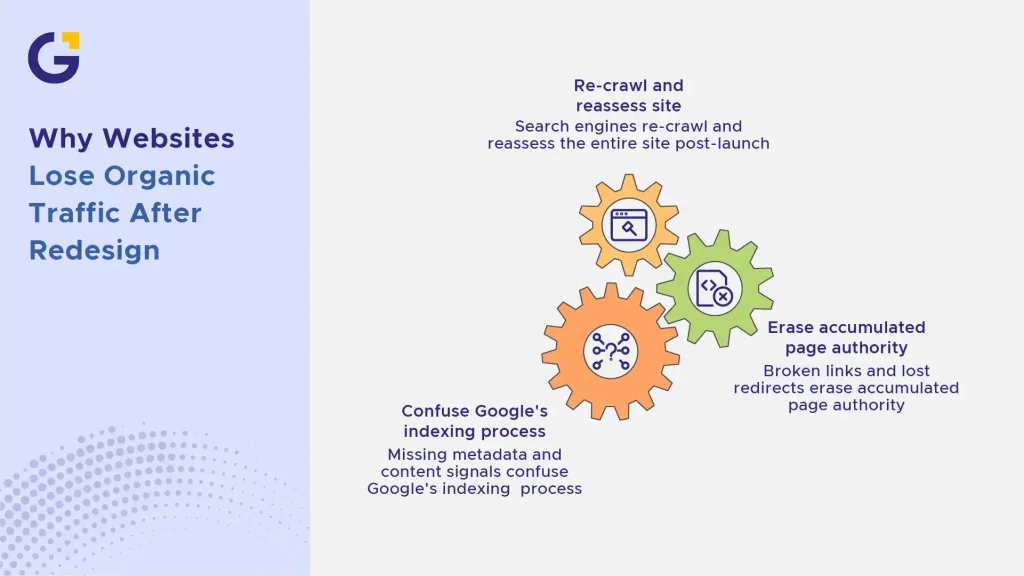
Google doesn’t automatically know your new website is the same business. When URLs, content, or code structure change, search engines have to re-crawl and re-evaluate the entire site from scratch.
If that re-evaluation process isn’t managed correctly, Google can lose track of the authority, rankings, and trust signals your old pages had built up over months or years. As leading Australian SEO figures like Harry Sanders (founder of StudioHawk) often emphasise, structural website changes without strict technical oversight almost always lead to severe indexing and traffic losses.
Example Case: A Sydney-based retail business relaunched its site with a modern UX overhaul but didn’t map old URLs to new ones. Within three weeks, organic sessions dropped by 42%, and category pages that once ranked on page one vanished from search results entirely.
- Search engines re-crawl and reassess the entire site post-launch.
- Broken links and lost redirects erase accumulated page authority.
- Missing metadata and content signals confuse Google’s indexing process.
For a broader perspective on how digital platforms evolve, read our breakdown on When Should a Sydney Business Redesign Its Website? 12 Warning Signs.
The 5 Mistakes That Kill Your Rankings
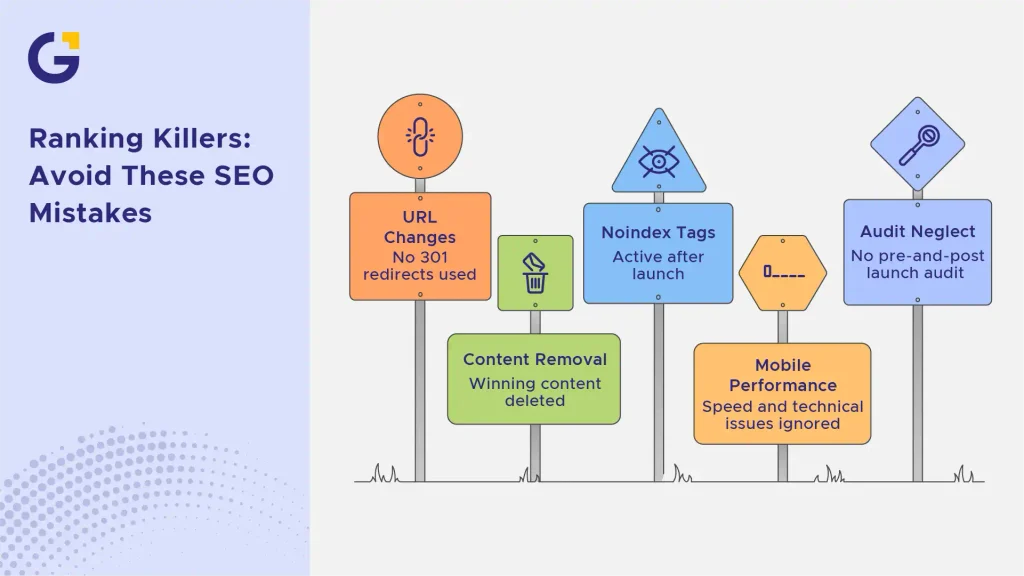
Most traffic losses trace back to a handful of avoidable technical oversights. Here are the five mistakes we see most often in Sydney Web Design and SEO projects and how to fix each one before it costs you rankings.
1. Changing URLs Without 301 Redirects
When your new site restructures page URLs even slightly without redirecting the old ones, you’re effectively telling Google those pages no longer exist. All the authority, backlinks, and rankings tied to that URL disappear.
A proper 301 redirect mapping strategy ensures every old URL points to its new equivalent, transferring SEO value instead of losing it. If you are considering a complete structural overhaul, partnering with a professional Custom web development Sydney agency guarantees seamless technical execution.
Example Case: A Sydney law firm changed /family-lawyers-sydney to /services/family-law without a redirect. The page had ranked in the top 3 for over a year. Post-launch, it dropped to page 4 within days because Google indexed the new URL as a completely unrelated, brand-new page.
- Map every existing URL to its new destination before launch.
- Test redirects in a staging environment before going live.
- Monitor for 404 errors for at least 60 days post-launch using tools like Google Search Console.
2. Removing Winning Content & Metadata
It’s tempting to “start fresh” during a redesign, but wiping out high-performing content, blog posts, or metadata means discarding the very signals Google uses to rank you. Titles, meta descriptions, header tags, and body copy that already convert shouldn’t be deleted; they should be enhanced. Executing a comprehensive SEO Migration Strategy Sydney allows you to safeguard your highest-ranking assets while refining messaging.
Example Case: A Sydney fitness studio rewrote all of its service pages from scratch for a “cleaner” tone, unintentionally removing keyword-rich content that had taken 18 months to rank. Rankings for “personal training Sydney CBD” dropped from position 4 to unranked within a month.
- Audit and preserve top-performing pages before rebuilding.
- Migrate meta titles and descriptions; don’t recreate them blindly.
- Expand strong content instead of replacing it entirely. For tips on keeping copy engaging without losing rank, check our guide on AI Content Workflows for Australian Small Businesses Without Sounding Generic.
3. Leaving “Noindex” Tags Active After Launch
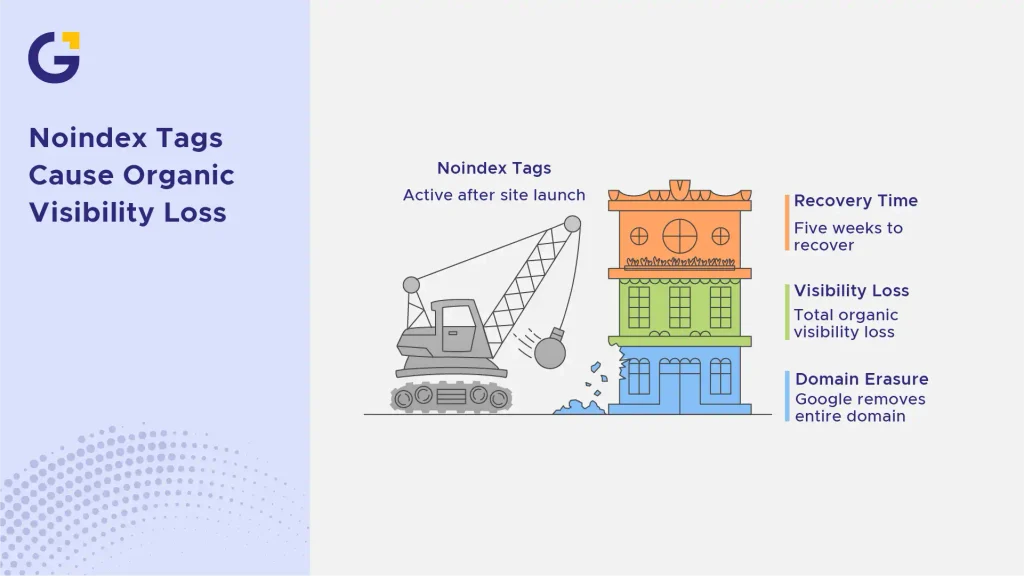
Every staging environment should have noindex tags applied so Google doesn’t crawl an unfinished site. The problem arises when developers forget to remove those tags at launch, effectively telling Google to erase your entire domain from search results.
This single overlooked checkbox has caused total organic visibility loss for businesses across every industry, not just in Sydney, but globally.
Example Case: A Sydney healthcare provider’s new site launched with the staging noindex tag still active. Within 10 days, the entire domain, over 200 pages, disappeared from Google. It took five weeks to recover full indexing after the error was found and fixed.
- Check the robots meta tag on every template before launch.
- Confirm indexing status using Google Search Console immediately post-launch.
- If your site experiences persistent indexing issues, consult our detailed troubleshooting guide on Why Your Service Pages Are Not Staying Indexed: A Sydney Business SEO Checklist.
4. Ignoring Mobile Speed & Technical Performance
A sleek new interface is worthless if users bounce off before the page even loads. Modern search engines heavily penalise websites with poor loading times and unstable layouts, making speed a non-negotiable factor in any Website Redesign SEO Sydney project.
When rebuilding your digital footprint, you must optimise images, streamline scripts, and meet Google’s Core Web Vitals benchmarks. In addition to desktop performance, pay close attention to mobile responsiveness and speed. Our guide on Why Your Small Business Website Is Losing Mobile Visitors (Mobile UX Checklist for Sydney) highlights the core friction points that drive mobile traffic away.
- Run comprehensive audits using PageSpeed Insights before signing off on dev work.
- Optimise high-resolution assets and defer non-critical JavaScript.
- Work alongside an expert UX UI website redesign agency to balance visual appeal with lightweight technical performance.
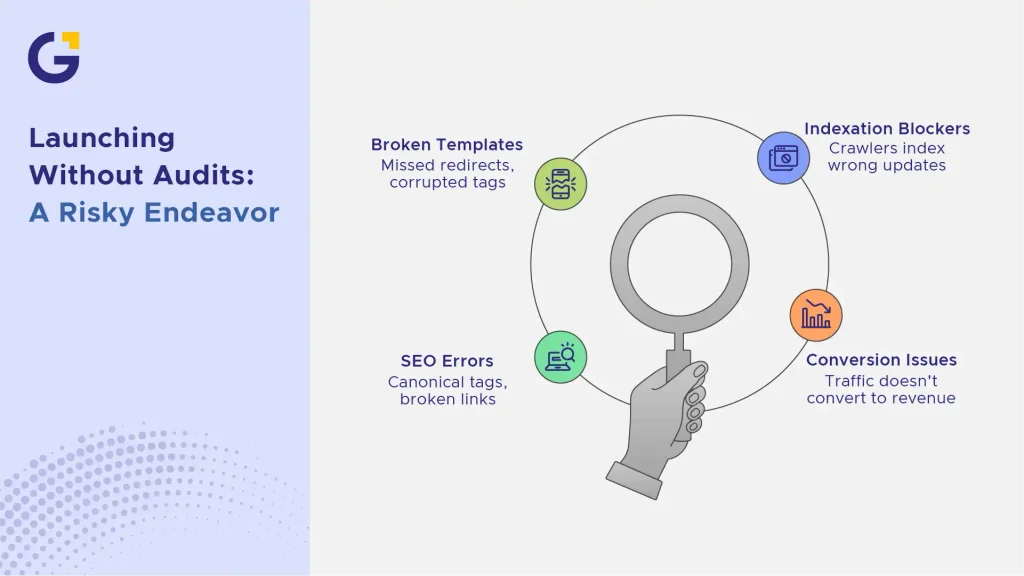
5. Launching Without a Pre- and Post-Launch Audit
Skipping rigorous quality assurance tests before and after pushing a site live is like driving without a seatbelt. A single broken template, missed redirect, or corrupted tag can silently drain your hard-earned traffic.
A thorough pre- and post-launch check involves conducting a deep Technical SEO Audit Sydney to catch canonical tag errors, broken internal links, and indexation blockers before search engine crawlers index the wrong updates. Combining this audit with a Website conversion rate optimisation Sydney audit ensures that your new traffic actually converts into revenue.
- Run crawl simulations on your staging site using tools like Screaming Frog.
- Submit an XML sitemap update via Google Search Console immediately upon launching.
- Track internal linking structures carefully; read more in our guide on Internal Linking Strategy for Service-Based Websites: How to Support Money Pages.
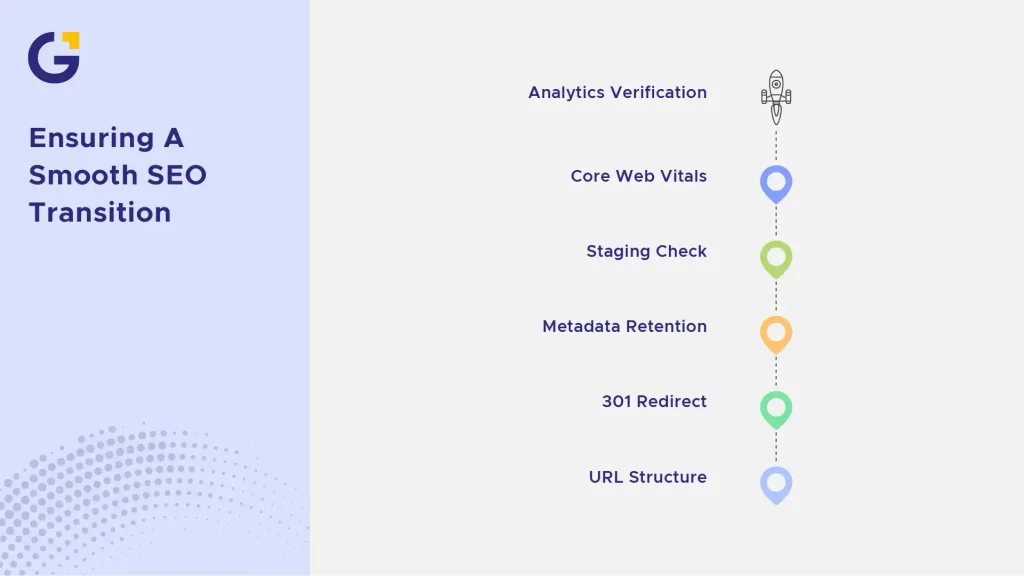
A Quick Pre-Launch SEO Checklist for Your New Site
To protect your online visibility during a transition, follow these essential Website Redesign SEO Best Practices:
- URL Structure Preservation: Keep existing URL structures wherever possible to avoid unnecessary redirect dependencies.
- 301 Redirect Mapping: Map every single legacy URL to its closest modern equivalent.
- Metadata & H1 Retention: Transfer proven meta titles, descriptions, and primary header tags directly to the new layouts.
- Staging Environment Check: Ensure noindex headers and robots.txt blocks are removed prior to DNS pointing.
- Core Web Vitals Assessment: Verify load times and layout stability across both desktop and mobile viewports.
- Analytics Verification: Verify that your Google Analytics 4 and Google Tag Manager containers are firing accurately on the live domain.
Need Help Redesigning Your Website Without Losing Traffic?
Executing a successful migration without an organic traffic drop requires a high level of technical precision and cross-team alignment. At Genix Digital, we specialise in helping businesses across Australia build modern, high-performing websites while safeguarding their search engine rankings.
Whether you need full-scale development or specialised technical oversight for an ongoing migration, our team is here to guide you through every milestone. Explore our bespoke Website Redesign SEO Sydney services or get in touch with our experts today to protect your search equity.
Frequently Asked Questions
Will a website redesign hurt my Google rankings in Sydney?
Not automatically, but failing to manage redirects and metadata during redesign can cause an immediate 20% to 50% loss in organic search traffic.
What is the biggest SEO mistake made during a website redesign?
Changing URL paths without setting up 301 redirects, which breaks all internal and external links and erases page authority in Google.
When should an SEO specialist join a website redesign project?
From day one. Involving SEO experts during wireframing prevents costly structural fixes after the new design goes live.
How long does organic traffic take to stabilise after launching a new site?
If properly migrated with 301 redirects, search traffic typically stabilises within 2 to 4 weeks while Google re-indexes the new structure.
What happens if a staging site’s “noindex” tag isn’t removed at launch?
Search engines will be instructed to remove your entire domain from Google search results, leading to a total loss of organic visibility.
Should I rewrite all website content during a redesign?
No. Keep or expand existing pages that already drive organic traffic and conversions, as removing them damages established search rankings.





 29 Apr 2026
 13 Min Read