

You finally got a lead to fill out your contact form. Then… nothing happens for three days until someone on your team notices it sitting in an inbox. By then, the lead has already called your competitor.
This is one of the most common growth blockers for small businesses. It’s not a lack of leads. It’s a lack of a system to catch, organise, and follow up with them fast. That’s exactly why implementing an effective strategy for lead automation for small businesses is an absolute game-changer. Instead of manually copying form submissions into spreadsheets or forgetting to follow up, automation connects your website, your CRM, and your outreach into one smooth, self-running process.
In this guide, you’ll learn how to connect website forms to CRM tools. Also, automate confirmations and follow-up sequences, and measure whether it’s actually working.
Ready to stop losing leads to slow follow-ups? Keep reading to see exactly how the pieces fit together.
What Is Lead Automation and Why It Matters
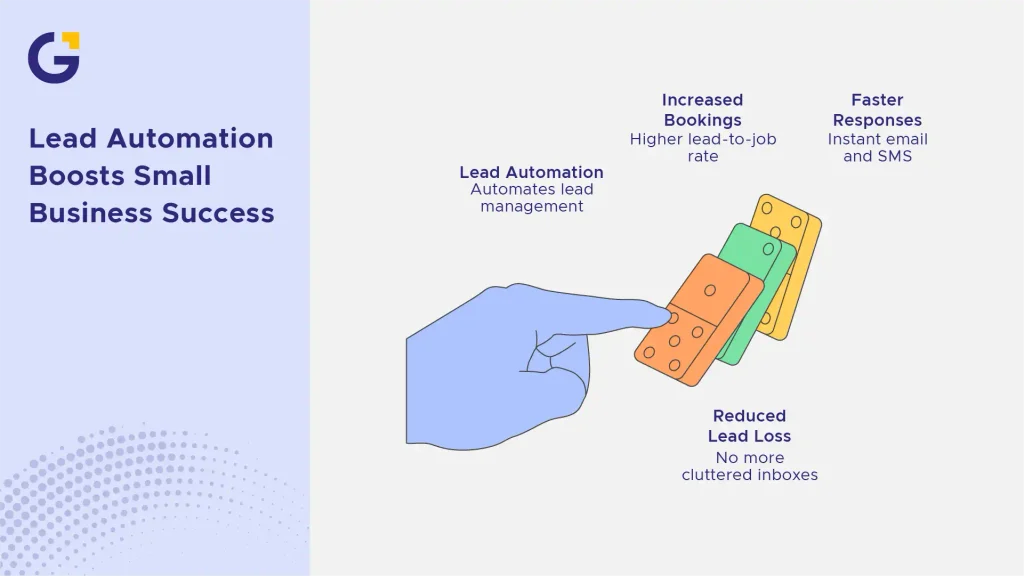
Lead automation is the use of software to automatically capture, organise, and respond to leads without manual work. It typically connects three systems: your website forms, your CRM, and your email or messaging tools.
For Australian small businesses, this matters because speed and consistency win deals. Research from InsideSales.com has shown that responding to a lead within 5 minutes makes you significantly more likely to qualify them than waiting even 30 minutes.
Example Case: A local plumbing company added an automated instant email and SMS reply to every website form submission. Within two months, their lead-to-booked-job rate increased because customers no longer went searching for another plumber while waiting for a callback.
- Leads get faster responses without extra staff hours
- Sales teams stop losing leads in cluttered inboxes
- Owners get visibility into what’s working and what isn’t
How Website Forms Feed Into Your Sales Process
Your website form is the starting point of your entire sales pipeline, but only if it’s connected properly. Without automation, a form submission is just an email notification that someone has to manually act on.
When set up correctly, every form fill should trigger a chain of actions: the lead gets added to your CRM, tagged by interest or service, and entered into a follow-up sequence all within seconds. If your current setup feels clunky or disconnected, exploring professional Web Development Services can help ensure your infrastructure is built to convert.
Example Case: A small accounting firm used to receive form submissions as plain emails. After connecting their form to their CRM, each submission automatically created a contact record. Then, assigned it to the right team member and logged the source page the lead came from.
- Forms become lead-capture tools, not just contact boxes
- Sales reps get organised, ready-to-work leads instead of raw emails
Connecting Your Website Forms to a CRM
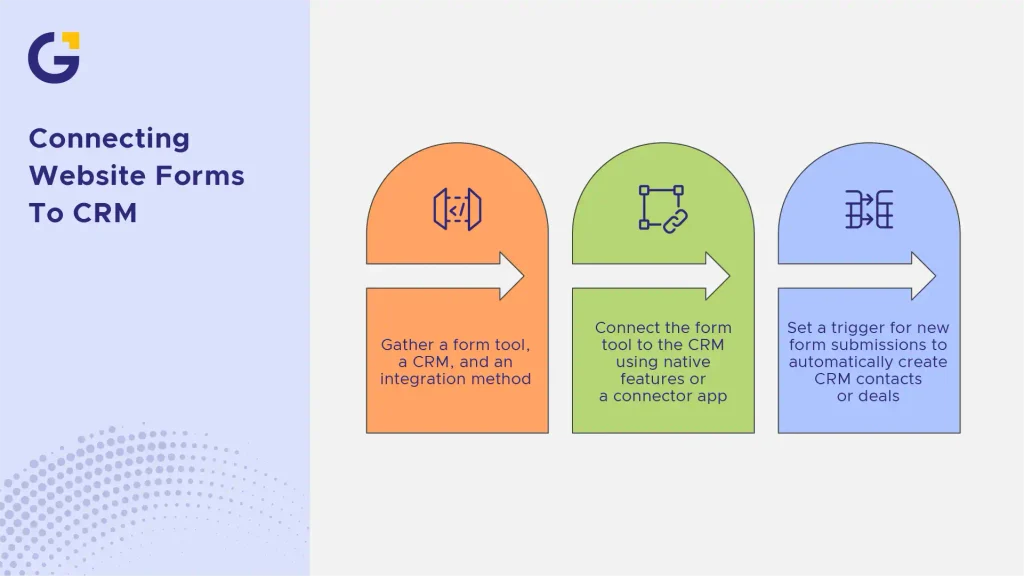
To connect website forms to CRM software, you need three things: a form tool, a CRM, and an integration method (built-in or via a connector app). Once linked, form data flows directly into your CRM as a new contact or deal. For local brands looking to streamline this workflow seamlessly, leveraging expert Website Automation Ideas for Sydney Small Businesses That Save Admin Time can provide clear, actionable blueprints.
Popular CRM Options for Small Business
Some of the most widely used CRMs for small businesses include HubSpot (strong free tier and native form tools), Zoho CRM (affordable and flexible), and Pipedrive (built for sales pipeline visibility). Each offers native or plugin-based website form integrations. To make sure your custom setup or plugin configuration is airtight, partnering with a specialist team for WordPress Development can save your internal team hours of troubleshooting.
Using Integration Tools Like Zapier
If your form tool and CRM don’t connect natively, Zapier bridges the gap. You set a “trigger” (new form submission) and an “action” (create CRM contact), and Zapier automates the transfer, no coding required.
Automating Lead Follow-Ups
Capturing a lead is only half the job. The other half is making sure no one has to remember to follow up manually. By mastering the fundamentals of lead automation for small business, you can nurture prospective clients through targeted email sequences without lifting a finger.
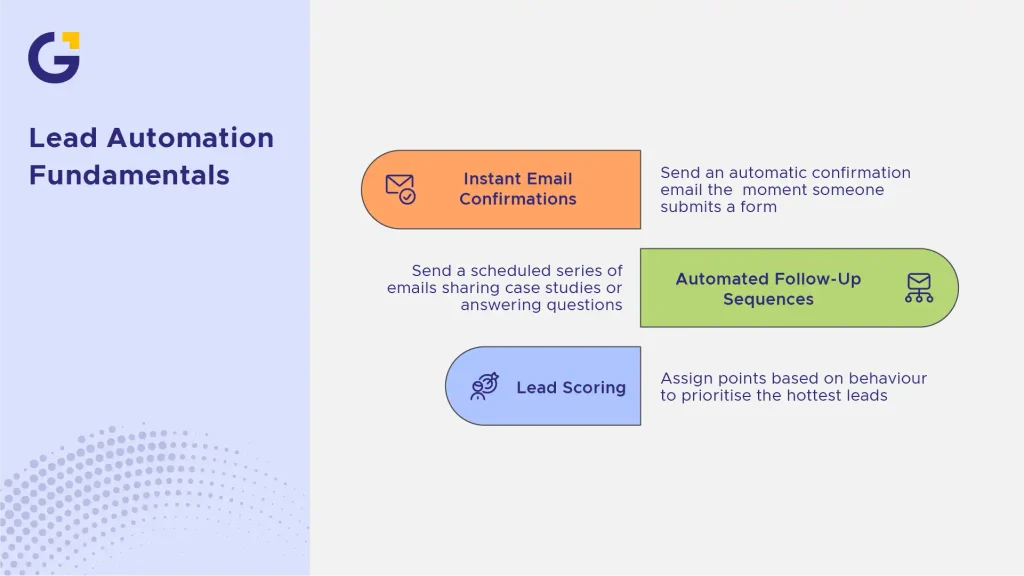
Instant Email Confirmations
The moment someone submits a form, they should receive an automatic confirmation email. This reassures them their message was received and buys your team time to respond personally.
Automated Follow-Up Sequences
Beyond the first confirmation, automation tools can send a scheduled series of follow-up emails sharing case studies, answering common questions, or offering a call booking link until the lead responds or converts. As outlined in industry insights on marketing automation tools, behavioural triggers ensure your messages hit inboxes precisely when intent is highest.
Lead Scoring and Prioritisation
Not all leads are equal. Lead scoring assigns points based on behaviour (page visits, form type, engagement) so your team can prioritise the hottest leads first instead of working through submissions randomly.
Measuring the Impact of Lead Automation
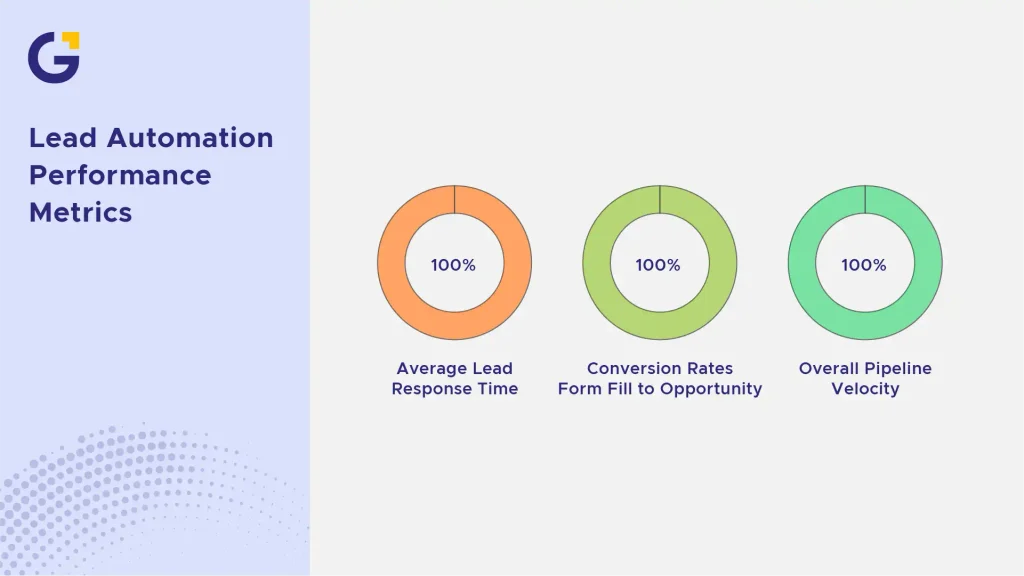
Tracking the performance of your automated pipeline is vital to ensure your tech stack is delivering a measurable return on investment. Key metrics to monitor include your average lead response time, conversion rates from form fill to qualified opportunity, and overall pipeline velocity. If your traffic looks healthy but your conversion metrics are flat, running a thorough audit using a structured Digital Marketing Audit Checklist for Sydney Small Businesses can pinpoint friction points.
Final Thoughts: Scale Your Growth with Lead Automation for Small Business
Lead automation for small business isn’t about replacing your sales team; it’s about making sure no lead falls through the cracks while your team focuses on closing deals, not chasing paperwork. Ultimately, integrating a reliable framework for lead automation for small business ensures your digital ecosystem works efficiently around the clock. By learning how to connect your website forms to a CRM and automate your lead follow-ups, even a small team can respond like a much larger, faster-moving company. Start with one simple connection: your contact form to your CRM and build from there.
FAQs
1. What is lead automation?
Lead automation uses software workflows to capture contact details, sync them to a database, and trigger instant communications (such as emails or SMS) without requiring manual data entry from your team. It forms a core pillar of modern digital strategies, which you can learn more about via our Digital Marketing Agency vs In-House Australia: Real Costs guide.
2. How do I connect my website forms to a CRM?
You can connect them either through native platform integrations (like embedding a HubSpot form directly onto your site) or by using middleware integration tools like Zapier or Make to pass data from your web forms into your chosen CRM automatically. For hands-on assistance getting your tech stack integrated cleanly, our Full-Stack Development services can build bespoke bridges between your web apps.
3. What tools are used for lead automation?
Popular tools include dedicated CRMs with built-in automation features (like HubSpot and ActiveCampaign), form builders (like Gravity Forms or Typeform), and integration platforms like Zapier. To ensure your content and automated hooks align with user intent, reviewing best practices in Content Marketing is highly recommended.
4. Does automation improve lead conversion rates?
Yes. By drastically reducing response times, often reaching out within seconds of a form submission, businesses capture prospects while their interest and intent are at their peak, drastically lowering the chance they will bounce to a competitor.





 22 May 2026
 8 Min Read