

If you’re spending money on Google and Meta ads but can’t say exactly which campaign, ad set, or keyword drove a sale, you have a tracking problem, not a marketing problem. Effective UTM tracking fixes this by tagging every link you share so your analytics platform knows precisely where each visitor came from.
Most advertisers rely on platform-reported numbers alone, which often disagree with what Google Analytics shows. The gap usually comes down to missing or inconsistent UTM parameters. This guide walks through what UTM parameters are, how to build them correctly, and how to apply them specifically to Google Ads and Meta Ads so your reporting finally matches reality. For businesses looking to scale their paid campaigns without burning budget, our professional Paid Ads services ensure every dollar is tracked and optimised.
Need a faster way to get started? Jump to our section on how to build a UTM tracking link.
What Are UTM Parameters?
UTM parameters are small tags added to the end of a URL. They tell Google Analytics (or any analytics tool) where a visitor came from, what medium brought them, and which campaign they clicked through.
UTM stands for Urchin Tracking Module, a naming holdover from the analytics company Google acquired years ago. The tags themselves are simple text strings appended after a question mark in your URL.
Example Case: A visitor clicks a Facebook ad and lands on yoursite.com/?utm_source=facebook&utm_medium=cpc&utm_campaign=summer_sale. GA4 reads this and logs the session under “facebook / cpc / summer_sale” instead of just generic “social” traffic.
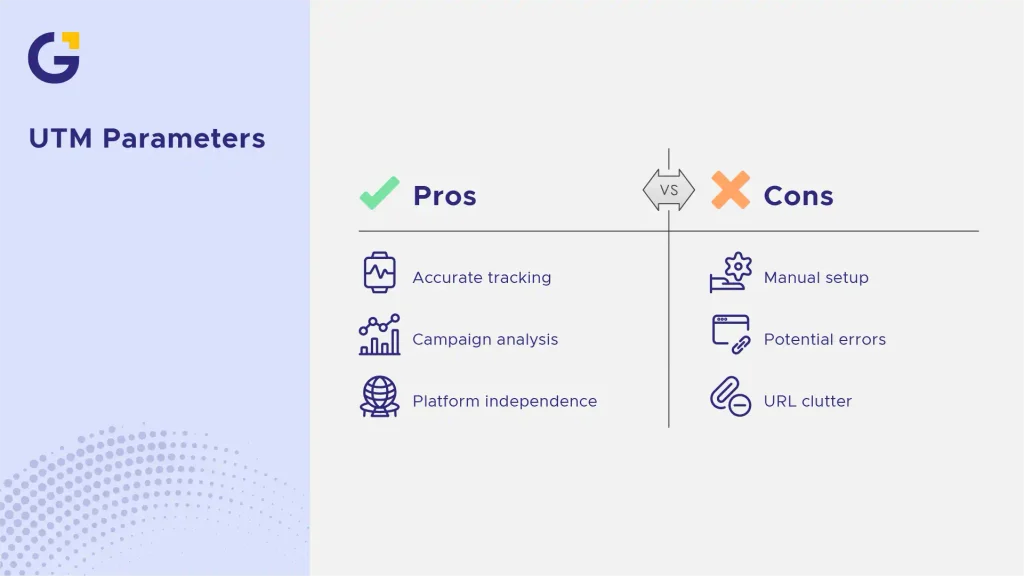
- Without UTMs, GA4 often guesses the source based on referrer data, which is unreliable for ads
- With UTMs, every click is labelled exactly the way you intend, regardless of platform
The 5 UTM Parameters Explained
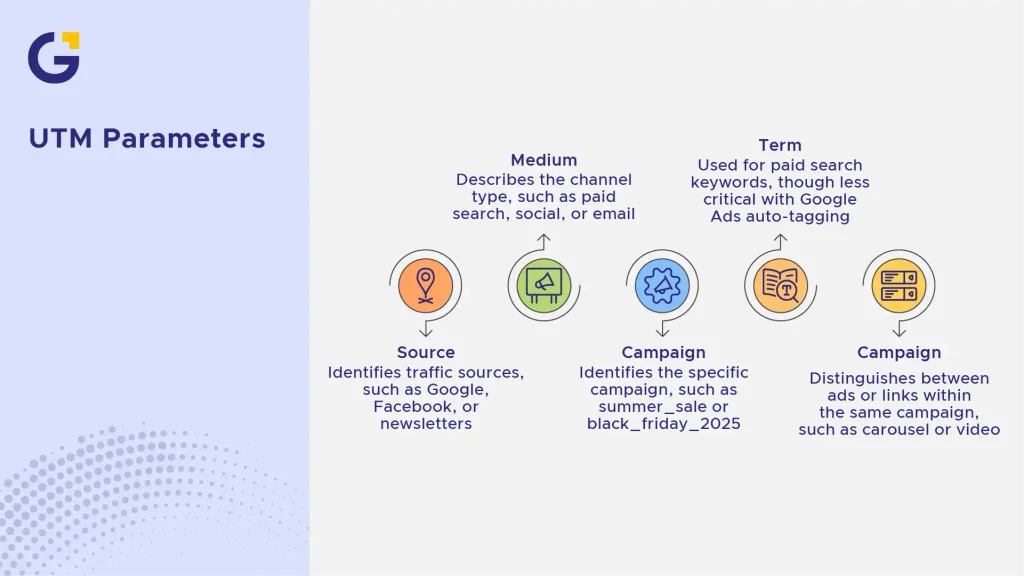
There are five standard UTM parameters, though most campaigns only need three or four of them to be genuinely useful.
Source
utm_source identifies where the traffic originates, such as Google, Facebook, or a newsletter provider. This should always be a single, consistent value like “google” or “meta,” never mixed casing like “Google” and “google” in different links.
Medium
utm_medium describes the channel type, like cpc for paid search, paid-social for Meta ads, or email for newsletters. This parameter is what separates paid traffic from organic traffic in your reports.
Campaign
utm_campaign names the specific campaign, such as summer_sale or black_friday_2025. This is what lets you compare performance across multiple campaigns run on the same platform.
Term and Content
utm_term is typically used for paid search keywords, though it’s less critical now that Google Ads auto-tags keyword data. utm_content differentiates similar ads or links within the same campaign, such as “carousel_ad” versus “video_ad,” which is especially useful for A/B testing creative.
How to Build a UTM Tracking Link
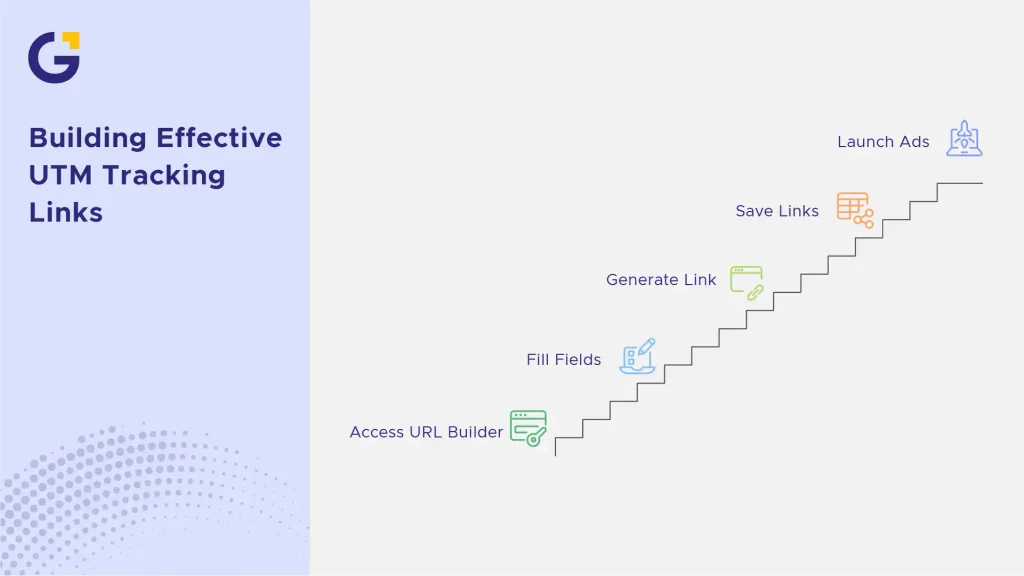
Building a UTM link manually just means appending parameters to your URL, but doing it by hand invites typos that break your data. The safer approach is using a dedicated builder tool. Mastering UTM tracking allows digital marketing teams to eliminate messy attribution data and focus on revenue-driving channels.
A properly tagged URL looks like this: https://yoursite.com/landing-page?utm_source=google&utm_medium=cpc&utm_campaign=spring_promo&utm_content=headline_a
Using Google’s Campaign URL Builder
Google’s free Campaign URL Builder lets you fill in each field through a simple form, then generates the finished link automatically. This removes guesswork and formatting errors like extra spaces or capital letters. For deeper insights into how user behaviour shifts after clicking your ads, check out our guide on UI/UX for B2B businesses: 10 page patterns that convert.
Example Case: A marketer running three Meta ad variations for one campaign uses the builder to generate three links that share the same utm_campaign value but different utm_content values, making creative-level comparison possible in GA4.
- Fill in source, medium, and campaign fields exactly as your naming convention specifies
- Save generated links in a shared spreadsheet before launching ads
UTM Tracking for Google Ads
Google Ads has built-in auto-tagging using a gclid parameter, which passes rich data automatically into Google Analytics. However, relying on gclid alone means your campaign names in GA4 mirror whatever naming exists in Google Ads, which isn’t always reporting-friendly.
Many advertisers layer manual UTM tracking on top of auto-tagging for consistency across platforms. This is especially useful for agencies managing multiple ad accounts under one analytics property, where consistent naming matters more than platform-native labels. To ensure your landing pages are fully optimised for incoming traffic, our Google Ads Landing Page Checklist for Sydney Businesses provides actionable conversion fixes.
Example Case: An agency running Google Ads for five clients standardises utm_campaign values across all accounts as client_name_service_month, making cross-client reporting in one GA4 view far simpler than relying on default Google Ads campaign names.
- Use utm_source=google and utm_medium=cpc for manually tagged Google Ads campaigns to keep platform metrics aligned.
UTM Tracking for Meta Ads
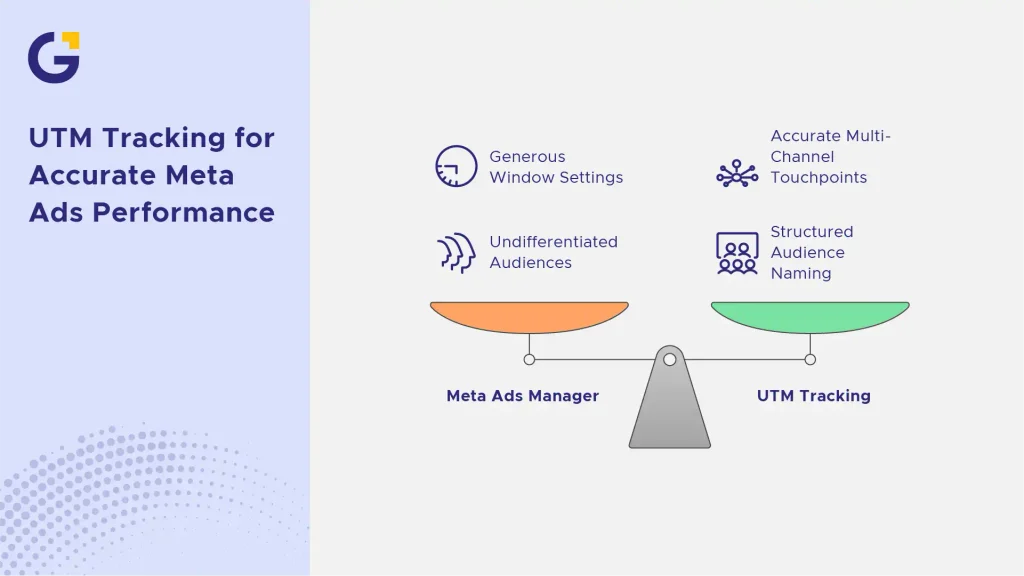
Meta Ads Manager often attributes conversions through generous window settings that can inflate perceived performance. Implementing robust UTM tracking on all Facebook and Instagram ad campaigns ensures your analytics platform records accurate multi-channel touchpoints. If you need expert management for your social campaigns, explore our specialised Facebook Marketing services.
- Always append unique parameters to separate desktop and mobile placements.
- Use structured naming to differentiate between retargeting and cold prospect audiences.
Creating a UTM Naming Convention
Without a strict team-wide naming convention, your analytics reports will quickly fill up with messy, unreadable data like fb-ads, Facebook_CPC, and social-paid. Establish clear lowercase rules, use underscores instead of spaces, and document everything in a central spreadsheet. Establishing clean tracking foundations goes hand in hand with a proper GA4 Setup for Australian Businesses: A Practical Guide to Tracking Leads and Sales.
How to View UTM Data in GA4
Google Analytics 4 does not display UTM parameters out-of-the-box in standard top-level reports. To analyse your campaigns, navigate to Reports > Acquisition > Traffic acquisition, and change the primary dimension from “Session default channel group” to “Session source/medium” or “Session campaign”. For comprehensive analytics support, our digital marketing agency in Australia helps brands build transparent reporting dashboards.
Common UTM Tracking Mistakes
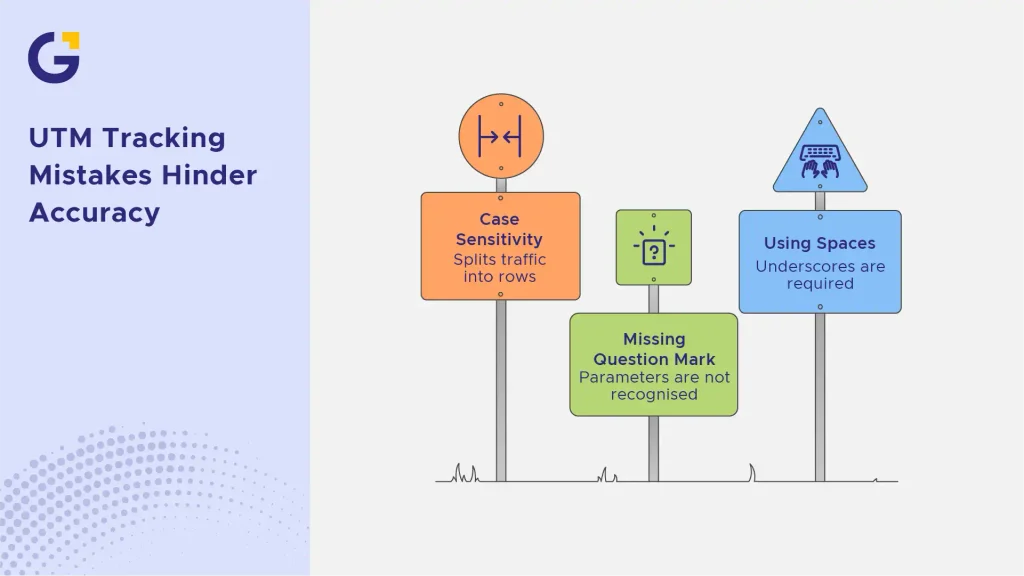
Even experienced marketers occasionally make syntax errors that break tracking sets. Common pitfalls include mixing uppercase and lowercase letters (which splits traffic into separate rows in GA4), forgetting the leading question mark before parameters, or using spaces instead of underscores. According to digital marketing standards outlined by Google Search Central, maintaining clean URL structures is essential for accurate bot crawling and attribution accuracy.
FAQs
1. What is a UTM parameter?
A UTM parameter is a small snippet of text added to the end of a URL that allows analytics tools like GA4 to track where website traffic originates down to the specific campaign and ad creative.
2. How do I create a UTM tracking link?
You can build links manually by appending query strings or by using Google’s free Campaign URL Builder to avoid syntax errors and typos. For streamlined workflows, you can also leverage our automated content marketing solutions.
3. What is the difference between UTM source and UTM medium?
UTM source specifies the exact origin platform (such as Google or Facebook), while UTM medium describes the marketing channel type (such as cpc, email, or organic).
4. How do I see UTM data in GA4?
You can view your tagged campaign data inside GA4 by going to the Traffic Acquisition report and changing the primary dimension to session source, medium, or campaign.



 19 Jun 2026
 16 Min Read