

AI can now help WordPress users create layouts, draft copy, generate images, write CSS and automate parts of the website workflow. The best WordPress AI builder plugin depends on what you need most: full-page design, landing pages, content production, code support or automation.
For most business websites, Elementor AI is the best overall WordPress AI page builder, SeedProd AI is best for landing pages, Divi AI is best for Divi users, 10Web is best for fast AI site generation, and AI Engine is best for content, chatbot and automation workflows.
This article focuses on WordPress AI tools that can support business websites, landing pages, website redesign projects, content production, marketing experiments, SEO workflows and agency delivery. It does not treat every AI tool as the same thing. A WordPress AI page builder is different from an AI content generator WordPress plugin, and both are different from a WordPress AI automation plugin.
Quick comparison: best WordPress AI builder plugins in 2026
| Tool | Best For | Starting Price | Free Version | Full Site Generation | Hosting Lock-In | AI Usage Model | Main Drawback |
| Elementor AI | Best Overall | Elementor plans from $60/yr | Yes | No | No | Credit-based AI usage | Requires the Elementor ecosystem |
| SeedProd AI | Landing Pages | From $39.50/yr | Yes | No | No | Included within the plan features | Less suited to large websites |
| Divi AI | Existing Divi Sites | Divi membership from $89/yr | No | No | No | AI access depends on plan | Best mainly for Divi users |
| 10Web | Fast AI Website Generation | From $10/mo | Trial available | Yes | Partial | Plan-based limits | Hosting and migration considerations |
| Kubio AI | Gutenberg Users | Free version available | Yes | Partial | No | Plan dependent | Smaller ecosystem |
| AI Engine | Content & Automation | Free version available | Yes | No | No | Depends on AI/API usage | Not a visual builder |
Pricing is reviewed in June 2026 and is subject to change. AI credits, usage limits, API fees, and plan inclusions vary between providers. Verify current pricing before purchasing.
Methodology: how these tools were assessed
This comparison reviewed WordPress AI plugins and builder platforms based on practical business website needs. The main criteria were:
- Layout and design generation
- WordPress compatibility
- Editing flexibility
- SEO control
- Metadata and heading control
- Page performance considerations
- Content generation quality
- Code and CSS support
- Free plan or trial availability
- AI limits, credits or recurring costs
- Hosting flexibility and ownership
- Suitability for agencies and growing businesses
Pricing, free-plan details and AI limits can change, so businesses should always check the provider’s current pricing page before choosing a tool.
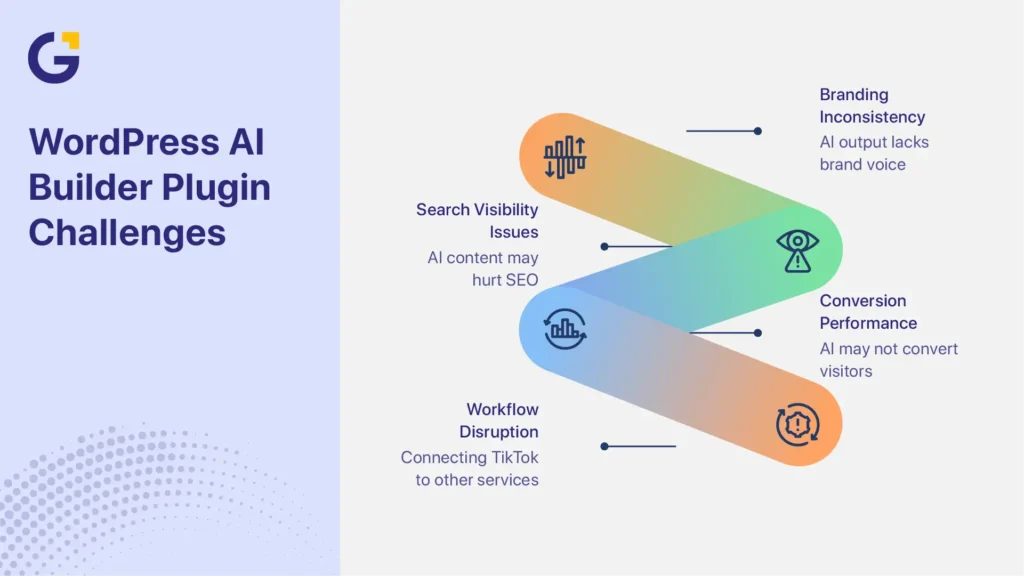
At Genix Digital, a recurring issue we see during website reviews is not that AI was used. The problem is usually that AI-generated pages are published without enough editing. Common problems include weak service-page structure, repeated generic copy, unclear calls to action and layouts that look polished but do not guide visitors toward enquiries.
What a WordPress AI builder plugin should do
A WordPress AI builder plugin should help users move faster without taking away control. The best tools support layout generation, copy and image assistance, CSS or code help, and basic workflow efficiency while still allowing proper SEO, UX and conversion editing.
A good AI website builder plugin for WordPress users can rely on should not only make a page look better. It should help create pages that are easy to edit, easy to optimise and realistic to maintain as the website grows.
Layout generation
An AI layout generator WordPress tool should help users create page sections, service pages, landing pages and homepage structures faster. This is useful for website redesign work, landing pages and marketing experiments where teams need to test ideas quickly.
However, AI-generated layouts still need human review. The page must have clear navigation, logical section order, strong calls to action and mobile-friendly spacing. Businesses planning a redesign should also understand how to design a website in Australia before relying on AI-generated layouts alone.
The best AI layout generator saves time, but it should not decide the full user journey without review.
Copy and image assistance
Many WordPress AI plugins now include copywriting, image prompts, page summaries, product descriptions and FAQ generation. These tools are helpful for first drafts, especially when creating multiple service pages or campaign pages.
The risk is generic copy. AI content can sound clean but still miss industry expertise, local context, brand voice and customer objections. For SEO, the issue is not simply whether AI wrote the content. The issue is whether the page is helpful, accurate, original and useful to readers.
For businesses publishing at scale, AI works best when paired with editing, fact-checking and strategy. This is where professional content marketing services can help turn AI drafts into stronger, more useful website content.
Code/CSS support
Some AI builder tools include a code assistant that can generate CSS, HTML snippets or simple layout adjustments. Elementor AI builder and Divi AI both support this type of workflow inside their builder environments.
This is helpful for small styling tasks, but it is not a full replacement for development. A code assistant can help with button styling, spacing, simple CSS and layout tweaks. Complex integrations, custom functions, accessibility fixes and performance issues still need technical review.
Best WordPress AI builder plugin categories
WordPress AI tools fall into three main categories: AI page builders, AI content plugins, and AI chatbot or automation plugins. The best choice depends on whether your main goal is design, content production, automation or a full website build.
AI page builders
AI page builders help users create and edit visual website layouts. These are the most relevant tools for people searching for the best WordPress AI website builder or AI page builder WordPress solution.
Best overall: Elementor AI
Elementor AI is the strongest all-around option for many WordPress business websites because it works inside one of the most widely used visual builders. For users who already rely on the Elementor plugin, Elementor AI adds support for content generation, image assistance and CSS help within the same workflow.
It is best for service businesses, landing pages, website redesigns and teams that want flexible editing without starting from scratch.
Best for landing pages: SeedProd AI
SeedProd AI is a strong fit for landing pages, sales pages, coming soon pages and campaign-specific pages. It is useful when the goal is speed, simple editing and conversion-focused page creation.
It is not always the best choice for large, complex websites, but it works well for marketers who need fast campaign pages.
Best for Divi users: Divi AI
Divi AI is a practical option for websites already built with Divi. It can generate copy, images, code and design suggestions inside the Divi environment.
Its main limitation is ecosystem fit. If your website is not already using Divi, it may not be the most efficient choice.
Best for fast full-site generation: 10Web
10Web is closer to an AI website generation platform than a normal WordPress plugin. It can generate a full WordPress-style website quickly and provide AI-assisted editing.
It is useful for fast launches and prototypes, but businesses should review hosting, ownership, migration and long-term flexibility before committing.
Best Gutenberg-friendly option: Kubio AI
Kubio AI is a good option for users who prefer a Gutenberg-based workflow. It supports AI-assisted design while staying closer to the native WordPress editing experience.
It may not have the same ecosystem depth as Elementor, but it can suit users who want less dependence on a heavy visual builder.
AI content plugins
AI content plugins focus on writing, editing, chatbots, forms and workflow automation rather than visual page design. They are useful for blogs, service-page drafts, FAQs, product descriptions and internal content workflows.
Best content and automation plugin: AI Engine
AI Engine is one of the most flexible WordPress AI plugins for content generation, chatbot features, AI forms and model connections. Businesses that already have a website design system can use AI Engine to support content production and automation inside WordPress.
This type of tool is useful for agencies, publishers and businesses that already have a website design system but want to improve content workflows.
AI chatbot and automation plugins
AI chatbots and automation plugins are not the same as WordPress AI builder plugins. They do not usually build full-page layouts. Instead, they support customer interaction, lead qualification, appointment workflows and internal automation.
These tools can be useful after a website is live. For example, a business may use an AI chatbot to answer common service questions, collect lead details or route enquiries to the right team.
For this article, chatbot and automation tools are treated as supporting tools, not direct replacements for an AI website builder plugin that WordPress users would choose for page design.
Elementor AI and WordPress builder options
Elementor AI is one of the most practical WordPress AI builder options because it sits inside the Elementor page builder workflow. Users can create page content, generate image ideas, write CSS and improve sections without leaving the editor.
It is important to separate Elementor as a page builder from Elementor AI as an added AI layer. Elementor provides the visual design system, templates, widgets and editing controls. Elementor AI adds generation support for copy, images, code and workflow speed.
Best fit use cases
Elementor AI is a strong fit for:
- Small business websites
- Service pages
- Landing pages
- Website redesign projects
- Marketing experiments
- Agencies managing multiple WordPress builds
- Teams that already use Elementor
For example, a local service business creating a new landing page can use Elementor AI to draft the first layout and headline options. A marketer or developer can then refine the offer, improve the calls to action, adjust mobile spacing and optimise the page for SEO.
This is the right way to use AI: fast first draft, human-led final version.
Strengths
Elementor AI has several practical strengths:
- Works inside a familiar WordPress page builder
- Supports copy, image and CSS assistance
- Helps speed up landing page creation
- Gives users strong visual editing control
- Works with existing Elementor templates and design systems
- Useful for both beginners and experienced teams
- Good fit for hybrid AI and human workflows
Its biggest advantage is not that it replaces strategy. Its advantage is that it reduces production time inside a flexible builder environment.
Limitations
Elementor AI also has limits that businesses should understand.
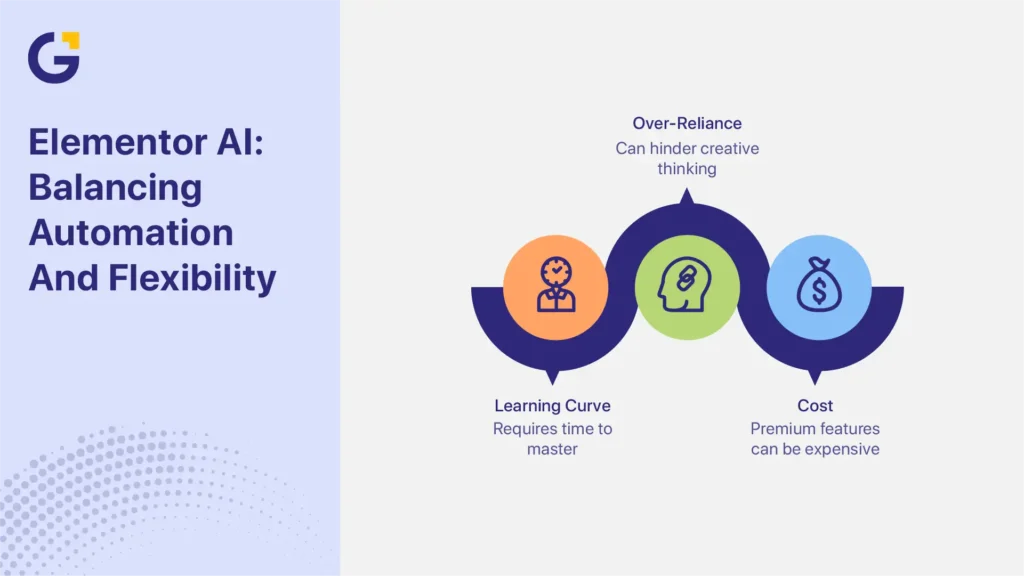
First, AI usage may depend on credits or plan limits. This matters for agencies, active marketers and teams producing many pages. Second, Elementor AI works best inside the Elementor ecosystem, so businesses should consider long-term builder dependence before rebuilding a large site around it.
Third, the AI output still needs editing. Elementor AI can draft copy, suggest layouts and help with CSS, but it does not automatically create a complete SEO strategy, conversion plan or unique brand message.
A practical workflow is to use Elementor AI for speed, then manually review:
- Page structure
- Headings
- Metadata
- Internal links
- Mobile layout
- Calls to action
- Core Web Vitals
- Schema opportunities
- Copy accuracy
- Brand consistency
SEO and performance risks
The main risk with AI website builders is not AI itself. The risk is publishing generated output without reviewing SEO, performance, structure and conversion quality.
A fast AI-generated page can still perform poorly if it has weak headings, generic copy, slow assets, poor internal linking or unclear calls to action.
Plugin bloat
An AI plugin does not automatically slow down a live website. The real issue depends on the builder’s front-end output, active features, scripts, hosting, image handling and implementation quality.
A lightweight AI tool used only in the admin area may have little impact on visitors. A heavy page builder with unused widgets, large images and too many add-ons can create performance problems.
Before choosing a builder, review:
- Front-end assets
- Mobile performance
- Image optimisation
- Hosting quality
- Unused widgets or modules
- Plugin overlap
- Core Web Vitals
- Caching compatibility
For SEO, performance matters because slow pages can hurt user experience and reduce conversion rates.
Generic AI copy
Google does not penalise content simply because AI helped create it. The bigger issue is low-value content. Thin, repetitive, inaccurate or unhelpful pages can struggle regardless of whether they were written by AI or a person. Google’s SEO Starter Guide recommends creating helpful, people-first pages with clear structure, useful content and accessible navigation.
The best use of an AI content generator in WordPress is drafting, not final publishing. Before publishing AI-assisted copy, check that it includes:
- Accurate service information
- Clear customer benefits
- Real examples
- Local or industry context
- Strong headings
- Helpful FAQs
- Natural internal links
- A clear next step
Google’s SEO Starter Guide recommends creating helpful, people-first pages with clear structure, useful content and accessible navigation. AI can support that process, but it should not replace editorial judgement.
Unstructured pages
AI can create pages quickly, but it does not always produce strong information architecture. A page may look complete while still having weak heading structure, poor internal linking and unclear conversion flow.
Before launching any AI-generated page, review:
- H1 and H2 structure
- Page intent
- Internal linking
- CTA placement
- Mobile scanability
- Schema opportunities
- Navigation path
- Contact form visibility
- Content depth
- Search intent match
For business websites, structure affects both SEO and lead generation. A good-looking page is not enough if users cannot quickly understand the offer or take action.
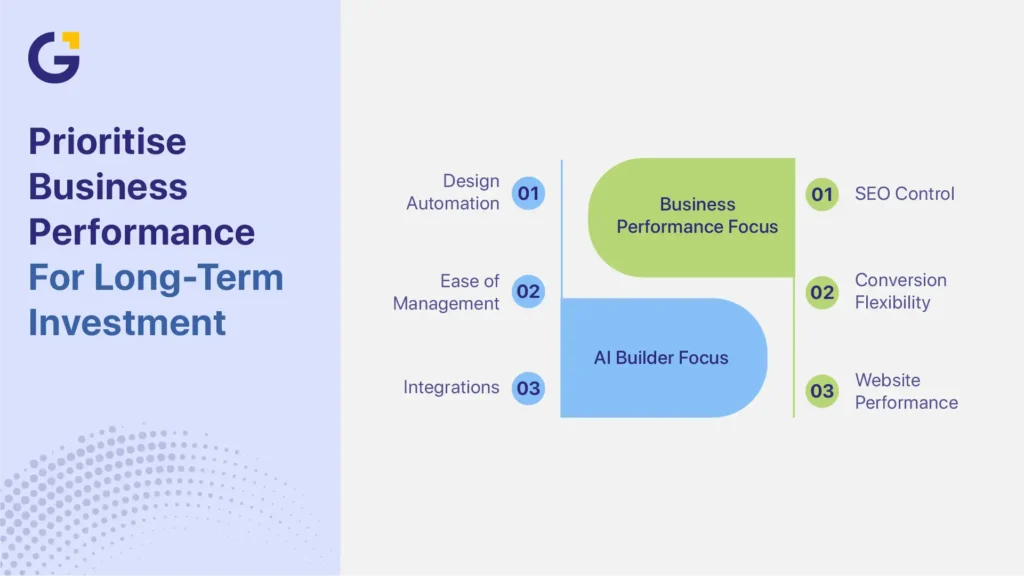
How to choose a builder for a business website
Choosing the best WordPress AI builder plugin depends on your website type, growth goals, budget and ownership needs. Before choosing a tool, ask practical questions about hosting, lock-in, SEO control, content quality and recurring AI costs.
If you need a strategic build, not just a fast page, professional WordPress website development may be a better long-term option.
Key questions to ask before choosing a builder:
- Does it work with your existing WordPress site?
- Can you control headings, metadata and schema?
- Can you move the website to another host?
- Are AI features included or billed separately?
- Are there monthly credits or usage limits?
- Does it support your design system?
- Can your team edit pages easily?
- Will it affect site speed?
- Does it work with your SEO plugin?
- Can it support future content and landing pages?
Small service site
For a small service website, the best choice is usually a simple builder with strong editing control and minimal complexity.
Recommended options:
| Use Case | Best Tool | Why |
| Simple service website | Elementor AI | Flexible, familiar and easy to edit |
| Fast brochure site | 10Web | Quick full-site generation |
| Gutenberg-style editing | Kubio AI | Closer to native WordPress |
| Existing Divi website | Divi AI | Works inside the Divi workflow |
A small service site usually needs clear service pages, trust signals, mobile-friendly design, contact forms, local SEO and fast loading times. Elementor AI or Kubio AI may be enough for many small businesses, as long as the content and SEO are reviewed before launch.
Landing pages
For landing pages, speed and conversion flexibility matter most. The page needs one clear goal, strong messaging, focused sections and easy testing.
Recommended options:
| Use Case | Best Tool | Why |
| Paid ad landing pages | SeedProd AI | Built for campaign pages |
| Flexible service landing pages | Elementor AI | Strong editing and layout control |
| Divi campaign pages | Divi AI | Good for existing Divi sites |
| Fast test pages | 10Web | Useful for quick prototypes |
An AI page builder WordPress workflow can help teams generate landing pages faster, but performance still depends on testing. Headlines, forms, offers, CTA placement and page speed should be reviewed after launch.
Growth-focused WordPress website
A growth-focused WordPress website needs more than page creation. It needs SEO structure, lead tracking, scalable content production, analytics, conversion optimisation and future development flexibility.
Recommended workflows:
| Business Goal | Recommended Workflow | Main Trade-Off |
| Fast launch | 10Web or Elementor AI | Speed over deeper strategy |
| Landing page campaigns | SeedProd AI or Elementor AI | Needs ongoing testing |
| SEO-focused service website | Elementor AI + SEO review | Faster build, still needs expert editing |
| Content production | AI Engine + editorial workflow | Good drafts, but needs quality control |
| Agency delivery | Elementor AI + design system + QA | Efficient but requires a process |
| Long-term growth website | Professional WordPress development + selective AI tools | Higher investment, stronger scalability |
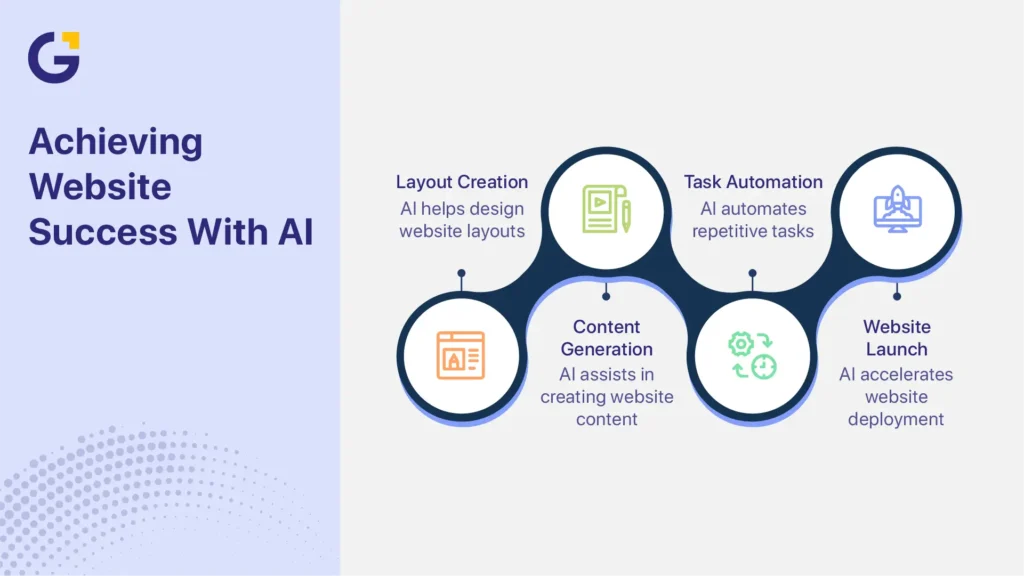
For growing businesses, the strongest setup is often hybrid. AI supports repetitive production work, while marketers and developers handle strategy, SEO, UX, conversion planning and technical quality.
Conclusion
The best WordPress AI builder plugin in 2026 depends on the job.
Elementor AI is the best overall choice for many WordPress business websites. SeedProd AI is best for landing pages. Divi AI is best for existing Divi users. 10Web is best for fast AI-generated site builds. Kubio AI is useful for Gutenberg-friendly editing. AI Engine is best for content, chatbot and automation workflows.
AI can speed up website production, but it should not replace planning, SEO review, UX decisions or human editing. The best results come from using AI to move faster while keeping control over strategy, content and performance.
If you are comparing AI builders, custom development or a hybrid workflow, you can get WordPress AI builder advice from Genix Digital and choose the right path for your website goals.
FAQs
What is the best WordPress AI builder plugin?
The best WordPress AI builder plugin for most business websites is Elementor AI because it combines AI-assisted copy, image, CSS and design support inside a flexible visual builder. However, SeedProd AI may be better for landing pages, Divi AI is better for Divi users, and 10Web is better for fast full-site generation.
Is there a free WordPress AI website builder plugin?
Some WordPress AI plugins offer free versions or limited free features, but advanced AI tools often require paid plans, credits or API usage. Always check whether the free plan includes actual AI generation, or only the base plugin.
Can AI build a full WordPress website?
Yes, some tools can generate a full WordPress-style website from prompts. 10Web is one example of a platform built around fast AI site generation. However, a generated site still needs review for branding, SEO, mobile layout, page speed, content quality and conversion flow.
Is Elementor AI worth it?
Elementor AI can be worth it if you already use Elementor and want faster content, image, CSS and layout support. It is less useful if your site uses another builder or if you need a fully custom development workflow.
Do WordPress AI plugins hurt SEO?
WordPress AI plugins do not automatically hurt SEO. SEO problems usually happen when businesses publish generic copy, weak headings, slow layouts or unstructured pages without review. The tool matters, but implementation matters more.
Can I switch builders later?
You can switch builders, but it may require rebuilding pages. Some page builders create layouts that are difficult to move cleanly into another system. Before choosing a builder, consider export options, hosting flexibility, shortcode dependence and long-term maintenance.
Do AI builders have usage limits?
Many AI builders use credits, monthly limits or paid plans for AI generation. These limits can affect agencies, content teams and businesses creating many pages. Always review AI credit rules and recurring costs before choosing a tool.
Should I use an AI builder or hire a developer?
Use an AI builder if you need a simple site, landing page or fast first draft. Hire a developer or agency if you need custom functionality, stronger SEO structure, performance optimisation, integrations, conversion strategy or long-term scalability. Many businesses get the best result from a hybrid approach.





 24 Aug 2026
 9 Min Read