
Many Australian businesses now use a free chatbot plugin for WordPress to improve customer support, capture leads, and respond to enquiries outside business hours. A WordPress chatbot plugin free plan can help service businesses, ecommerce stores, consultants, and local businesses reduce repetitive support work without investing in large support teams.
The challenge is that not every AI chatbot plugin WordPress users install performs well in real business environments. Some chatbot tools slow down websites, create mobile usability issues, or lock important features behind expensive upgrades. Others work well for basic lead capture but struggle with WooCommerce support, AI-generated responses, or CRM integrations.
Businesses in 2026 are also expecting more from chatbot software. Many now want AI chatbot functionality, mobile-friendly support automation, conversational lead capture, and integrations with WooCommerce, email marketing tools, and customer support workflows.
This guide compares the best free WordPress chatbot plugin options, explains what features matter most, highlights common limitations, and helps businesses decide when a free AI chatbot WordPress setup is practical and when it becomes restrictive.
Quick Recommendation
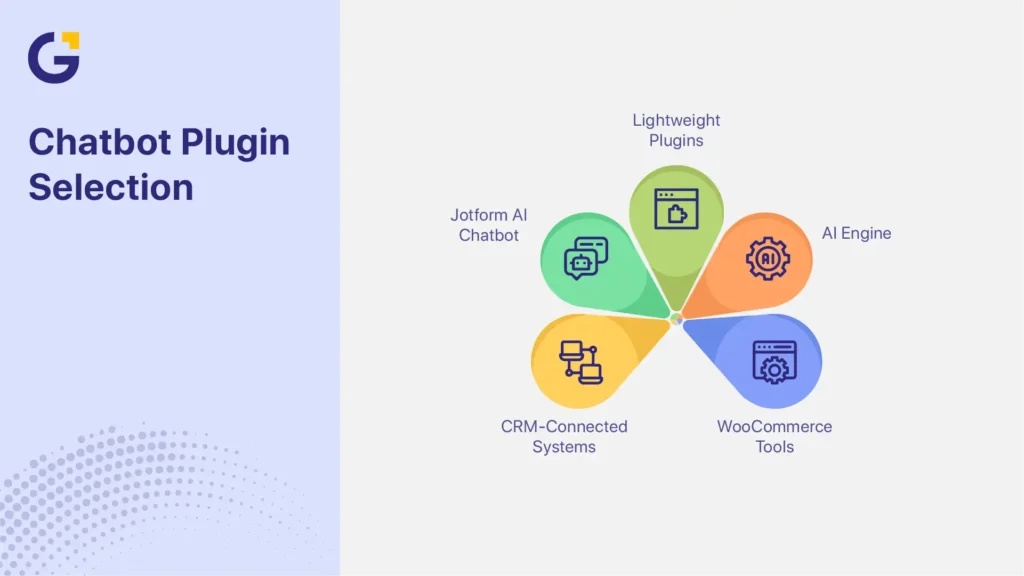
- Choose lightweight live chat plugins if website speed and simple customer support matter most.
- Choose AI Engine if the business needs advanced AI chatbot customisation and flexible automation workflows.
- Choose Jotform AI Chatbot if conversational lead capture and beginner-friendly setup are the main priorities.
- Choose WooCommerce-focused chatbot tools if the website handles high enquiry volume, order tracking, or ecommerce support automation.
- Choose CRM-connected chatbot systems if lead nurturing and follow-up workflows are already part of the sales process.
Many businesses use a free chatbot plugin for WordPress to automate customer support, capture leads, and improve response times without hiring additional staff. The best free WordPress chatbot plugin should be lightweight, easy to install, mobile-friendly, and capable of supporting lead generation or WooCommerce workflows without slowing down the website.
What makes a good free WordPress chatbot plugin
A good free WordPress chatbot plugin should be easy to install, lightweight, capable of basic AI or lead capture automation, and flexible enough to support customer enquiries without hurting website performance.
Many chatbot plugins advertise AI capabilities, but the experience can differ heavily depending on setup quality, plugin architecture, WooCommerce compatibility, and support workflows. Some plugins work best for simple enquiry collection, while others focus more on AI-generated responses, ecommerce automation, or CRM-connected lead nurturing.
The best chatbot plugin also depends on the business model. A local service business may prioritise quote requests and appointment enquiries, while a WooCommerce store may need shipping automation, product recommendations, and order tracking support.
Ease of setup
Most chatbot plugins install directly through the WordPress Plugin Directory, but setup complexity varies significantly between tools. Some plugins offer no-code chatbot setup with beginner-friendly dashboards, while others require API keys, external platforms, or advanced configuration steps.
A common issue we see is businesses installing chatbot tools that require complex setup workflows, then abandoning them before launch. This often happens when businesses choose advanced AI chatbot platforms before confirming whether they actually need enterprise-level automation.
Plugins like Tidio and Jotform AI Chatbot usually provide faster onboarding for smaller businesses. AI-focused tools like AI Engine often provide more flexibility but require more technical configuration.
Businesses planning a more scalable WordPress chatbot setup should also review mobile responsiveness, Elementor compatibility, plugin conflicts, and website UX before implementation.
Lead capture features
Many businesses install a chatbot plugin primarily for lead generation rather than full AI customer support. Basic chatbot workflows often include enquiry forms, email collection, appointment booking, and customer enquiry routing.
Service businesses, consultants, tradies, clinics, and local businesses often use chatbots for after-hours lead capture and enquiry routing. A plumbing business may use chatbot workflows to separate emergency jobs from standard quote requests, while a clinic may use appointment booking automation to reduce repetitive reception enquiries. WooCommerce stores may use chatbot automation for product enquiries, support tickets, or abandoned cart workflows.
Many smaller businesses use chatbots first for basic lead collection before expanding into more advanced AI automation. This allows teams to improve response times without immediately changing existing customer support systems.
Chatbot lead capture becomes more effective when integrated into a structured marketing funnel for Australian businesses that supports follow-up workflows, conversion tracking, and lead nurturing.
AI training and data control
Free AI chatbot WordPress tools increasingly support website crawling, FAQ ingestion, AI-generated responses, and custom knowledge bases. Some AI chatbot systems can scan website pages automatically and generate conversational responses based on existing content.
This improves support automation but also creates accuracy and data control concerns. AI hallucination remains a common issue, especially when chatbot tools rely on incomplete website data or poorly structured training content.
Businesses should regularly review chatbot conversations, customer interactions, and AI-generated answers to prevent inaccurate support information from appearing publicly.
Trusted plugin providers available through the WordPress Plugin Directory generally provide better update reliability and security practices. Businesses handling sensitive customer information should also review GDPR policies, data storage locations, and third-party AI integrations before deployment.
Resources from Google Search Central also recommend reviewing how scripts, automation tools, and external integrations affect overall website usability.
Best free chatbot plugin options
The best free chatbot plugin depends on whether the website focuses on lead generation, WooCommerce support, AI automation, or customer service workflows.
Different chatbot categories solve different business problems. Some tools prioritise conversational AI and automation, while others focus on lightweight live chat support or CRM-connected workflows.
| Plugin | Best For | AI Features | Free Plan Quality | WooCommerce Support | Ease of Setup | Website Performance |
| AI Engine | AI customisation | Advanced | Moderate | Partial | Medium–Hard | Moderate |
| Jotform AI Chatbot | Lead capture | Strong | Good | Partial | Easy | Good |
| Tidio | Small businesses | Moderate | Good | Good | Easy | Moderate |
| HubSpot Chat | CRM workflows | Moderate | Moderate | Partial | Medium | Moderate |
| Crisp | Lightweight support | Basic | Good | Partial | Easy | Good |
| Basic live chat widgets | Simple support | Minimal | Good | Limited | Easy | Very Good |
AI Engine
AI Engine is one of the more advanced AI chatbot plugins available through the WordPress ecosystem. It integrates directly with OpenAI and supports AI-generated responses, content generation, chatbot workflows, and custom chatbot behaviour.
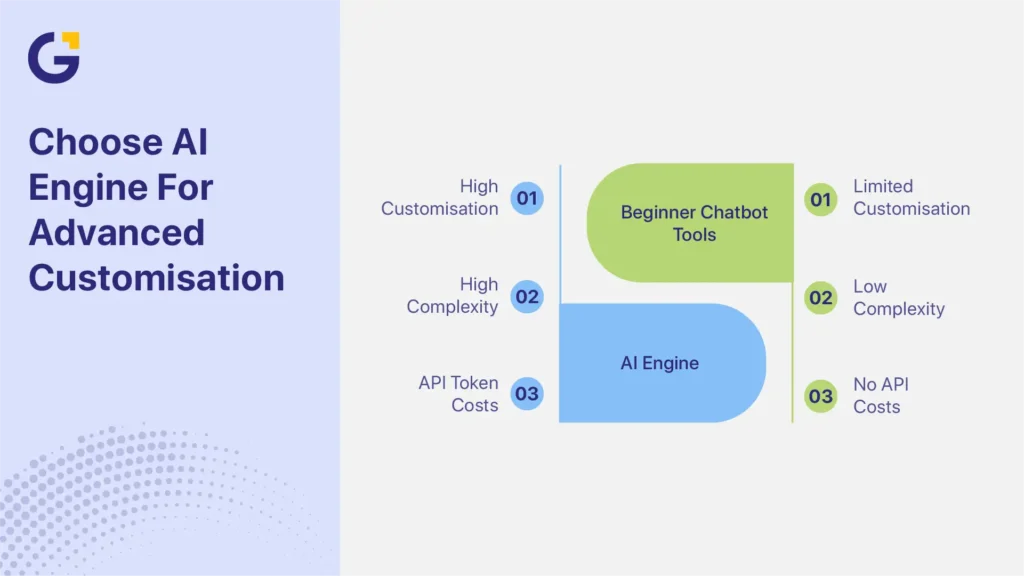
The plugin is highly flexible for developers and businesses wanting deeper AI customisation. Businesses can train AI assistants using website content, prompts, and structured workflows.
The trade-off is complexity. AI Engine usually requires API setup, prompt configuration, and ongoing optimisation to work effectively. API token costs can also increase as chatbot usage grows.
For businesses wanting advanced AI chatbot automation inside WordPress itself, AI Engine offers more flexibility than many beginner-focused chatbot tools.
Jotform AI Chatbot
Jotform AI Chatbot focuses heavily on conversational lead capture and customer enquiry workflows. The visual chatbot builder makes setup more beginner-friendly than many AI-first platforms.
Many service businesses use Jotform AI Chatbot for appointment booking, quote requests, FAQ automation, and after-hours customer support. The conversational interface also works well for lead qualification workflows.
The main limitation is dependency on the external Jotform platform. Free usage tiers also include conversation and feature limitations that may restrict scaling later.
For businesses prioritising fast deployment and lead generation over advanced AI customisation, Jotform AI Chatbot often provides a more practical starting point.
Other plugin categories to compare
Lightweight WordPress live chat plugin tools usually work best for smaller businesses wanting fast setup and lower website performance impact. These plugins focus more on customer support and live messaging than on advanced AI chatbot workflows.
WooCommerce chatbot plugin tools often prioritise e-commerce support automation, including shipping FAQs, order tracking automation, product support, and customer service routing.
AI-first chatbot systems usually provide stronger conversational AI and automation depth but may introduce more setup complexity, heavier scripts, and external API dependencies.
CRM-connected chatbot tools like HubSpot Chat focus more on lead nurturing, sales workflows, and customer interaction tracking. These tools often work better for businesses with larger marketing automation systems already in place.
One mistake many businesses make is choosing enterprise-level chatbot systems before they actually need advanced automation. Smaller businesses often achieve better website conversions using lightweight plugins with focused workflows instead of overly complicated AI systems.
Tidio remains popular for smaller businesses because it combines live chat software with AI-powered chatbot features. Crisp works well for lightweight support automation and lower website impact.
Comparison criteria
Free chatbot plugins differ most in usage limits, branding flexibility, ecommerce integrations, and automation depth rather than basic messaging functionality.
Many businesses compare chatbot plugins only by AI features while overlooking scalability, performance, upgrade costs, and integration quality.
Free limitations
Most free chatbot plugins for WordPress plans include monthly message caps, AI usage limits, restricted analytics, and limited integrations. Some platforms also limit automation workflows or CRM connections unless businesses upgrade to paid tiers.
Free plans usually work well for testing chatbot workflows, lead capture systems, and support automation. Problems often appear later as customer enquiries, automation requirements, or support teams grow.
Branding and upgrade costs
Many free chatbot platforms include visible branding, chatbot watermarks, or restricted customisation unless businesses upgrade.
Upgrade costs can also increase quickly once advanced automation, CRM integrations, or higher conversation volumes become necessary. AI Engine may also introduce external API costs depending on OpenAI usage levels.
Businesses comparing chatbot plugin options should review long-term operating costs rather than focusing only on initial free access.
WooCommerce and CRM support
WooCommerce chatbot plugin compatibility varies significantly between tools. Some plugins support basic order automation and shipping FAQs, while others offer CRM integrations, abandoned cart workflows, lead routing, and customer journey tracking.
Many free plugins only support partial WooCommerce integration, which can limit e-commerce support workflows later.
Businesses should prioritise compatibility with existing systems, especially when using email marketing, CRM platforms, or automation workflows. Connecting chatbot conversations with email automation for chatbot leads often improves follow-up speed and conversion tracking significantly.
How to choose based on business type
The best chatbot plugin depends heavily on how the business generates leads, supports customers, and manages website enquiries.
Different business models need different chatbot workflows, automation depth, and support structures.
Service business
Service businesses usually benefit most from chatbot lead capture, appointment enquiries, quote requests, and after-hours support automation.
Tradies, clinics, consultants, and accountants often receive repetitive customer enquiries outside business hours. A chatbot can help collect enquiry details, qualify leads, and reduce missed opportunities from mobile-first users.
Simpler chatbot workflows usually work best for local service businesses because the goal is often lead collection rather than full AI automation.
Ecommerce
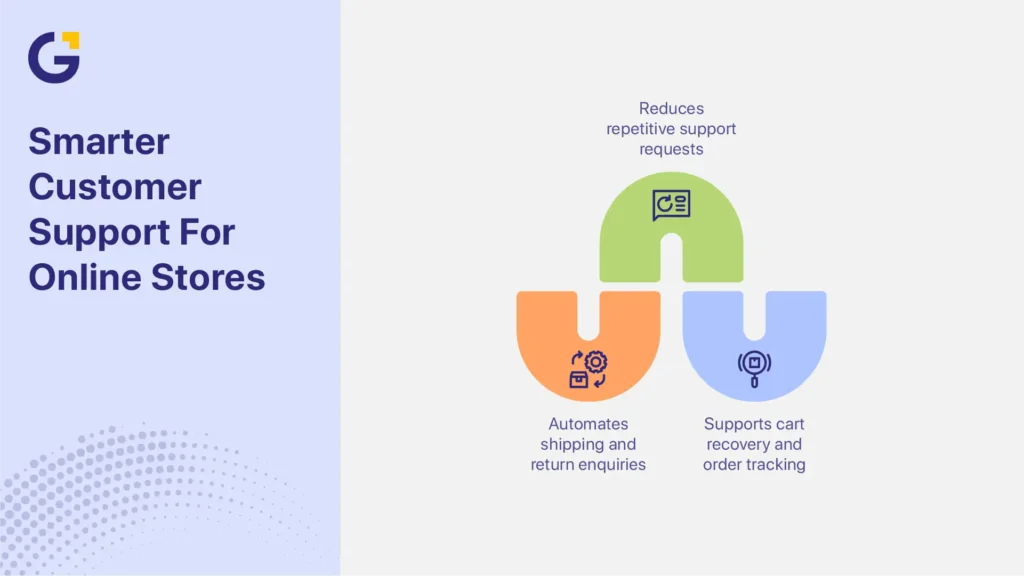
WooCommerce businesses often need chatbot support for shipping FAQs, returns, order tracking automation, and customer service workflows.
WooCommerce stores often begin with support automation for shipping questions, return requests, and order tracking before expanding into AI-assisted product recommendations. Many Australian e-commerce stores first use chatbots to reduce repetitive support tickets during sales periods or product launches. This approach reduces repetitive support tickets while helping ecommerce teams manage growing enquiry volumes more efficiently.
Chatbot plugin for WooCommerce selection should also consider abandoned cart support, mobile responsiveness, and e-commerce support workflow compatibility.
Content or membership website
Content websites, membership platforms, education websites, and subscription businesses often use an AI chatbot plugin, WordPress tools for onboarding support, FAQ automation, and content recommendations.
These businesses usually benefit from reducing repetitive support emails while improving community engagement and member support workflows.
Lightweight chatbot plugins often perform better than complex AI systems for content-focused websites because website speed and mobile UX remain highly important for engagement and SEO.
When a free plugin is not enough
Free chatbot plugins work well for many small websites, but businesses often outgrow them once automation, compliance, lead volume, or ecommerce complexity increases.
Scaling limitations usually appear gradually rather than immediately.
Compliance and privacy needs
Businesses operating in healthcare, finance, or privacy-sensitive industries often require stronger data handling controls, secure integrations, and stricter compliance workflows.
AI chatbot plugin WordPress tools may process customer conversations externally, which creates additional privacy considerations. Businesses should review plugin reputation, privacy policies, data storage practices, and provider transparency carefully before implementation.
Trusted providers generally offer clearer compliance documentation and more reliable security updates.
Custom workflows
Businesses often outgrow basic chatbot builders once CRM integrations, multi-step lead qualification, advanced routing, and API-connected automation become necessary.
Support automation also becomes more complicated when businesses need chatbots to connect with multiple systems simultaneously.
Many growing businesses eventually require more customised chatbot workflows than free chatbot platforms can realistically support.
High lead volume
As customer enquiries grow, free chatbot limitations become more visible. Businesses may encounter analytics restrictions, conversation limits, support workflow bottlenecks, or limited team access controls.
Many businesses discover, after growth, that free chatbot tools become restrictive once multiple staff members need access to conversations and reporting.
At higher support volumes, chatbot optimisation, reporting, lead routing, and conversion analysis become more important than simply having a chatbot installed.
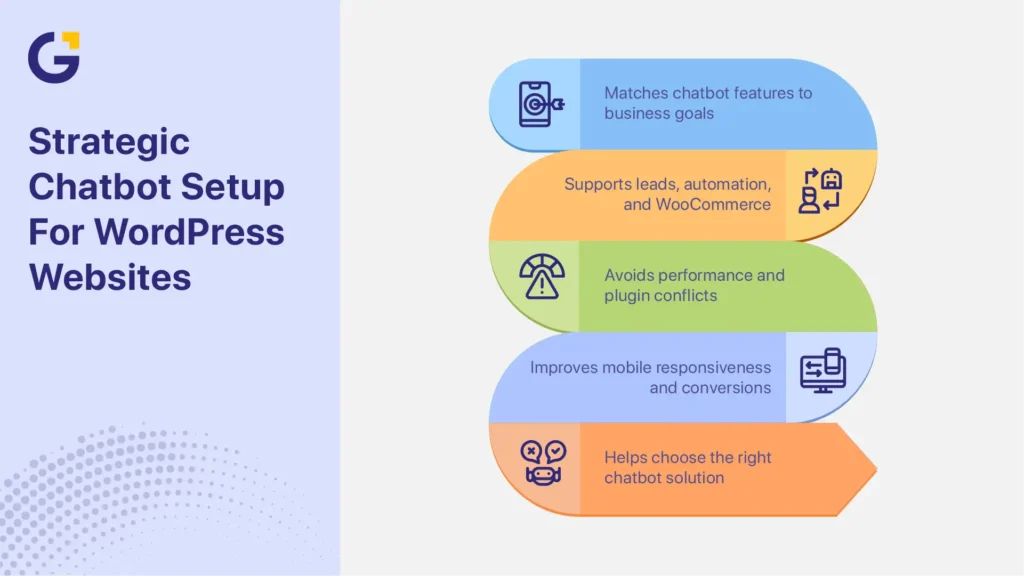
How Genix Digital Helps Australian Businesses With WordPress Chatbot Setup
Choosing the right chatbot strategy depends on business goals, website structure, support workflows, and long-term growth plans. Some businesses benefit from lightweight lead capture systems, while others require WooCommerce automation, AI integrations, or CRM-connected chatbot workflows.
During WordPress optimisation projects, chatbot scripts are often one of the hidden contributors to slower mobile performance. Many websites install multiple pop-up tools, chatbot widgets, and tracking scripts without reviewing how they affect Core Web Vitals, mobile responsiveness, interaction delays, and website conversions. Heavy chatbot JavaScript can increase mobile load times and create plugin stack conflicts that reduce overall website responsiveness.
Website design and development services can help businesses plan chatbot implementation more strategically by reviewing plugin compatibility, website structure, conversion workflows, and mobile responsiveness before deployment.
Genix Digital helps Australian SMEs implement WordPress chatbot systems that support lead generation, customer support automation, WooCommerce workflows, and AI-ready website functionality without creating unnecessary performance issues.
Businesses unsure which chatbot plugin best fits their website, WooCommerce setup, or lead generation goals can get help choosing a WordPress chatbot based on their support and conversion needs.
FAQs
What is the best free chatbot plugin for WordPress?
The best free WordPress chatbot plugin depends on business goals. AI Engine works well for advanced AI customisation, Tidio suits smaller businesses needing live chat and automation, and Jotform AI Chatbot supports conversational lead capture and beginner-friendly setup.
Can a free WordPress chatbot capture leads?
Yes. A WordPress chatbot for leads can collect emails, route customer enquiries, support appointment booking, and connect chatbot workflows with CRM or email marketing systems.
Are free AI chatbot plugins safe to use?
Free AI chatbot WordPress plugins are generally safe when downloaded from trusted sources like the WordPress Plugin Directory and maintained through regular updates, security reviews, and reliable privacy settings.
Which chatbot plugin is best for WooCommerce?
A WooCommerce chatbot plugin should support order automation, shipping FAQs, e-commerce customer support, and product enquiry workflows. Tidio, HubSpot Chat, and AI-assisted ecommerce chatbot tools often work well for WooCommerce stores.
When should I upgrade from a free chatbot plugin?
Businesses usually upgrade from free chatbot tools once lead volume increases, automation workflows become more advanced, CRM integrations expand, or analytics limitations begin affecting customer support and reporting.


 15 Jul 2026
 7 Min Read