

Most website projects start the wrong way. A business hires a designer, gets excited about layouts and colour schemes, and then hits a wall when the designer asks a simple question: “Can you send over your content?” Suddenly, the project stalls. This is exactly why having a comprehensive website content checklist ready before design begins is so important.
Content isn’t just filler for pretty templates. It’s the foundation that determines how your site is structured, how many pages you need, and how visitors will actually experience your brand. Without it, even the best designer is just guessing.
The good news is that preparing your website content doesn’t have to be overwhelming. With a clear strategy, you can gather everything your designer needs and avoid the back-and-forth delays that push launch dates further and further away.
Not sure where to start? Use our website content checklist below to organise everything before your next design conversation.
Why Content Should Come Before Design
Design is meant to support your message, not the other way around. When designers build pages first and try to squeeze in content later, the result is often awkward text boxes, mismatched image sizes, and rushed messaging.
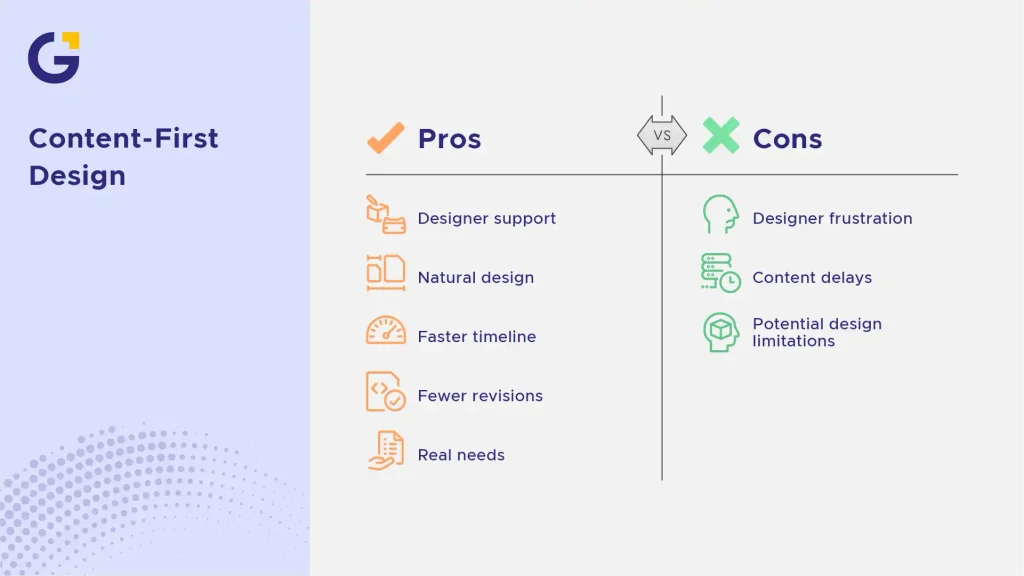
A content-first web design approach flips this process. Copy and images are finalised first, so the design naturally forms around what you actually need to say and show.
This also speeds up the entire project timeline. Designers aren’t left waiting on missing details, and revisions are far less frequent because the structure is based on real content, not placeholder text.
Example Case: A local clinic hired a designer and asked for a “modern, clean homepage.” Without content ready, the designer created a layout based on guesses. Three revisions later, the real service list didn’t fit the design at all. Starting with content would have avoided the wasted hours entirely.
- Fewer redesigns and revisions
- Faster project turnaround
- A site structure based on real business needs, not assumptions
The Website Copy You Need to Prepare
Copy is the heart of your website. It tells visitors who you are, what you offer, and why they should trust you. Before design starts, you should prepare copy for every core page.
Homepage Copy
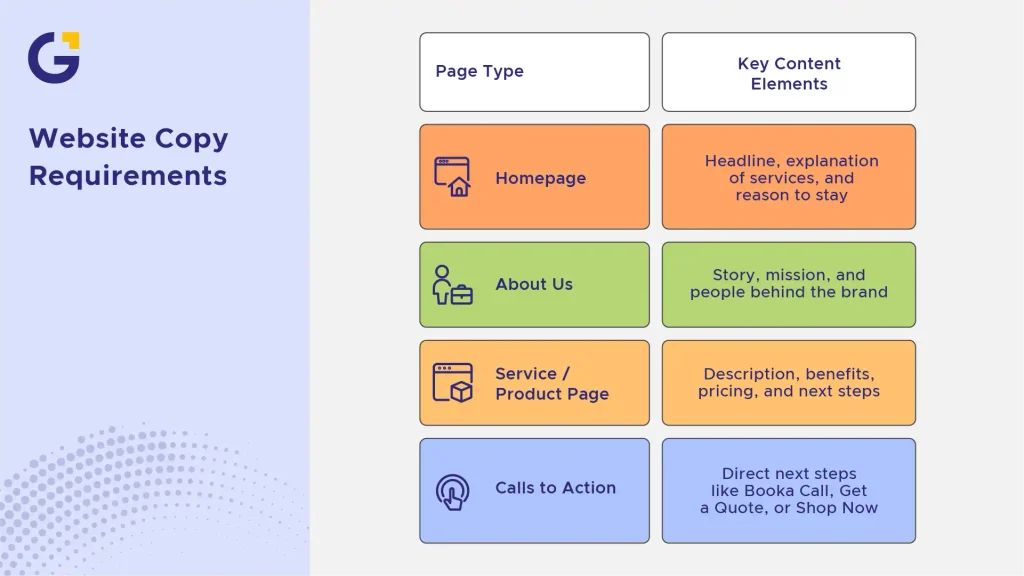
Your homepage needs a clear headline, a short explanation of what you do, and a strong reason for visitors to stay. This isn’t the place for lengthy paragraphs; clarity beats cleverness every time.
Keep your homepage copy focused on outcomes. What problem do you solve, and for whom?
About Us Copy
This section builds trust. Share your story, your mission, and the people behind the brand. Visitors want to know they’re dealing with real people, not just a logo.
Service / Product Page Copy
Each service or product needs its own clear description, including benefits, pricing (if applicable), and next steps. This is often the most time-consuming part of preparing content for website redesign, so start early. As prominent Australian direct-response marketer Sabri Suby emphasises in his growth strategies, high-converting copy must directly address client pain points rather than relying on vague corporate buzzwords.
Calls to Action
Every page should guide visitors toward a next step, whether it’s “Book a Call,” “Get a Quote,” or “Shop Now.” Pairing clear CTAs with proven layout structures is essential. You can explore effective frameworks in our guide on UI/UX for B2B businesses: 10 page patterns that convert.
The Images and Visual Assets You Need
Images shape first impressions faster than words ever could. Before your designer starts building pages, you need to know exactly which visuals will be used and where.
Professional Photography vs Stock Images
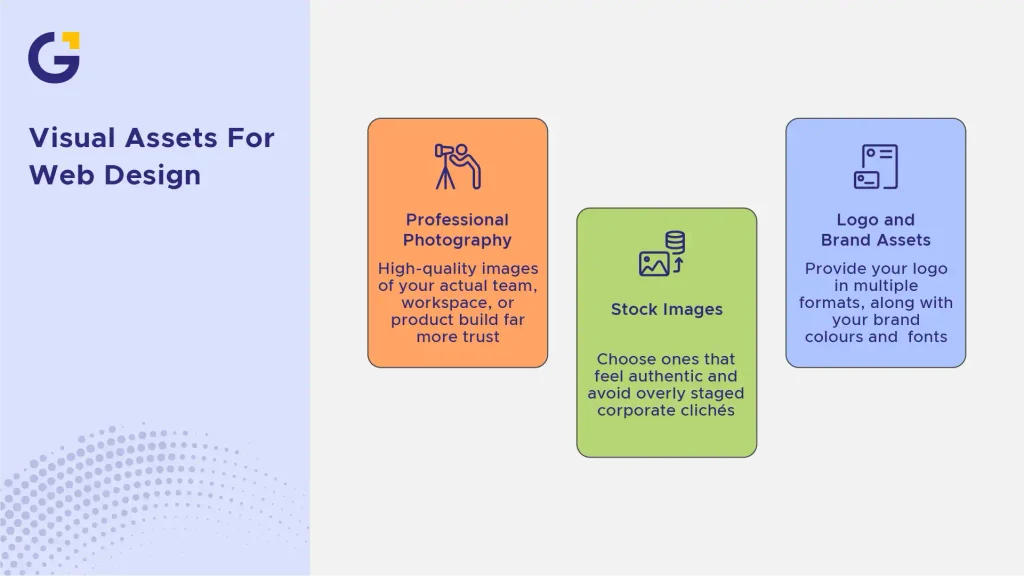
High-quality images of your actual team, workspace, or product build far more trust than generic stock photos. If budget allows, invest in a photoshoot; even a short one can transform how your brand looks online.
If stock images are your only option for now, choose ones that feel authentic and avoid overly staged corporate clichés.
Logo and Brand Assets
Your designer will need your logo in multiple formats (PNG, SVG, vector files), along with your brand colours and fonts. If you don’t have a locked-in brand identity yet, this should be finalised before design work starts.
Business Information to Gather Before Design Starts
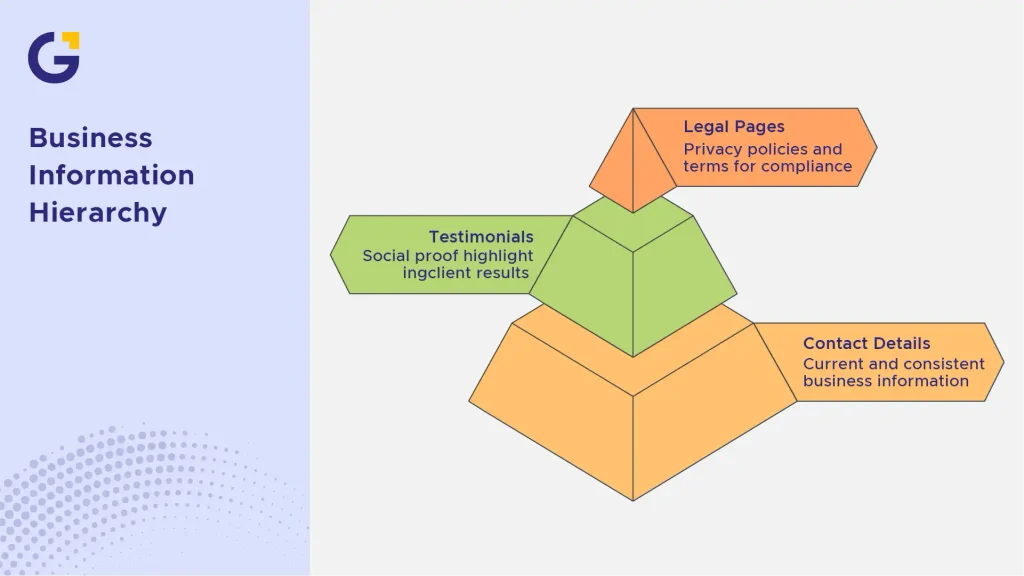
Beyond copy and images, your website needs accurate business details to function properly and build trust with visitors.
Contact Details and Business Hours
Make sure your phone number, email, address, and hours of operation are current and consistent across every platform, not just your website.
Testimonials and Case Studies
Social proof is one of the most persuasive elements on any website. Gather real testimonials, reviews, or brief case studies that highlight results you’ve delivered for past clients.
According to BrightLocal’s Consumer Review Survey, 98% of consumers read online reviews for local businesses, making testimonials a critical trust signal your designer can feature prominently.
Legal Pages (Privacy Policy, Terms)
Privacy policies, terms and conditions, and any required disclaimers should be ready before launch, especially if you’re collecting customer data or selling products online.
Example Case: An online store delayed launch by two weeks simply because their Terms and Conditions page wasn’t ready, and their payment processor required it for approval. Preparing legal pages early avoids last-minute scrambling and ensures smooth integration with payment providers.
A Simple Content Checklist Before You Start
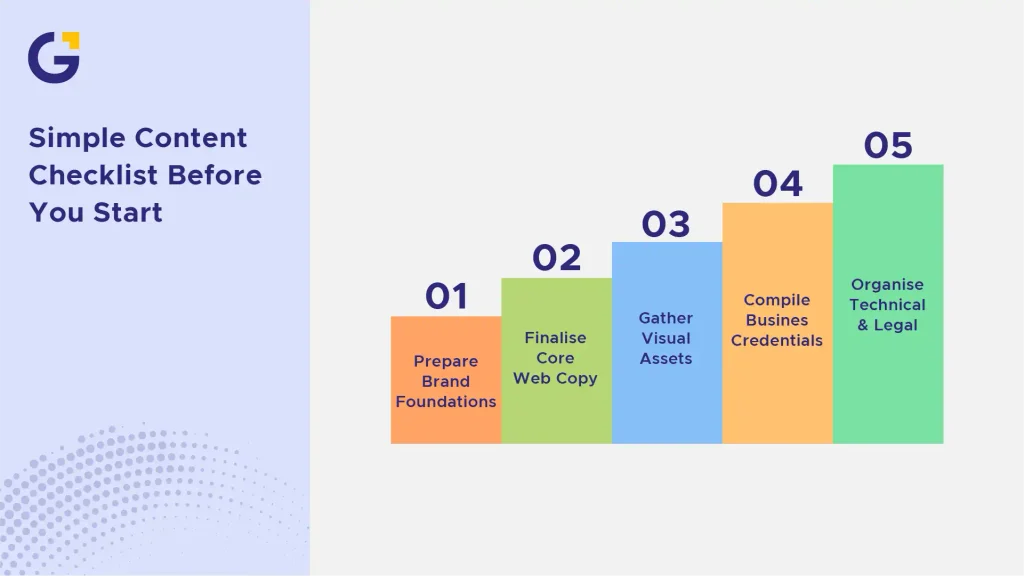
To ensure your project runs smoothly without unnecessary friction, follow this streamlined website content checklist before handing anything over to your agency or developer:
- Brand Foundations: Logo files (PNG/SVG), brand colour codes (HEX/RGB), primary and secondary fonts, and brand voice guidelines.
- Core Web Copy: Finalised copy for Homepage, About Us, dedicated Service pages, and clear Calls to Action (CTAs).
- Visual Assets: High-resolution team photos, office/location photography, product imagery, or curated stock photos.
- Business Credentials & Proof: Client testimonials, case study details, industry accreditations, and trust badges. You can read more about establishing authority in our guide on Trust Signals Every Sydney Small Business Website Needs Before Customers Enquire.
- Technical & Legal Details: Contact information, business address, operating hours, Privacy Policy, and Terms of Service.
FAQs
1-What is the most important piece of content to prepare first?
Your core service copy and unique value proposition should always come first. Understanding what you are offering and how you solve client problems dictates the rest of your site hierarchy and messaging.
2-Can I use temporary placeholder text (Lorem Ipsum) during design?
While placeholder text is fine for initial wireframes, relying on it for final layouts often leads to structural issues later when real copy doesn’t fit the design boxes.
3-How does content-first design help with SEO?
Starting with content allows you to structure pages around keyword intent and search hierarchy from day one. To align your content structure with search performance, explore our service for on-page SEO.
4-How do I choose between custom photography and stock images for my website?
Custom photography is always superior for building authentic trust and brand identity. However, if budget constraints exist, combining high-quality stock photos with real team imagery works well.
5-Should I hire a professional copywriter or write the website content myself?
While business owners know their products best, professional copywriters understand search intent, conversion structure, and brand tone. If you decide to write it in-house, following a structured website content checklist ensures you don’t miss essential structural elements.
6-How long does it usually take to gather all content before starting a website project?
For most small to medium Australian businesses, gathering copy, images, and legal information takes between 2 to 4 weeks. Having a clear roadmap prevents project bottlenecks and allows your web design team to hit your launch targets smoothly.





 13 Jul 2026
 7 Min Read