


You have created service pages for your Sydney business. Each page targets a service, location, or customer need. You submitted the URLs through Google Search Console, but some still appear as “Discovered – currently not indexed” or “Crawled – currently not indexed” in Google’s Page Indexing report.
Other pages may have appeared in Google before and then dropped out. These are related problems, but they do not always have the same cause. A page may be blocked, duplicated, poorly connected, selected under a different canonical URL, or judged to add too little independent value.
An unindexed page cannot appear in normal Google search results. However, not every excluded URL is broken. Google may choose another representative page when several URLs overlap, or it may delay crawling and reassessing a page after changes.
This guide explains why service pages are not indexed, how to distinguish an indexing problem from a ranking problem, and what Sydney businesses should check before creating more pages or sending repeated indexing requests.
When several priority URLs are affected, technical SEO support for service page indexing issues can help identify problems with crawl access, canonical tags, content quality, internal linking, and site structure.
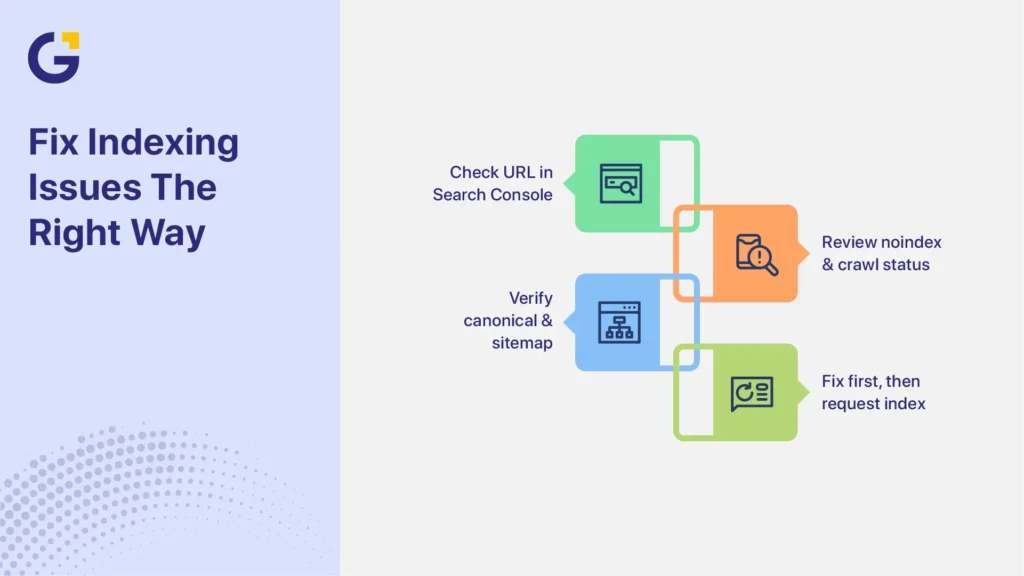
What to Do First
If your service pages are not indexed, diagnose the problem before rewriting the entire page. Start in Google Search Console, then review the technical setup, content quality, and internal links.
Use this order:
- Inspect the URL in Google Search Console.
- Confirm whether Google indexed the URL previously.
- Check the live page for noindex directives and crawl access.
- Compare the user-declared canonical with Google’s selected canonical.
- Confirm that the page appears in the XML sitemap.
- Review its internal links and purpose within the site.
- Improve, merge, redirect, canonicalise, or remove the page based on the diagnosis.
- Request indexing only after making a material fix or improvement.
This process helps you avoid repeatedly submitting a URL without correcting the reason Google excluded it.
What It Means When a Service Page Is Not Indexed
A service page is not indexed when Google has not added that URL as a searchable page. The URL may still work for visitors, but it cannot rank in normal organic results unless Google indexes it or selects it as the canonical version of content represented by another URL.
Google Search Console groups URLs by indexing status. These labels show where a URL sits in Google’s process, but they are not complete diagnoses on their own.
| Search Console status | What the status tells you | What to check next |
| Discovered – currently not indexed | Google knows about the URL but has not crawled it yet. | Inspect the URL, confirm crawl access, review sitemap discovery, check internal links, and assess whether the site contains many low-value or duplicate URLs. |
| Crawled – currently not indexed | Google crawled the URL but has not indexed it at this time. | Check the rendered page, canonical selection, duplication, page purpose, content quality, internal links, and server responses. |
| Duplicate without user-selected canonical | Google considers the page a duplicate, and the site has not declared a preferred canonical URL. | Decide which URL should represent the content, then align canonical tags, redirects, internal links, and sitemap entries. |
| Alternate page with proper canonical tag | Google recognises the URL as an alternate version of another canonical page. | Confirm that this is intentional. No fix may be needed when the selected canonical is correct. |
Do not treat “Discovered – currently not indexed” as proof of a crawl-budget problem or “Crawled – currently not indexed” as proof of thin content. The status narrows the investigation, but crawl access, URL Inspection, canonical selection, page quality, and site structure should guide the next action.
A Page That Is Not Indexed Versus a Page That Is Indexed but Not Ranking
A page that is not indexed cannot appear in normal Google search results. The work should focus on indexability, crawl access, canonicalisation, duplication, internal links, and whether the page has a clear reason to exist.
A page that is indexed but not ranking has passed the indexing stage. Its lack of visibility may relate to search intent, relevance, competition, content usefulness, authority, local signals, or how well the page matches the query. Repeated indexing requests will not solve a ranking problem.
In Google Search Console, use the URL Inspection tool to confirm whether Google has indexed the URL. Then check the Performance report to see whether the page receives impressions for relevant searches. This prevents you from rewriting a page for the wrong reason.
When a Service Page Was Indexed and Later Dropped Out
A service page can appear in Google and later become excluded. This may happen after a site migration, template update, redirect change, accidental noindex setting, server problem, content rewrite, or change in Google’s canonical selection.
Google may also reassess several similar pages and choose one stronger representative URL. In that case, the excluded page may not be technically broken. It may overlap with another page that Google considers a better canonical.
For a page that was previously indexed, compare the current and previous setup where possible. Review recent development changes, redirects, canonical tags, internal links, sitemap entries, server logs, and page content. The goal is to identify what changed before assuming that the page simply needs more copy.
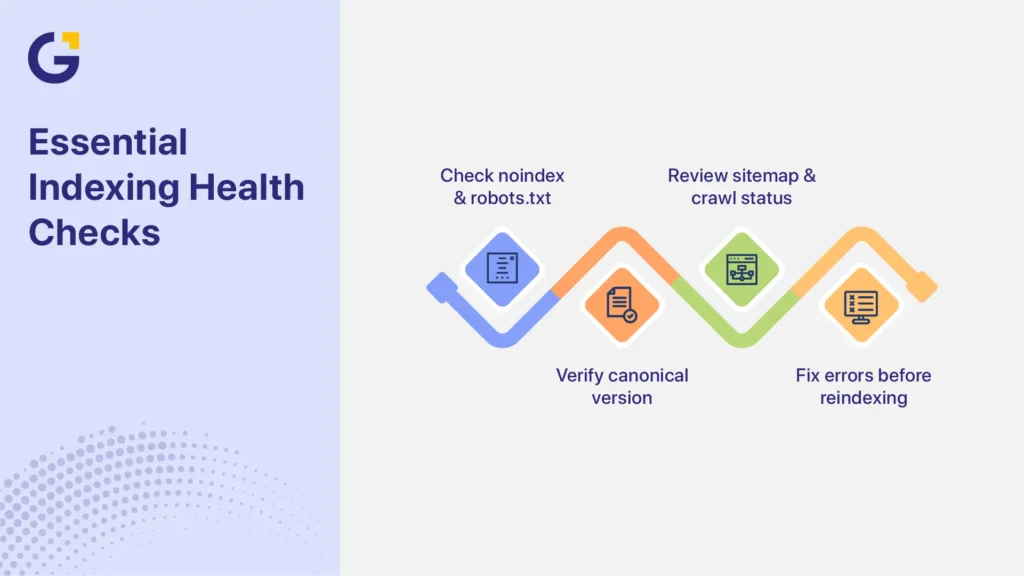
Technical Checks to Run First
Run technical checks before rewriting a service page. A strong page can remain excluded when Google cannot crawl it, sees a noindex directive, encounters a redirect or server error, or selects another URL as the canonical version.
Noindex, Robots.txt and Canonical Tags
Start with URL Inspection in Google Search Console. Review the indexed result, then test the live URL. The indexed result shows what Google last recorded, while the live test checks the page Google can access now.
Check the Noindex Directive
A noindex meta tag or HTTP header tells Google not to index a page. For implementation details, Google’s Block Search indexing with noindex guide explains how the directive works and why Google must be able to crawl the page to see it.
A noindex service page may result from a staging setting, an SEO plugin, a template rule, or a development change that remained active after launch.
Remove noindex only when the page should appear in search. Some pages, such as internal search results or private account areas, may be excluded intentionally.
Check Robots.txt Separately
Robots.txt controls crawling. It is not a replacement for noindex. Google’s Robots.txt introduction and guide explain how these rules control which URLs crawlers can request.
If robots.txt blocks Googlebot from requesting a URL, Google may be unable to see a noindex directive placed on that page. A blocked URL can also appear in search based on links or other signals, even though Google cannot crawl its content.
To use noindex correctly, Google must be allowed to crawl the URL and read the directive.
Check whether a broad rule blocks the service directory. For example, a rule that disallows /services/ could prevent Google from crawling every page stored in that folder.
Compare the User-Declared and Google-Selected Canonical
The user-declared canonical is the URL the site owner recommends through a canonical tag. The Google-selected canonical is the URL Google chooses as the representative page after reviewing signals such as content similarity, redirects, sitemap inclusion, and internal links.
A genuinely unique service page will often use a self-referencing canonical. However, a self-referencing canonical does not force Google to index the page. For more information about the signals Google considers when choosing a representative URL, review its Canonicalisation guidance.
Google may still select another URL when two pages are very similar.
When service pages overlap, decide whether they should remain separate. The correct action may be to:
- improve each page so it serves a distinct intent;
- merge the pages and redirect weaker URLs;
- redirect an outdated URL to a stronger replacement; or
- canonicalise a necessary duplicate or alternate version to the preferred page.
For example, a Parramatta commercial cleaning page should not point to a general Sydney cleaning page if both URLs are meant to rank separately and contain genuinely different information.
However, if the Parramatta page only repeats the Sydney page with the suburb name changed, consolidation may be better than changing the canonical tag alone.
Sitemap and URL Inspection Issues
An XML sitemap helps Google discover important URLs, but inclusion does not guarantee crawling or indexing. For more context on when sitemaps help, Google’s Sitemap overview explains their role in page discovery.
A sitemap entry is a discovery signal, not proof that a page deserves a separate place in the index.
Keep only canonical, indexable URLs in the sitemap. Remove redirected, noindexed, duplicate, broken, and obsolete service URLs. This gives Google a cleaner list of the pages the business considers important.
Important service pages also need useful internal links and a clear purpose. A URL that appears only in the sitemap, with no crawlable links from the site, can look isolated and may be harder for users and search engines to understand.
In URL Inspection, check:
- whether the URL is available to Google;
- the last crawl date;
- the crawl response;
- whether indexing is allowed;
- the user-declared canonical;
- the Google-selected canonical;
- referring pages, where available; and
- the rendered page in the live test.
Also check for redirect chains, server errors, soft 404s, blank rendered content, blocked resources, and mobile rendering problems. A page may look normal in a browser but still return an unexpected response or fail to render its main content for Googlebot.
Why Google May Crawl a Page Without Indexing It
Crawling and indexing are separate stages. Google can request a page, render it, and still decide not to index that URL at the time of the crawl.
Possible reasons include duplication, a different canonical choice, limited independent value, weak site integration, a soft 404 assessment, or content that does not clearly satisfy a distinct service intent.
These are investigation areas, not automatic conclusions based on the Search Console status alone.
Review the page against nearby service and location pages. The question is not only whether the page contains text. The question is whether the URL gives customers and search engines a clear reason to treat it as a separate resource.
Content Quality Problems That Stop Service Pages Holding Value
A technically indexable page may still be excluded when it closely repeats other pages or does not satisfy a distinct service need. Focus on usefulness, specificity, and independent purpose rather than reaching a fixed word count.
Thin service page SEO problems often appear when a business creates many service or suburb URLs from one template. Changing “Sydney” to “Parramatta,” “Chatswood,” or “Bondi” does not make each page independently useful.
Review whether each service page:
- explains the specific service in plain language;
- identifies who the service is for;
- answers questions customers ask before enquiring;
- describes the process, scope, limitations, or expected outcomes;
- includes genuine proof such as relevant projects, qualifications, reviews, or case details;
- provides accurate service-area information;
- differs meaningfully from related service and location pages; and
- has a clear conversion path for the intended customer.
There is no required word-count target. A page should be as detailed as needed to satisfy the service intent without padding or repeating information available elsewhere.
Useful elements may include:
- specific service options;
- project examples;
- common customer questions;
- pricing factors;
- expected timelines;
- service boundaries;
- original images;
- customer testimonials; and
- clear calls to action.
Add only the elements that help a customer understand or choose the service.
Schema markup can help Google understand visible information on a page, such as business details and breadcrumbs, when the markup follows current guidelines. It is not an indexation issue fix. Schema will not correct duplicate pages, weak content, poor internal linking, blocked crawling, or canonical tag issues.
Practical Sydney Scenario: Eighteen Suburb Pages for One Service
Consider a hypothetical Sydney commercial cleaning company with 18 suburb pages. The pages target Sydney CBD, North Sydney, Parramatta, Chatswood, Alexandria, Bondi Junction, and other areas.
Every URL uses the same service description, process, FAQs, and testimonial. Only the suburb name changes.
The Page Indexing report shows that several URLs are “Crawled – currently not indexed.” URL Inspection also shows that Google has selected the main Sydney service page as the canonical for some suburb URLs.
The business should not assume that all 18 pages need longer copy. It should first decide which locations support a real, separate page.
A Sydney CBD page may need details about after-hours office access and high-rise building requirements. A Parramatta page may address larger commercial sites across Western Sydney. North Sydney and Chatswood pages may require different service details, proof, and coverage information.
Pages with a genuine local purpose can be rebuilt around distinct customer needs, verified jobs, service coverage, and relevant internal links. Pages that only swap suburb names may be merged into regional hubs, redirected to a stronger service page, or removed when they have no separate value.
This approach gives the site a clearer structure than publishing dozens of near-duplicate pages and repeatedly requesting indexing.
When the site contains many overlapping URLs, SEO audits for business websites can help identify which pages should be strengthened, consolidated, redirected, canonicalised, or removed.
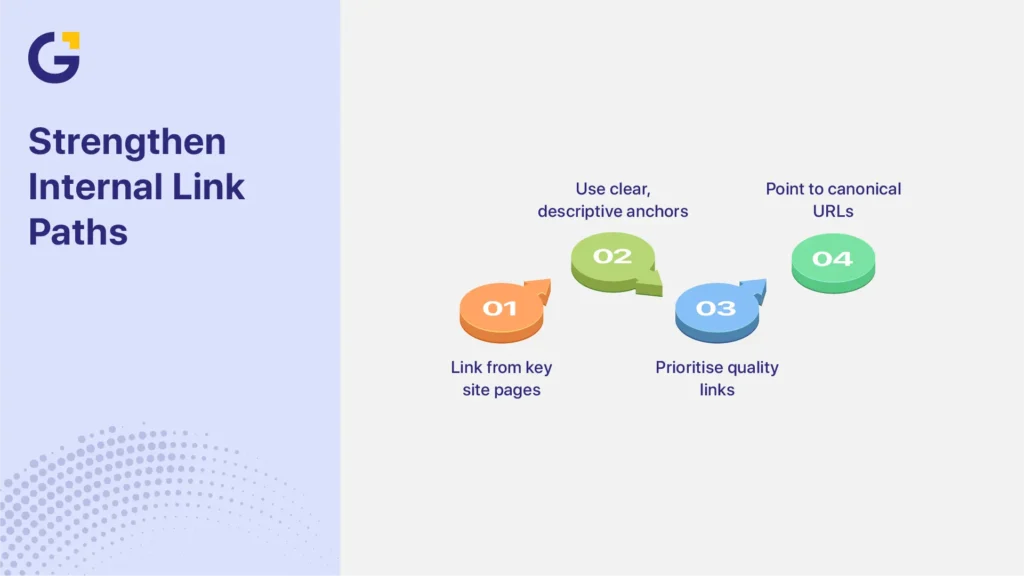
Internal Linking Problems That Leave Pages Isolated
Internal links help Google discover service pages, understand how they relate to other content, and recognise which URLs the business treats as important. Priority pages should be easy to reach through crawlable navigation and relevant contextual links from strong pages.
Do not rely on a fixed three-click rule. Site size and structure vary. Instead, check whether users and Googlebot can reach the page through a logical path without depending on site search, a hidden script, or an XML sitemap alone.
Prioritise links from:
- the main services hub;
- related service pages;
- relevant location or regional hubs;
- useful blog articles;
- homepage service sections, where appropriate;
- project or case study pages; and
- FAQs that naturally lead to a service.
Footer links can support navigation, but they should not be the primary indexing solution. A sitewide footer link does not replace a clear service hierarchy or useful contextual links.
Use descriptive anchor text that explains the destination. “Commercial electrical services in Sydney” gives more context than “click here.” Keep the wording natural and vary it when the surrounding sentence calls for a different description.
During a technical SEO audit, review both link count and link quality. One relevant link from a strong services hub may provide more context than many unrelated links placed across the site.
Also, check whether internal links point through redirects or use inconsistent URL versions. Update links so they point directly to the preferred canonical URL.
When to Merge, Improve or Remove Weak Service Pages
Not every unindexed service page needs more content. The right action depends on business value, search intent, overlap, page quality, and whether the URL has a separate purpose for customers.
Ask these questions first:
- Does the page represent a real service, location, or customer need?
- Is its search intent different from the intent of another page?
- Can the business provide specific information or proof for this URL?
- Does the page help a customer make a decision?
- Is the page linked from a logical part of the site?
- Which URL should be the canonical representative when pages overlap?
| Action | When to choose it | Main implementation notes |
| Improve | The service or location matters, but the page lacks useful detail, proof, or internal links. | Strengthen the service intent, add verified information, improve the user experience, and link it from relevant pages. |
| Merge | Two or more pages answer the same need and repeat most of the same information. | Combine the strongest material into one page, use 301 redirects, and update internal links and the sitemap. |
| Redirect | An old or weak URL has a clear replacement. | Redirect it to the closest relevant page rather than the homepage. |
| Canonicalise | Duplicate or alternate versions must remain accessible, but only one should represent the content in search. | Align the canonical tag, sitemap, and internal links with the preferred URL. Remember that Google may still select a different canonical. |
| Remove | The page has no useful purpose, replacement, traffic, links, or realistic business value. | Return an appropriate 404 or 410 response and remove the URL from internal links and the sitemap. |
For example, separate pages for “home plumbing,” “residential plumbing,” and “domestic plumbing” may target the same intent. One complete page may be clearer than three overlapping URLs.
Do not delete a page only because it is not indexed. An excluded URL may need a technical correction, stronger differentiation, consolidation, or no action at all when Google has correctly selected another canonical page.
A Practical Checklist for Sydney Businesses
Use this indexing checklist for service pages to diagnose technical, content, and structural problems in a consistent order.
Critical Technical Checks
- Open the Page Indexing report and identify affected service URLs.
- Separate new pages from pages that were indexed previously and later excluded.
- Inspect each priority URL in Google Search Console.
- Test the live URL and confirm that Google can access the main content.
- Check for a meta robots noindex tag or an X-Robots-Tag noindex header.
- Review robots.txt and confirm that it does not block pages Google needs to crawl.
- Check the HTTP status for 200 responses, redirects, server errors, and soft 404s.
- Compare the user-declared canonical with the Google-selected canonical.
- Confirm that internal links, redirects, and sitemap entries support the preferred canonical URL.
- Include canonical, indexable priority pages in the XML sitemap while remembering that sitemap inclusion does not guarantee indexing.
Content and Page Quality Checks
- Confirm that each page satisfies a distinct service, location, or customer intent.
- Compare the page with related URLs for duplicate or near-duplicate sections.
- Remove filler and repeated template copy.
- Add useful service details, process information, FAQs, proof, and local context where the business can verify them.
- Check that the page has a genuine reason to exist separately from similar pages.
- Review the mobile experience, page layout, headings, contact options, and readability.
- Treat schema as supporting markup, not as a fix for thin content or indexing problems.
Internal Linking and Site Structure Checks
- Link priority pages from a crawlable services hub and relevant contextual pages.
- Add links from related services, useful blog content, location hubs, and case studies where they help the reader.
- Use descriptive anchor text and point links directly to the preferred URL.
- Remove links to redirected, obsolete, duplicate, or non-canonical versions.
- Check that important pages do not depend only on the XML sitemap, footer, or internal site search for discovery.
Strategic Decisions and Monitoring
- Decide whether each weak URL should be improved, merged, redirected, canonicalised, removed, or left as an intentional alternate page.
- Update internal links and sitemap entries after any consolidation.
- After making a material technical or content change, follow Google’s Ask Google to recrawl URLs guidance rather than sending repeated daily requests.
- Monitor the Page Indexing and Performance reports over time. Recrawling and reassessment may take days, weeks, or longer, depending on the site and the change.
- Recheck the Google-selected canonical after Google processes the update.
- Confirm whether the page is now indexed before evaluating rankings and traffic.
This technical SEO checklist helps Sydney businesses work from evidence instead of guessing. It also prevents teams from creating more weak service pages before resolving the structure, duplication, or crawlability issues affecting the existing ones.
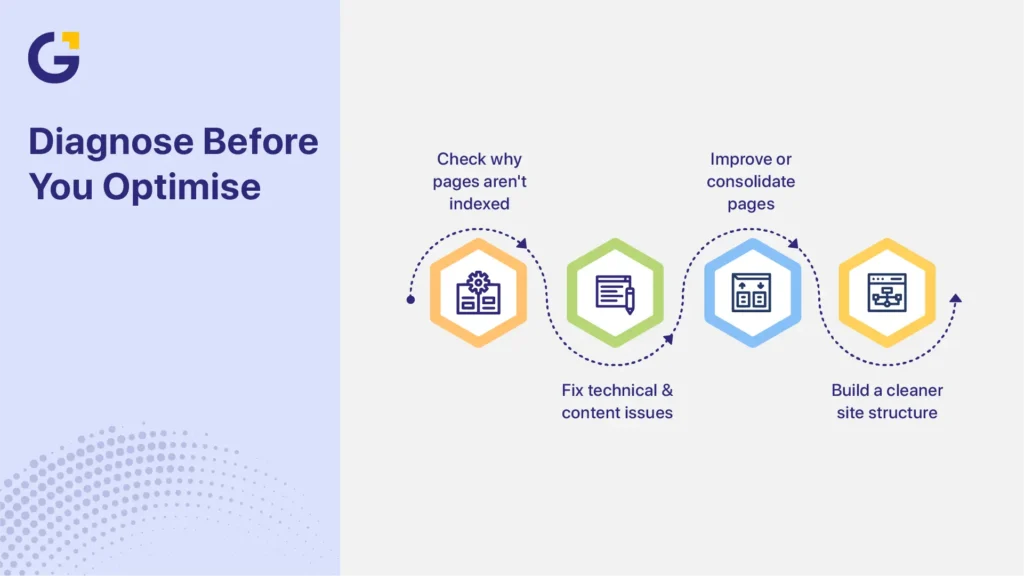
Conclusion
A service page that is not indexed cannot rank in normal Google results, but that does not mean every excluded URL is broken. Some pages contain technical errors. Others overlap with stronger pages, lack a separate purpose, or are correctly treated as alternate versions.
Start by confirming the page’s current indexing status. Then review crawl access, noindex directives, canonical selection, sitemap signals, content value, and internal links. Use the diagnosis to decide whether the page should be improved, merged, redirected, canonicalised, removed, or left alone.
Do not create more service pages or submit the same URLs repeatedly until you understand why Google excluded them. A cleaner site structure with fewer useful pages is often stronger than a large collection of similar URLs.
For a closer review of priority pages, you can request a website and SEO review to identify the technical, content, and structural issues affecting service page indexing.
Frequently Asked Questions
Why are my service pages not indexed?
Common causes include noindex directives, crawl blocks, redirects, server errors, weak internal links, duplicate content, canonical conflicts, or pages that do not add enough independent value. Check the URL in Search Console before deciding which cause applies.
Can a page rank if it is not indexed?
No. A page must be indexed before that URL can appear in normal Google search results. An indexed page may still fail to rank well if it does not match the query or compete strongly enough.
Does submitting a URL guarantee indexing?
No. Submitting a URL can ask Google to recrawl it, but it does not guarantee crawling, indexing, or ranking. Request indexing after correcting the main issue or making a meaningful improvement.
Do thin service pages cause indexing problems?
They can. Pages that repeat the same template with little independent value may be excluded or grouped under another canonical URL. The issue is not a fixed word count. It is whether each page satisfies a distinct service intent.
Should I delete service pages that are not indexed?
Not automatically. First, decide whether the page should be improved, merged, redirected, canonicalised, removed, or kept as an intentional alternate. Base the decision on business value, search intent, overlap, and technical findings.
Can internal links help with indexing?
Yes. Relevant, crawlable internal links help Google discover pages and understand their place in the site. Prioritise links from service hubs, related services, useful articles, location hubs, and other strong contextual pages.





 22 Apr 2026
 8 Min Read