If visitors can’t find what they’re looking for within a few clicks, they leave. If Google’s crawlers can’t efficiently find and understand your pages, they don’t rank. This is the double-edged reality of website navigation SEO: it’s not just a design choice; it’s a ranking factor and a revenue factor rolled into one.
Most business owners think of navigation menus as a visual element: logo on the left, links across the top, maybe a dropdown or two. But navigation is actually the skeleton of your website. It tells search engines which pages matter most, how your content relates to itself, and how authority flows through your site. Get it wrong, and you could be sitting on great content that nobody, human or algorithm, ever finds.
In this guide, we’ll break down exactly how site structure for SEO works, debunk the famous “three-click rule,” and show you practical menu design SEO principles you can apply today.
Not sure if your current site structure is helping or hurting your rankings? Genix Digital’s SEO specialists can run a full site architecture audit. Get in touch to find out where you stand.
Why Navigation Is Both a UX and an SEO Problem
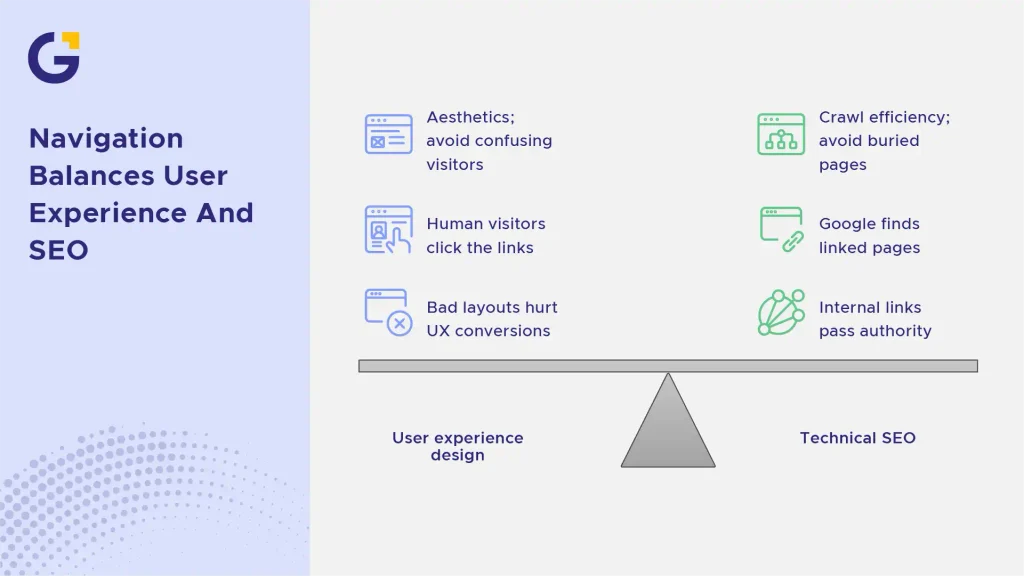
Navigation sits at the intersection of two disciplines that don’t always talk to each other: user experience design and technical SEO. When agencies craft UI/UX for B2B businesses, they often balance aesthetics with crawl efficiency. A menu built purely for aesthetics might look stunning but bury your most profitable pages four clicks deep. A menu built purely for SEO, stuffed with keyword-rich links, might overwhelm and confuse real visitors.
The truth is, good navigation serves both audiences simultaneously. Search engine crawlers follow the same links your human visitors click on. If a page isn’t linked anywhere in your navigation or internal link structure, Google may never find it, creating orphan pages in SEO.
Example Case: An Australian home services business had a beautifully designed site, but their “Suburbs We Service” pages, critical for local SEO, were only accessible through a search bar, not the menu. Google wasn’t crawling them, and they weren’t ranking for a single local keyword, even though they had the content.
- Navigation determines what Google considers “important” on your site.
- Bad layout choices hurt navigation, UX conversions and hike up your bounce rate, which indirectly slashes your organic performance.
- Every menu link is also an internal linking opportunity, passing authority (link equity).
The Three-Click Rule: Myth or Useful Guide
You’ve probably heard this rule: “Every page should be reachable within three clicks from the homepage.” It’s repeated so often in web design circles that many treat it as an SEO law. In reality, it’s a helpful guideline, not a strict ranking factor.
Google has never confirmed that click depth alone affects rankings in a direct, numeric way. In fact, Google’s John Mueller famously clarified that Google cares more about clear internal linking and path clarity than a rigid click-depth counter. However, there’s an indirect truth behind the rule: pages buried deep in a site structure get crawled less frequently, receive less internal link equity, and are harder for users to find, all of which can hurt performance over time.
Example Case: A multi-location retail client had product pages nested five levels deep (Home > Shop > Category > Subcategory > Brand > Product). After flattening the structure to three levels, those product pages saw improved crawl frequency in Google Search Console within weeks.
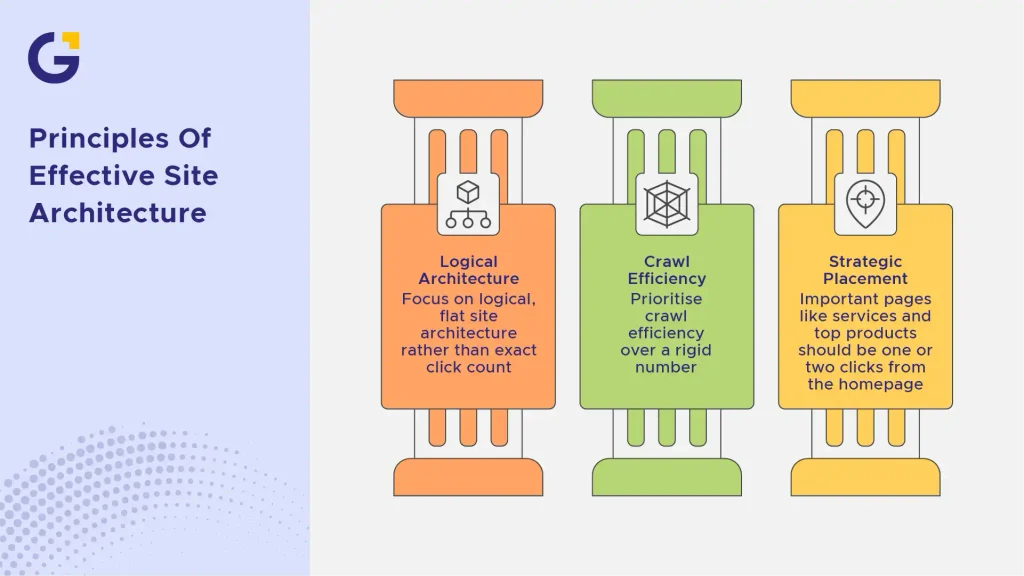
- Focus less on exact click count and more on logical, flat site architecture.
- Prioritise crawl efficiency over a rigid number.
- Important pages (services, top products) should always be one or two clicks from the homepage.
Flat vs Deep Site Architecture
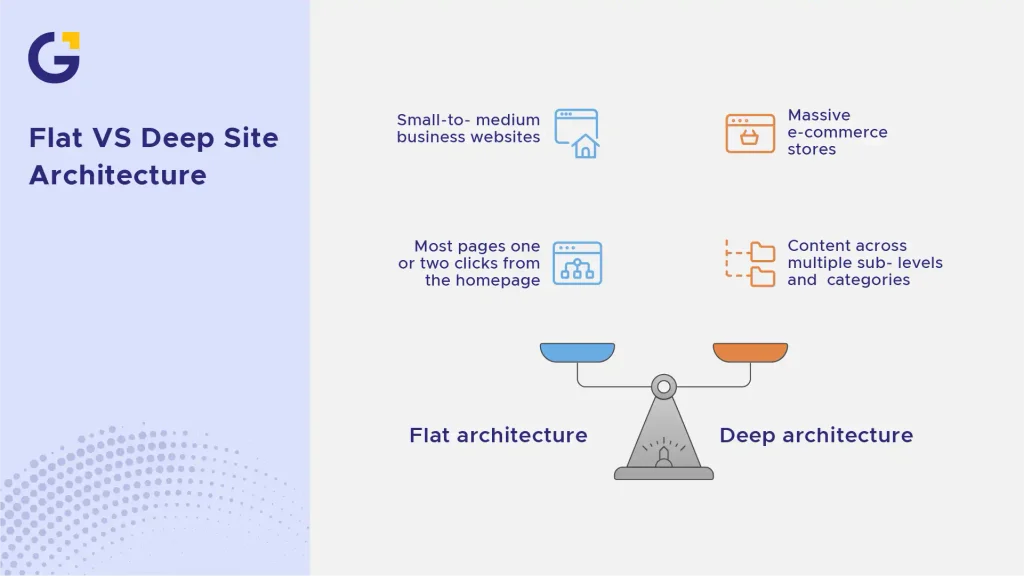
This is one of the most fundamental decisions in site structure for SEO. A flat site architecture keeps most pages close to the homepage, with minimal nested folders. A deep site architecture spreads content across multiple sub-levels and categories.
Flat architecture generally works best for small-to-medium business websites; service pages, blogs, and landing pages can all sit one or two clicks from the homepage. Deep architectures are typically reserved for massive e-commerce stores, but even then, implementing faceted navigation SEO is crucial to keep filter pages from creating indexing loops. Choosing the wrong setup is one of those critical SEO mistakes during a website redesign that can drain your organic traffic overnight.
Designing Menus That Help Google Crawl Your Site
Your primary menu acts as a roadmap for search engine bots. When building a menu structure, you need to balance user intuition with search engine crawlability.
Avoid relying heavily on complex JavaScript menus that hide links from search spiders. Use HTML-based headers and clear anchor text so crawlers can easily discover your high-margin pages. If you run a large platform, implementing a properly formatted mega menu SEO strategy lets you group top categories logically without cluttering the interface.
Keep menu items organised, and remember that how many clicks to any page SEO efficiency dictates how link equity distributes across your site. If you’re using WordPress, choosing the right setup via a custom WordPress development service ensures your navigation remains lightweight and clean.
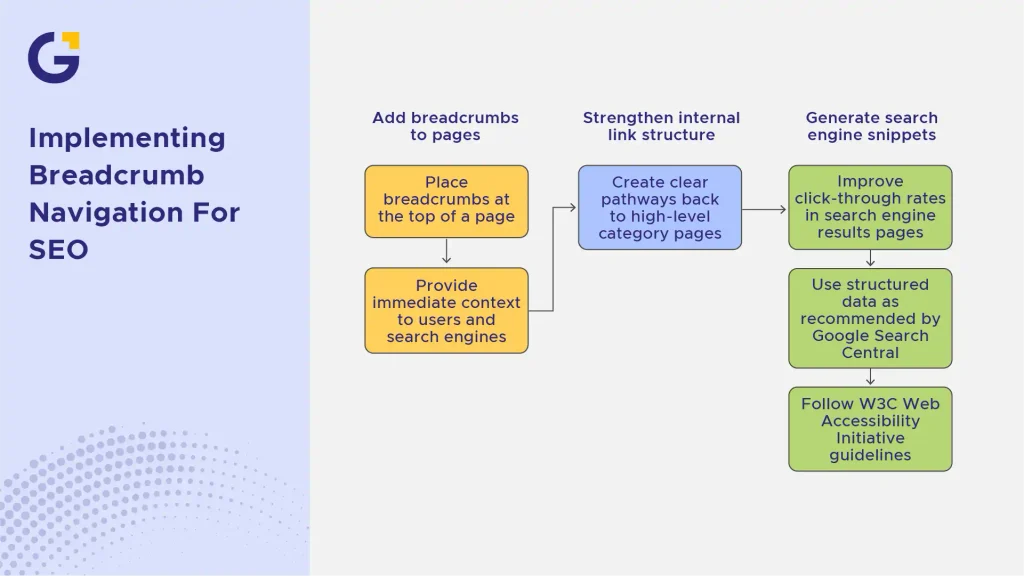
Breadcrumbs: Small Feature, Big SEO Impact
Breadcrumb navigation SEO is one of the simplest yet most effective features you can add to a business website. Breadcrumbs appear at the top of a page (e.g., Home > Services > On-Page SEO) and provide immediate context to both users and search engines.
From a search perspective, breadcrumbs strengthen your internal link structure and create clear pathways back to high-level category pages. They also generate rich snippets in search engine results pages (SERPs), improving click-through rates. Search engines like Google officially recommend structured data for breadcrumbs, as outlined in the W3C Web Accessibility Initiative guidelines and Google Search Central docs, ensuring every page is logically connected.
Mobile Navigation Best Practices
With Google operating on mobile-first indexing, your mobile menu is effectively your primary menu. A poor mobile menu design can harm both rankings and user retention.
Ensure hamburger menus are lightweight, accessible, and render essential links directly in the HTML. Don’t hide important conversion or service links exclusively on desktop views. If mobile users struggle to navigate your options, your bounce rates spike, impacting your overall digital strategy. For Aussie brands looking to scale, aligning mobile usability with tailored on-page SEO services guarantees that mobile traffic converts seamlessly into actual enquiries.
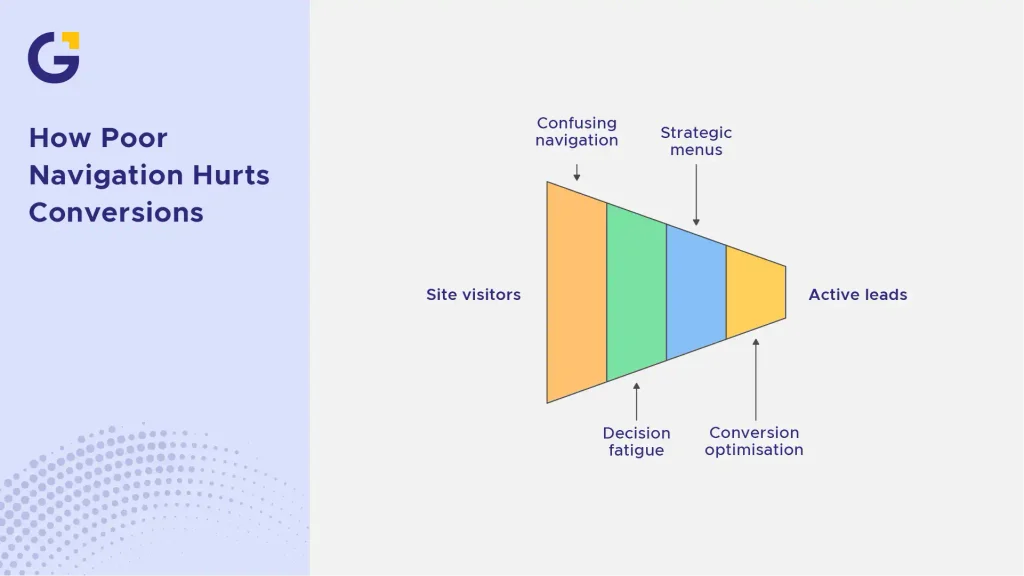
How Poor Navigation Hurts Conversions
You can spend thousands driving traffic through paid advertising or organic search, but confusing navigation will ruin your return on investment. When users arrive on a site and encounter broken pathways, overlapping dropdowns, or vague menu labels, friction builds instantly.
Poor navigation creates decision fatigue. When prospective clients cannot figure out how to view your offerings or contact your team, they hit the back button and visit a competitor. Combining strategic menu structures with targeted conversion rate optimisation (CRO) turns casual visitors into active leads, maximising the value of every single click.
Ready to fix your site’s structure? Explore how our team at Genix Digital can transform your search visibility through tailored SEO services and data-driven digital marketing strategies.
FAQ
1. Does website navigation affect SEO rankings?
Yes, website navigation directly impacts how search engines crawl, index, and evaluate your site architecture. Effective website navigation SEO ensures search engines can discover all key pages, understand content relationships, and distribute internal link equity efficiently.
2. What is the three-click rule?
The three-click rule suggests that users should be able to find any information on a site within three mouse clicks. While not a strict algorithmic rule, keeping key pages close to the homepage improves crawlability and creates a smoother user experience.
3. Are breadcrumbs good for SEO?
Yes, breadcrumbs provide contextual internal links that help search engines understand page hierarchy. They also improve user experience and can appear in Google SERP snippets, boosting organic click-through rates.
4. How many items should be in a main menu?
Ideally, keep your primary navigation to between 5 and 7 concise top-level items. Overloading the main menu confuses visitors and dilutes the internal link authority passed down to subordinate pages.





 1 May 2026
 12 Min Read