


You know you need more reviews. Your competitor down the street has 200 of them, and you have 23. But every time a happy customer walks out the door, you freeze because asking “Hey, could you leave us a review?” feels like begging.
Here’s the good news: learning how to get 5-star Google reviews doesn’t require an awkward conversation at all. The businesses that consistently rack up glowing feedback have simply removed the friction and the ask. They’ve built an automated 5 star google review link system: QR codes, automated SMS, and smart website prompts that do the asking for them, at the perfect moment, in a way that feels natural rather than needy.
This guide walks through exactly how to build that system, step by step, so you can get Google reviews without asking a single customer face-to-face ever again.
Not sure your Google Business Profile is even set up to capture reviews properly? Get a free Google Business Profile audit and find out in minutes.
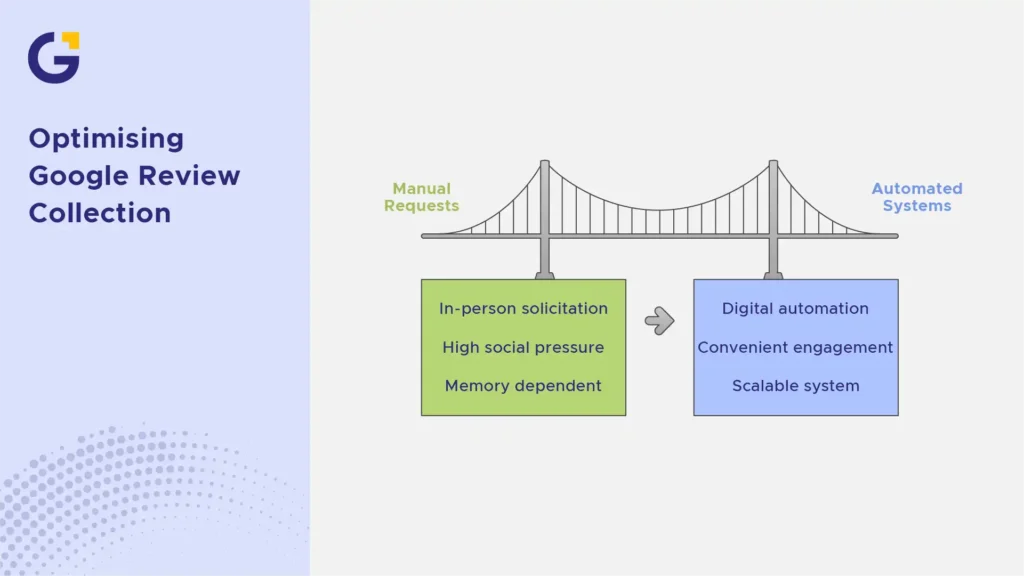
Stop Awkwardly Asking for Google Reviews: A Better Approach
The awkwardness comes from timing and vulnerability. You’re asking a favour in person, right when the transaction just ended; it feels transactional and self-serving, even if the customer genuinely loved your service.
The fix isn’t a better script. It’s removing yourself from the equation entirely. When the request comes via a text message, an email, or a QR code on the counter, the customer engages on their own time, with zero social pressure.
Example Case: A Sydney café owner used to mumble “reviews help us a lot” while handing back change and got maybe one review a month. After switching to a QR code review generator tool to place direct links on receipts, she now averages 15–20 reviews monthly without saying a word about it.
- Removes social pressure from both sides
- Lets the customer act when convenient, not on the spot
- Creates a repeatable, scalable system instead of relying on memory
1. Set Up Seamless Physical Touchpoints Using Custom QR Codes
If a customer has to open Google, search your business name, scroll to reviews, then find the “write a review” button, you’ve already lost most of them. A direct QR code skips every one of those steps.
Place the QR code where the positive emotion is highest — the receipt, the packaging insert, the table tent, the invoice footer, or even a small sign near the exit.
How to Create a Direct Google Review Link QR Code
First, learn how to create a google review link directly through your profile. Search your business on Google, click on your listing, find “Ask for reviews,” and copy the short link provided. This link takes customers straight to the star-rating pop-up.
Next, paste that link into a generator to create a google review link QR code. Download the code, and place it anywhere customers naturally pause.
Example Case: A local gym printed the qr code for client google reviews on a small acrylic stand at the front desk with the text “Loved your session? Tap here.” They saw a 40% increase in monthly reviews within six weeks.
- Test the QR code on both iPhone and Android before printing
- Add short, polite review request messages next to it — never just “scan me”
- Place codes in at least 2–3 locations for repeat exposure
2. Automate Email and SMS Follow-Ups Post-Purchase
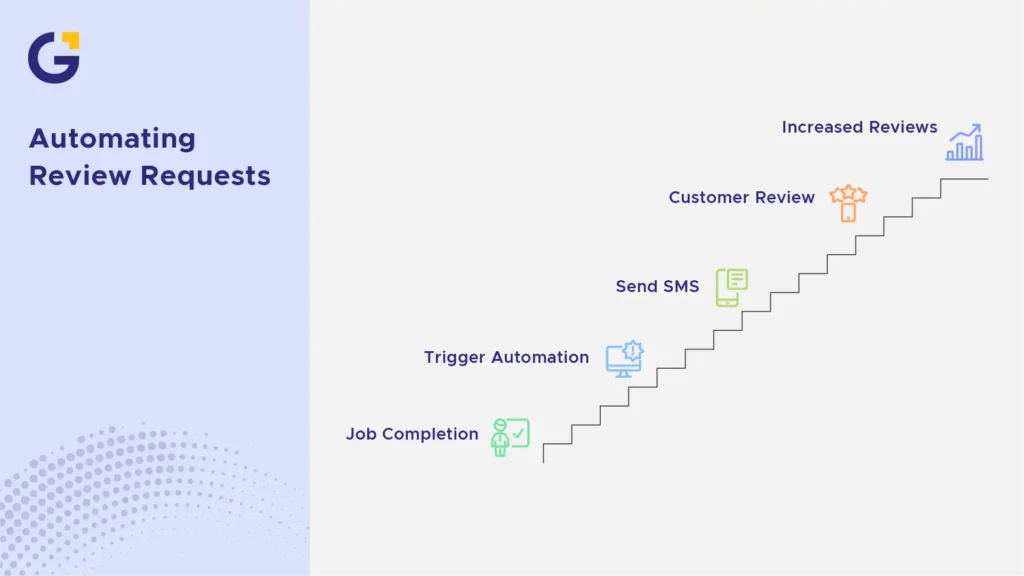
Not every customer interaction happens in person. For service businesses, e-commerce stores, and trades, an automated google review request system does the heavy lifting your front-of-house staff can’t.
A simple automated workflow — triggered the moment a job is marked complete or an order is delivered sends customer review request templates via short, friendly text messages with your direct review link embedded.
The Ideal Timing for Sending Automated Review Requests
Timing determines whether your message gets ignored or acted on. The sweet spot is within 24 to 48 hours after service delivery or product arrival, while the experience is still fresh.
Send it too early (before the service is even finished), and it feels premature. Send it a week later and the emotional high has faded, along with the motivation to act.
Example Case: An electrical contracting business set up an SMS automation triggered by their job-management software. The message reads: “Thanks for trusting us with your job today! Mind sharing a quick review? [link]” sent exactly 4 hours after job completion — their review volume tripled in three months.
3. Optimise Your Website with Embedded Google Review Badges
Your website is a 24/7 salesperson, and it should also be a review magnet. Embedding a live Google review badge or widget on your homepage or footer does two things: it builds trust with visitors, and it subtly reminds existing customers that reviews are visible and valued.
Many businesses also add a dedicated “Leave Us a Review” button on their contact or thank-you page. As digital authority Sabri Suby often highlights in direct-response strategies, eliminating friction points in your user journey is the fastest way to turn buyer satisfaction into measurable business assets. Utilising landing page optimisation for conversion ensures every visitor touchpoint has a clear next step, turning happy clients into social proof naturally.
Read more about how user experience influences social proof in our article on trust signals every Sydney small business website needs before customers enquire.
4. Use “Incentive-Free” Prompts That Comply with Google Guidelines
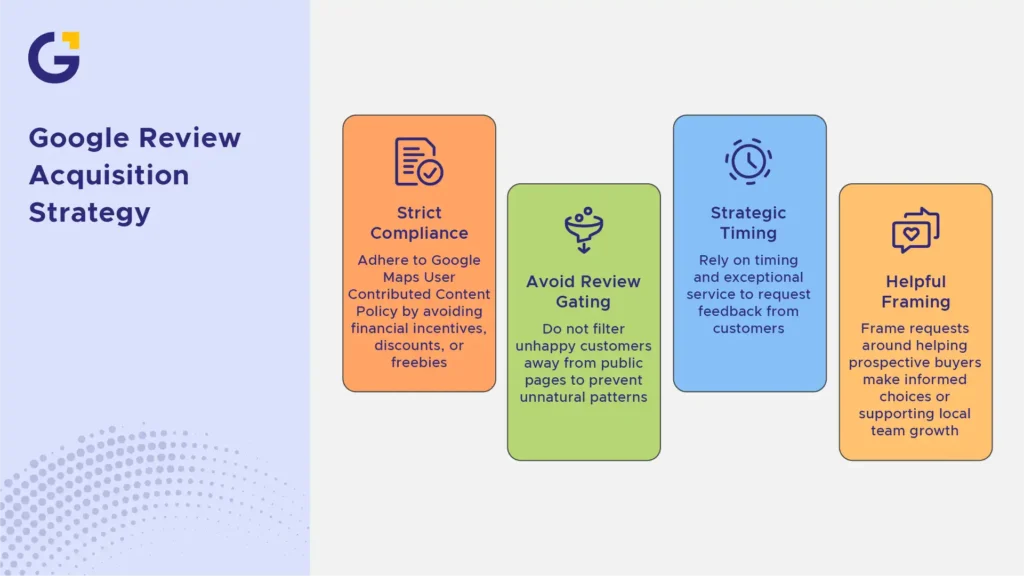
It’s tempting to offer a $5 coffee voucher or entry into a raffle in exchange for a review, but doing so puts your entire profile at risk. Maintaining a high Google Business Profile rating requires strict adherence to search engine rules.
Can You Offer Discounts for Google Reviews? (Google Policy Rules)
No. According to Google’s Maps User Contributed Content Policy, offering financial incentives, discounts, or freebies in exchange for reviews is strictly prohibited. Google’s algorithms actively detect unnatural patterns and review gating (filtering unhappy customers away from public pages), which can result in all your reviews being wiped out.
Instead, use a google review acquisition strategy that relies on timing and exceptional service. Frame the request around helping other prospective buyers make informed choices:
- “Your feedback helps other local families find trustworthy service.”
- “Help us grow our local Sydney team by sharing your experience.”
5. Turn Every Review Reply into a Magnet for Future 5-Star Ratings
Getting reviews is only half the battle. Knowing how to respond to a 5 star google review signals to both Google and prospective customers that your business is active, attentive, and genuinely appreciative.
5-Star Google Review Response Examples That Build Trust
When writing a 5 star google review response, keep it personalised and brief. Avoid generic copy-paste answers:
- Example 1 (Service Business):
“Thanks so much for the kind words, Sarah! We’re thrilled our team could get your electrical work sorted quickly. Appreciate your support!” - Example 2 (E-commerce / Retail):
“Thank you for the glowing feedback, Mark! So glad you’re loving the new setup. We look forward to seeing you again soon!”
Consistent replies contribute significantly to your overall local reputation management footprint in Sydney and encourage future customers to leave their own feedback.
How Many 5-Star Reviews Do You Need to Boost Your Rating?
A common question business owners ask is how many 5 star reviews do i need to recover or boost an overall score. The answer depends on your current review volume and average rating.
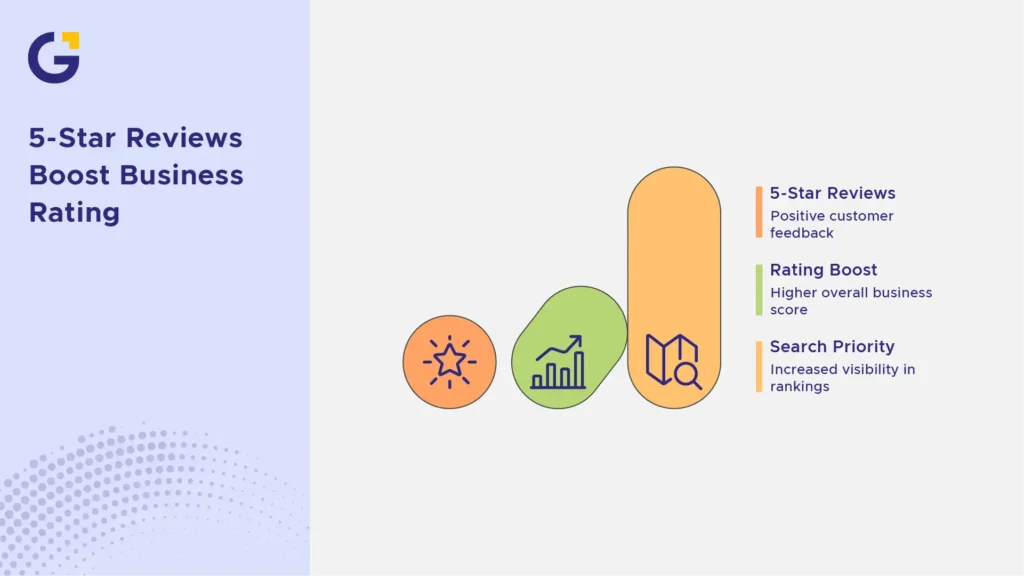
If you have a 4.2-star rating across 20 reviews, getting 10 consecutive 5-star ratings will lift your score closer to 4.5. However, search engines prioritise velocity and recency over sheer volume. A steady stream of 3–5 reviews every month carries more weight in local rankings than 50 reviews dropped in a single day.
To learn more about how review signals impact local rankings, check out our guide on how reviews help Sydney businesses rank in Google, Maps and AI results.
Conclusion: Build an Engine for Automated 5-Star Google Reviews
Asking for customer feedback doesn’t have to feel like an awkward favour. By establishing custom QR codes, setting up automated post-purchase messages, and maintaining clear touchpoints, you can build a system for 5 star feedback generation that runs on autopilot.
Ready to level up your business visibility and local dominance? Partner with us for a complete Sydney local SEO and reputation strategy or Genix Digital services to scale your local market presence effectively.
FAQs
Which delivers faster ROI in Sydney: SEO or Google Ads?
Google Ads delivers faster immediate ROI, often generating leads within days. SEO takes 3 to 6 months to mature but offers a significantly higher and sustainable long-term ROI.
Is Google Ads too expensive for Sydney small businesses in 2026?
While CPC rates have risen in competitive Sydney industries, Google Ads remains highly profitable when campaigns are tightly targeted to specific local suburbs and supported by high-converting landing pages.
Can I stop running Google Ads once my local SEO ranks on page 1?
It is usually better to scale back paid spend rather than stopping entirely. Owning both the top paid ad spot and top organic result doubles your brand’s search dominance and overall click share.
How much should a Sydney SME budget for search marketing?
Most Sydney small businesses see strong momentum starting with a flexible Google Ads budget for instant leads combined with a consistent monthly local SEO investment.
Why do Google Ads stop producing leads when the budget runs out?
Google Ads operates on a pay-per-click model. The moment your daily ad budget is exhausted, your ad visibility disappears, unlike organic SEO rankings, which persist over time.
How can Genix Digital help me choose between SEO and Google Ads?
Genix Digital analyses your industry, target audience, and cash flow needs during a free discovery session to craft a custom strategy, whether pure SEO, Google Ads, or an integrated hybrid campaign.



 1 Jul 2026
 20 Min Read