
Wix, WordPress, and custom AI websites all solve different business needs. Wix helps businesses launch quickly with minimal setup. WordPress gives stronger SEO, content, and marketing flexibility. A custom AI website supports advanced automation, integrations, lead funnels, and scalable digital growth. The right choice depends on your business goals, marketing plans, operational needs, and long-term growth strategy.
Many Australian small businesses choose a website platform based only on setup cost or convenience. That decision often creates problems later. A tradie may eventually need suburb landing pages and CRM integrations. A dental clinic may require booking automation and conversion tracking. An NDIS provider may outgrow template limitations once local SEO and customer acquisition become more competitive.
The platform that works for a startup brochure website may not work for a business planning SEO expansion, paid advertising, multi-location growth, or advanced conversion funnels.

Quick Recommendation: Which Platform Makes the Most Sense?
Choose Wix if:
- you need a simple, low-maintenance website
- your budget is limited
- you only need a few pages and basic contact forms
- SEO and content marketing are not major priorities yet
Choose WordPress if:
- SEO and Google rankings matter
- you plan to publish blogs, landing pages, suburb pages, or resource content
- you want stronger control over content structure, schema, redirects, and integrations
- long-term flexibility matters more than launch speed
Consider an custom AI website if:
- your business relies heavily on customer acquisition
- you need CRM workflows, quote systems, automation, or advanced integrations
- your marketing strategy includes conversion optimisation and custom funnels
- you want a scalable business website built around operational growth
Many Australian SMEs eventually rebuild their website because the original platform could not support SEO expansion, integrations, or marketing requirements. Choosing the right platform earlier can reduce migration costs, rebuild risks, and long-term technical limitations.
Quick Comparison Table: Wix vs WordPress vs Custom AI Website
Wix, WordPress, and custom AI websites differ most in SEO control, ownership, scalability, marketing flexibility, and integration capability. Wix focuses on ease of use and fast setup. WordPress balances flexibility with scalable SEO and content expansion. Custom AI websites support advanced workflows, automation, and conversion-focused marketing systems.
| Category | Wix | WordPress | Custom AI Website |
| Setup Speed | Fast | Moderate | Longer setup |
| SEO Control | Moderate | Strong | Very strong |
| Design Flexibility | Limited by templates | High | Fully custom |
| Ownership Control | Platform-controlled | Full ownership | Full ownership |
| Scalability | Moderate | High | Very high |
| Maintenance | Low | Moderate | Managed support |
| AI Features | Built-in AI builder | Plugin-based AI tools | AI-assisted workflows |
| CRM Integration | Limited | Strong | Fully customised |
| Content Scalability | Moderate | Very strong | Very strong |
| Local SEO Suitability | Moderate | Strong | Very strong |
| Migration Flexibility | Moderate | Strong | Strong |
| Core Web Vitals Control | Limited | Strong | Very strong |
| Ecommerce Suitability | Basic to moderate | Strong | Advanced |
| Long-Term Ownership Risk | Higher dependency | Lower dependency | Lowest dependency |
| Best For | Small brochure websites | SEO-focused SMEs | Growth-focused businesses |
Cost Comparison
Wix usually has the lowest setup cost and the simplest launch process. Businesses can build a website quickly without managing hosting, developers, or ongoing technical maintenance. That makes Wix attractive for sole traders, consultants, startups, and service businesses testing a new market.
WordPress costs vary more because businesses often pay separately for hosting, premium plugins, SEO tools, developer support, security management, and maintenance.
The platform requires more ongoing management, but businesses gain far more flexibility, SEO control, and ownership.
Custom AI website development usually involves the highest upfront investment because the website infrastructure is tailored around business operations, integrations, automation, and conversion workflows from the beginning. For some growing businesses, that reduces the risk of rebuilding the website again within a few years.
A more practical way to compare website costs is by looking at long-term operational costs rather than only launch pricing.
| Cost Category | Wix | WordPress | Custom AI Website |
| Setup Cost | Low | Moderate | High |
| Monthly Platform Cost | Predictable | Variable | Variable |
| Maintenance Workload | Low | Moderate | Managed support |
| Plugin/App Costs | Moderate | Moderate to high | Usually custom-built |
| Migration/Rebuild Risk | Higher long-term | Lower | Lowest |
| SEO Recovery Risk During Migration | Moderate | Moderate | Lower with proper planning |
| Scalability Cost | Can increase later | Easier to scale gradually | Built for scale earlier |
One common situation agencies see is businesses choosing a cheaper platform initially, then rebuilding the entire website later once SEO, paid advertising, or customer acquisition systems become more advanced. A migration completed too early often costs less than rebuilding a heavily expanded website years later.
Best Website Platform for SEO
WordPress is usually the best platform for long-term SEO growth because it gives businesses stronger control over site structure, schema, landing pages, internal linking, redirects, and scalable content systems. Wix can still support basic SEO successfully for smaller websites, while custom development suits businesses needing advanced technical SEO control and automation.
SEO Control and Content Flexibility
SEO performance depends heavily on how much control a platform gives over website structure, internal linking, schema markup, redirects, page speed, and scalable content management.
Wix has improved significantly in recent years and can support basic SEO for smaller websites. A local consultant, accountant, or trades business with a small number of pages may still rank effectively using Wix if the competition is low and the website is properly structured.
However, WordPress usually gives businesses more control over advanced SEO strategy. WordPress makes it easier to scale suburb landing pages, organise service content, implement schema, and manage technical SEO as the website grows.
For example, a plumbing company targeting multiple Sydney suburbs may eventually need:
- scalable location pages
- service-specific landing pages
- blog content
- FAQ schema
- custom redirects
- lead tracking integrations
- advanced conversion tracking
That structure becomes easier to manage inside WordPress compared to template-based website builders. Businesses comparing platform flexibility should also understand how to do SEO for a website before investing heavily into long-term content and landing page strategies.
Custom websites give developers much more control over performance, page speed, schema, and technical SEO without relying heavily on plugins or templates.
Poorly built WordPress websites can still perform badly. Heavy themes, excessive plugins, weak hosting, and poor maintenance often create speed and stability problems. A properly developed
WordPress website usually performs well because businesses gain stronger technical control over schema markup, redirects, metadata, URL structure, content hierarchy, SEO plugins, and internal linking.
Google’s SEO Starter Guide explains the importance of crawlable structure, useful content, and strong page experience signals for long-term visibility.
Businesses comparing long-term SEO strategies can also review Genix Digital’s approach to website SEO planning and scalable content architecture.
Design Flexibility and Branding
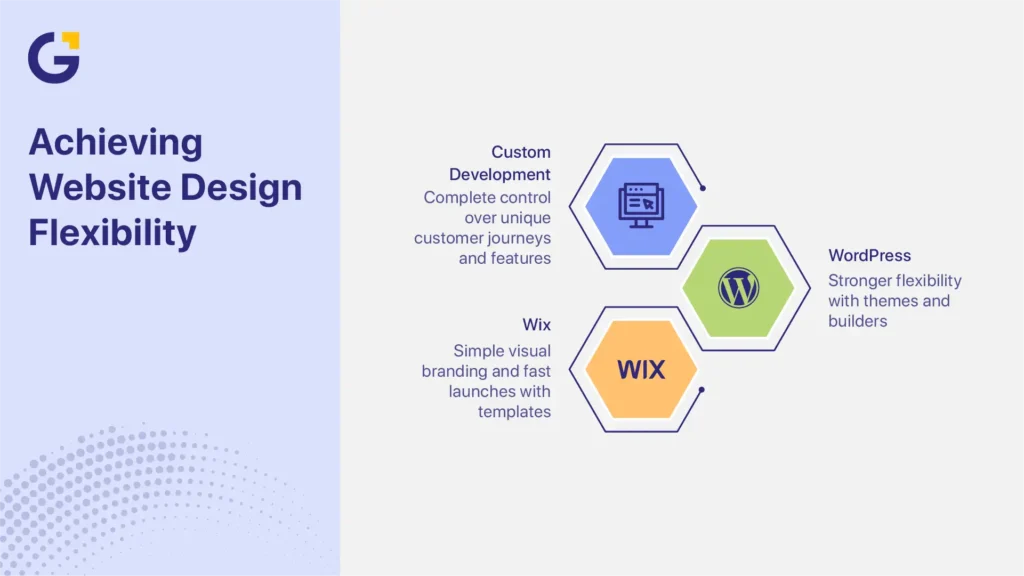
Wix works well for simple visual branding and fast launches. Templates and drag-and-drop builders make Wix easier to customise without technical experience.
WordPress website design offers much stronger flexibility. Many businesses also use builders such as Elementor to create landing pages, modular layouts, and flexible service page structures. Businesses can use custom themes, advanced builders, landing page systems, and modular layouts that scale more effectively as the business grows.
Custom development removes template restrictions entirely. Custom development allows unique customer journeys, quote flows, calculators, booking systems, and tailored UX features.
This becomes especially valuable for:
- multi-location businesses
- service-area SEO campaigns
- ecommerce brands
- businesses running paid advertising
- companies with custom operational workflows
Scalability, Ownership, and Long-Term Control
A common mistake many businesses make is choosing a platform based only on setup speed or price without considering long-term operational requirements.
Website ownership involves more than login access. Hosting control, backups, plugin licences, analytics access, documentation, and migration flexibility all affect long-term control over the website.
WordPress and custom websites usually provide stronger ownership control because businesses can manage hosting, backups, CMS access, plugins, and technical infrastructure independently.
Wix simplifies management but keeps businesses more dependent on the platform ecosystem.
Core Web Vitals influence user experience, mobile performance, and search visibility. Platforms differ in how much control businesses have over:
- image optimisation
- code efficiency
- caching
- hosting quality
- script loading
- page speed optimisation
Custom websites generally provide the highest level of technical control. WordPress can also perform very well when properly developed and maintained. Poor themes, bloated plugins, and weak hosting environments often create the biggest speed issues.
Google’s Core Web Vitals guidance explains how loading speed, visual stability, and responsiveness affect website performance and user experience.
When Wix Makes Sense for a Small Business
Wix works best for businesses that need a simple website without advanced SEO or integration requirements. It is often suitable for brochure websites, startups validating a business idea, or businesses needing a fast online presence with minimal technical management.
Very Small Budgets and Fast Launches
Some businesses simply need a professional online presence quickly.
A local electrician, mobile dog groomer, sole trader accountant, or independent consultant may only need:
- a homepage
- service pages
- contact details
- a gallery
- a booking form
Wix helps these businesses launch quickly without technical experience or developer support.
The built-in AI website builder also speeds up setup.
Brochure Websites With Limited SEO Needs
A small business with low search competition may not initially need advanced schema, large content hubs, suburb landing pages, advanced automation, and CRM workflows.
For businesses with limited marketing complexity, Wix may work well for several years.
However, the limitation usually appears once businesses begin investing heavily into:
- SEO campaigns
- Google Ads
- content marketing
- location-based SEO
- advanced conversion tracking
For example, a local plumber may initially launch with a small website that includes a few service pages, a contact form, and a simple booking request page. As the business grows, the website often needs more advanced SEO, tracking, and lead management features.
Later, the same business may need:
- suburb landing pages
- CRM integrations
- review automation
- lead attribution
- conversion tracking
- advanced analytics
- quote request workflows
That structure often becomes easier to scale inside WordPress or a custom website environment.
DIY Website Management Without Developers
Wix reduces technical management requirements. Businesses do not need to manage:
- plugin conflicts
- hosting environments
- security patching
- server maintenance
- software updates
That simplicity appeals to many small businesses without in-house technical support.
Main Risk With Wix
The main risk with Wix is long-term flexibility.
Wix can become restrictive once businesses require:
- scalable SEO structures
- advanced integrations
- custom workflows
- larger content systems
- deeper analytics
- advanced conversion funnels
Migration also becomes more complex later if the website structure expands significantly.
Why WordPress Makes Sense for SEO, Content Growth, and Lead Generation
WordPress remains one of the strongest platforms for businesses focused on SEO, content marketing, and scalable digital growth. It gives businesses more control over website structure, landing pages, blogging systems, integrations, schema, redirects, and long-term content expansion.
Local SEO campaigns usually require far more structural control than template-based platforms provide.
Content-Heavy Websites and SEO Growth
A multi-location electrical company may eventually need suburb pages, service-specific landing pages, blog content, FAQ hubs, case studies, internal linking systems, location schema, and conversion-focused funnels. Once the website structure expands to support broader SEO and lead generation efforts, a template-based website builder can become much harder to manage efficiently.
WordPress makes it easier to organise service pages, blogs, landing pages, resource content, and location-based SEO structures as the website expands.
Website requirements usually expand much faster once SEO, Google Ads, and customer acquisition campaigns begin scaling.
For example, a Melbourne plumbing business may initially launch with only a homepage, contact form, and a few service pages. After investing in SEO and Google Ads, the same business may later require:
- suburb landing pages
- call tracking
- quote request automation
- CRM integration
- review generation workflows
- conversion reporting dashboards
That growth is where platform flexibility becomes much more important than the original launch cost.
Landing Pages, Blogging, and Local SEO
WordPress works especially well for businesses investing in SEO campaigns, content marketing, local search visibility, Google Ads landing pages, and conversion optimisation.
A WordPress website for small business growth gives marketers much stronger control over:
- page structure
- schema
- redirects
- internal linking
- metadata
- SEO plugins
- tracking integrations
Multi-suburb SEO campaigns usually require scalable location pages and stronger internal linking structures. That becomes much easier to manage inside WordPress compared to rigid template-based systems.
Plugin Ecosystem and Marketing Integrations
WordPress supports a very large plugin ecosystem.
Many growing websites eventually connect with CRMs, booking systems, ecommerce platforms, email automation tools, analytics software, memberships, AI-assisted features, and conversion tracking systems. This level of integration supports stronger marketing workflows, better reporting, and more scalable customer acquisition.
The Trade-Offs of WordPress
WordPress only performs well when it is properly built and maintained.
One issue many agencies regularly encounter is businesses running WordPress websites with dozens of unnecessary plugins on very cheap hosting plans. Over time, those websites often become difficult to update, slower on mobile devices, and more unstable during plugin or theme updates.
In some rebuild projects, businesses also discover that old developers never documented plugin licences, hosting access, analytics ownership, or backup systems properly. That creates additional migration delays and SEO risks during redevelopment.
WordPress performs very well when the website is properly structured, maintained, and supported with reliable hosting and lightweight development practices.
Main Risk With WordPress
Poor hosting, weak maintenance, excessive plugins, or poor development practices can reduce performance and create technical problems over time.
When a Custom AI Website Makes Sense
Custom AI websites and properly developed WordPress websites usually support stronger lead generation systems than basic website builders. More advanced platforms make it easier to connect landing pages, CRM workflows, automation, lead routing, analytics, and conversion tracking into one system.
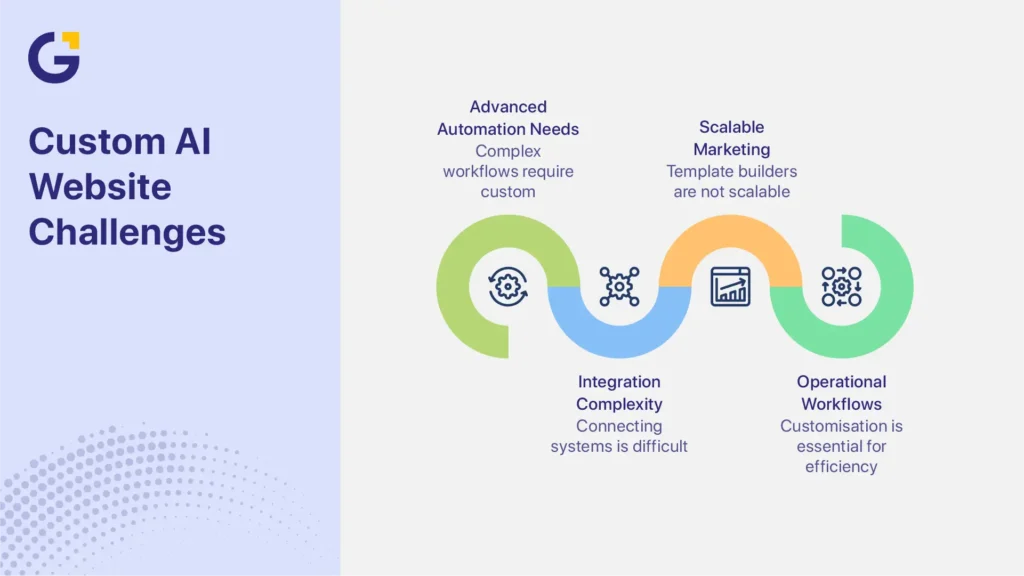
A custom AI website works best for businesses needing advanced automation, integrations, lead funnels, operational workflows, and scalable marketing systems. Businesses needing more advanced workflows and integrations often benefit more from custom website development rather than template-based website builders.
This does not mean simply using an AI website builder.
The Difference Between AI Website Builders and Custom AI Websites
AI website builders usually help generate layouts, starter copy, images, page structures and basic website setups.
These tools help businesses launch faster, but they still rely heavily on templates and simplified website systems.
Platforms such as Wix AI Website Builder help businesses generate layouts, starter copy, and basic website structures more quickly.
A custom AI website uses AI-assisted development alongside:
- SEO strategy
- conversion optimisation
- CRM logic
- automation workflows
- lead qualification
- personalised user journeys
- custom integrations
- advanced analytics systems
For example, a mortgage broker may need:
- lead routing
- CRM integration
- quote request automation
- conditional forms
- automated follow-up sequences
An NDIS provider may need:
- service qualification workflows
- intake automation
- multi-location SEO architecture
- custom enquiry routing
These systems usually require far more flexibility than standard website builders provide.
Conversion-Focused Funnels and Automation
Businesses investing heavily in paid advertising often need:
- advanced conversion tracking
- custom landing pages
- A/B testing
- lead scoring
- booking automation
- CRM attribution reporting
This is where a custom website often becomes more valuable than a template-based builder.
Complex Integrations and Operational Requirements
Custom websites work well for businesses needing e-commerce systems, quoting tools, booking engines, CRM integrations, automation workflows, or complex operational setups.
Platform limitations usually become more obvious once operations, reporting, and customer acquisition workflows become more complex.
Main Risk With Custom AI Websites
Custom websites require higher upfront investment and may become unnecessarily complex for businesses that only need a simple informational website.
A very small business without clear growth plans may not benefit from advanced custom website development immediately.
Decision Framework: Which Website Platform Fits Your Business?
The best platform depends on budget, SEO goals, marketing maturity, operational complexity, and long-term growth plans.
If budget and launch speed matter most:
Choose Wix.
For SEO, blogging, suburb pages, and scalable content:
Choose WordPress.
If automation, CRM workflows, integrations, and advanced conversion funnels matter most:
Choose a custom AI website.
Short-term setup cost is one of the most common reasons businesses choose the wrong platform. In practice, long-term marketing requirements usually become the bigger factor later.
For example:
- a startup consultant may succeed with Wix initially
- a growing dental clinic usually benefits from WordPress
- a multi-location service company may eventually require custom integrations and automation systems
Businesses still unsure which direction makes the most sense can ask which website platform fits their business before committing to a rebuild or migration project.
| Business Situation | Recommended Platform |
| Startup validating a business idea | Wix |
| Simple informational website | Wix |
| Local service business needing SEO growth | WordPress |
| Businesses investing heavily in blogging | WordPress |
| Multi-suburb SEO strategy | WordPress or Custom |
| Complex CRM workflows | Custom AI Website |
| Advanced lead funnels and automation | Custom AI Website |
| Multi-location operational systems | Custom AI Website |
E-commerce-heavy businesses may also compare Shopify, while highly design-focused brands sometimes consider Webflow depending on operational requirements.
Common Mistakes Small Businesses Make When Choosing a Website Platform
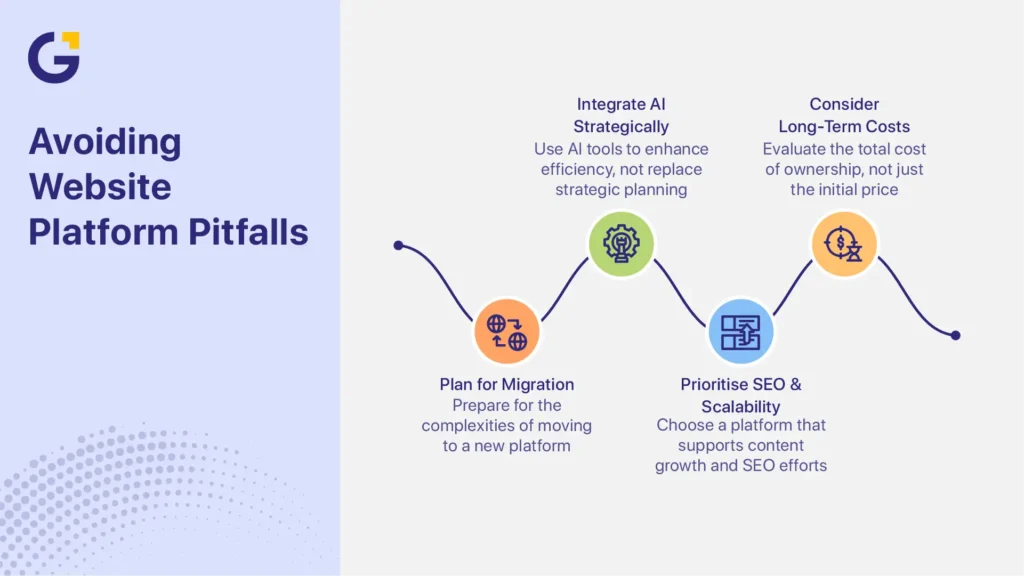
Many businesses choose a platform based only on setup speed or price. That often creates SEO, scalability, migration, or integration problems later.
Choosing Based Only on Price
Low upfront pricing can eventually create:
- redesign costs
- migration costs
- SEO cleanup work
- redevelopment expenses
- ranking recovery work
A cheaper launch does not always mean lower long-term cost.
Ignoring SEO and Content Scalability
Content requirements usually expand much faster once SEO and lead generation become priorities.
A business with five pages today may eventually require suburb pages, blogs, FAQs, landing pages, service hubs, resource sections, and internal linking systems.
Platforms with weaker content flexibility can eventually slow growth.
Assuming AI Builders Replace Strategy
AI website tools improve efficiency, but they do not replace:
- SEO strategy
- conversion planning
- UX decisions
- business positioning
- funnel planning
- content structure
Underestimating Migration Costs
Moving from Wix to WordPress or another platform often involves:
- redirect mapping
- metadata transfer
- content formatting
- image migration
- analytics setup
- tracking validation
- SEO QA
- redesign work
Poorly managed migrations can temporarily reduce rankings and lead to a loss of quality.
How Genix Digital Helps Australian SMEs Choose the Right Website Platform
Genix Digital helps Australian SMEs choose website platforms based on actual business requirements rather than trends or unnecessary features.
That process often includes:
- reviewing long-term SEO goals
- planning scalable website structures
- identifying future migration risks
- evaluating CRM and automation requirements
- mapping conversion funnels
- planning suburb or multi-location SEO architecture
- reviewing analytics and tracking requirements
- identifying whether custom development is genuinely necessary
In many projects, businesses initially request a custom-built website when a properly structured WordPress solution would achieve the same outcome more efficiently. In other situations, businesses outgrow basic website builders much faster than expected once customer acquisition, SEO, or operational workflows become more advanced.
The goal is to recommend the platform that best matches the business stage, operational complexity, marketing strategy, and long-term growth plans while reducing avoidable rebuild costs later.
FAQs
Is Wix or WordPress better for SEO?
WordPress is usually better for long-term SEO because it gives businesses more control over site structure, schema, internal linking, redirects, metadata, and scalable content systems. Wix can still support basic SEO for smaller websites, but WordPress generally performs better for advanced SEO strategies and larger content expansion.
Should a small business use a website builder or hire an agency?
That depends on business goals and marketing complexity. A website builder may work well for a simple brochure website or a startup launch. Businesses focused on SEO growth, paid advertising, scalable customer acquisition, or advanced integrations usually benefit from strategic development and marketing support.
Is a custom AI website worth it?
A custom AI website can be worth the investment for businesses needing advanced automation, CRM workflows, conversion funnels, integrations, or scalable marketing systems. Businesses with very simple operational requirements may not need custom development immediately.
Can I move from Wix to WordPress later?
Yes, businesses can migrate from Wix to WordPress later. However, migrations often involve redirects, metadata transfer, image migration, analytics setup, content cleanup, and SEO QA. Poorly managed migrations can temporarily affect rankings and customer acquisition performance.
Which website platform is best for lead generation?
WordPress and custom websites usually support stronger lead generation because they offer more flexibility for landing pages, CRM integrations, automation, analytics, and conversion tracking.




 17 Sep 2026
 8 Min Read