

If your ecommerce store has ever hit a traffic plateau despite launching new product lines, faceted navigation SEO complications might be quietly sabotaging your organic visibility. Filter combinations like size, colour, and price can silently generate thousands of near-duplicate URLs that exhaust search crawlers and waste your site’s resources.
Most store owners don’t notice anything is wrong until organic traffic dips or Google Search Console starts flagging thousands of “duplicate without user-selected canonical” errors. The good news: mastering faceted navigation SEO is entirely achievable with a robust technical framework, and this guide breaks down how to fix it step by step.
Not sure if your filter pages are hurting your rankings? Take advantage of our professional Technical SEO Services to run a comprehensive audit before making major changes.
What Is Faceted Navigation?
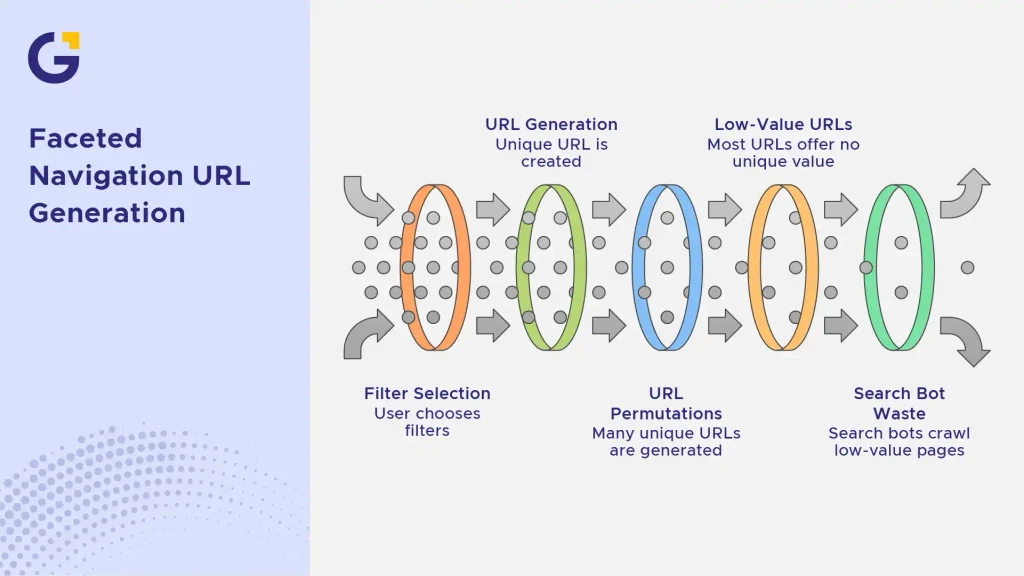
Faceted navigation is the dynamic filtering system used on ecommerce and listing platforms that lets users narrow search results by specific attributes like price, brand, size, or colour. Each filter selection typically triggers a unique URL populated with query parameters.
For example, selecting “red” and “under $50” on a footwear category page might produce a URL like /shoes?color=red&price=under-50. Multiply that by dozens of attributes, and you get an explosion of thousands of potential URL permutations.
Example Case: A mid-sized Australian fashion retailer with 500 products and 10 filter attributes accidentally generated over 100,000 unique filtered URLs, the vast majority of which offered zero unique value to search engines.
- Filters often cascade and combine (e.g., colour + size + brand), leading to exponential URL growth.
- Many combinations result in empty pages or duplicate product listings.
- Search bots often waste precious resources crawling these low-value pages instead of ranking your core money pages.
How Faceted Navigation Creates SEO Problems
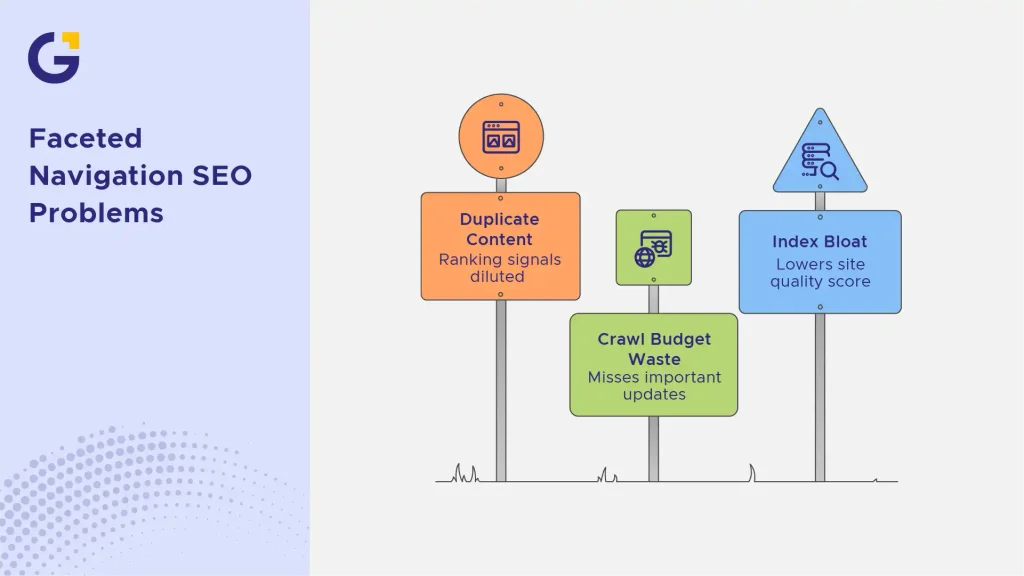
Properly managing faceted navigation SEO ensures your site stays healthy, as these problems typically stem from one core architectural flaw: search engines treat every unique URL as an entirely separate page, even when the underlying product grid is identical to another URL.
Duplicate Content
When multiple filter URLs display the same product lineup with minor sorting variations, Google views this as duplicate content. Instead of consolidating link equity into one powerful category page, your ranking signals get diluted across hundreds of thin URLs.
Crawl Budget Waste
Googlebot allocates a finite crawl budget to every domain. If crawlers spend 80% of their time shuffling through endless filter permutations, they will miss newly published blog posts or high-priority product updates. As outlined in Google Search Central’s guide to managing duplicate URLs, controlling crawl paths is vital for larger sites.
Index Bloat
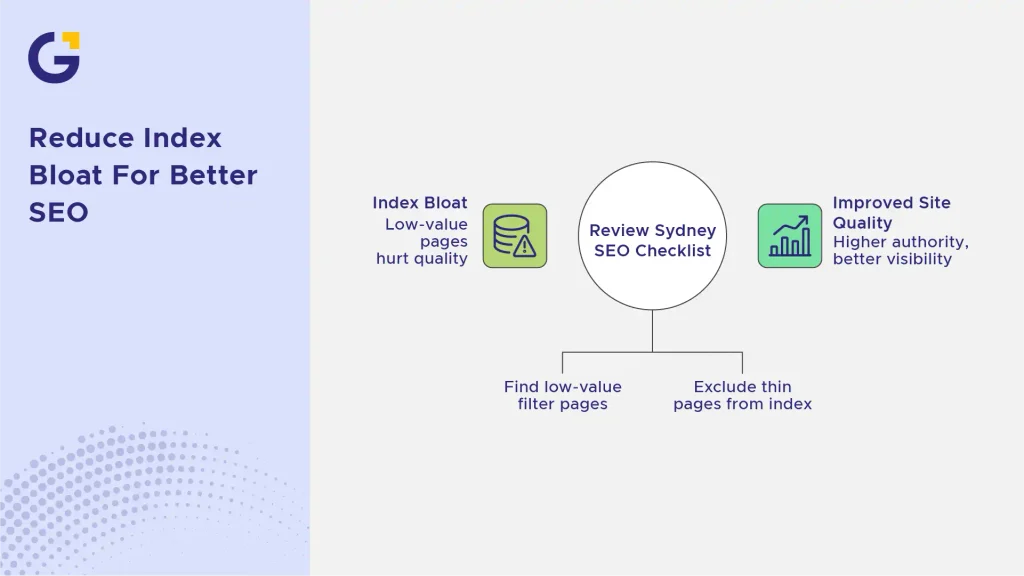
When too many low-value filter pages slip into the index, your site’s overall quality score drops. As Google’s John Mueller has frequently noted, indexing bloated, thin pages can drag down the authority of your entire domain. If you are noticing unexpected drops or visibility issues across your site structure, it is worth reviewing our guide on Why Your Service Pages Are Not Staying Indexed: A Sydney Business SEO Checklist to diagnose hidden technical bottlenecks.
Example Case: An online homewares store watched its product rankings plummet after a site migration introduced unfiltered faceted parameters without proper canonicalisation. Within two months, Google Search Console registered a 300% spike in indexed URLs, almost entirely low-value filter variants.
Example Case: An electronics retailer implemented self-referencing canonicals on single-attribute filters (like “brand”) while noindexing multi-attribute combinations. Within three months of restructuring their parameter rules, crawl efficiency improved by 45%, and non-target filter pages dropped out of the index entirely, letting their main product categories surge in rankings.
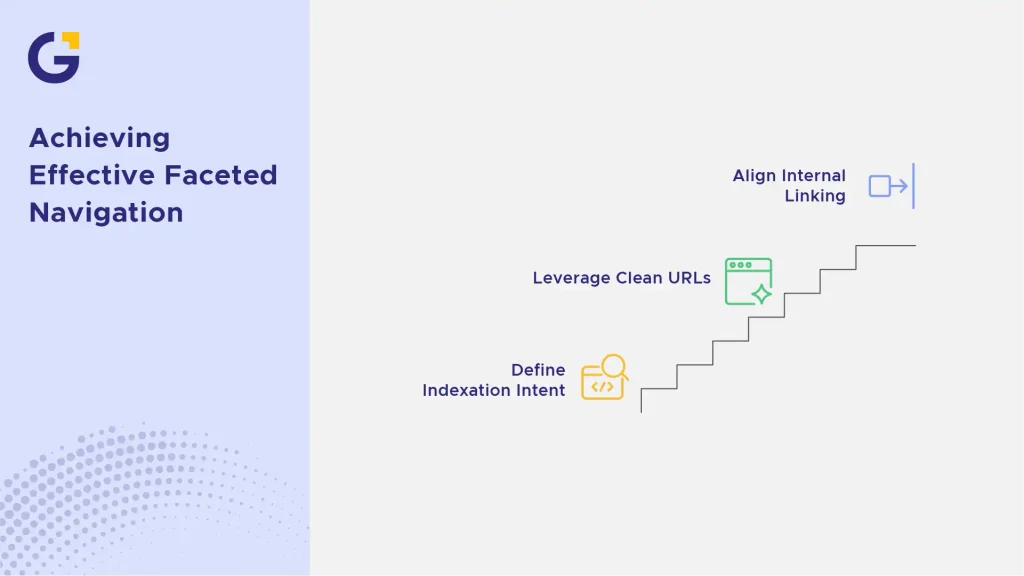
Best-Practice Faceted Navigation Setup
Implementing a foolproof architecture requires a combination of strategic rules:
- Define Indexation Intent: Establish strict criteria for what gets indexed. Only allow filter pages with genuine search volume and unique product selections to carry index tags.
- Leverage Clean URL Structures: Ensure your parameters follow a logical hierarchy and avoid random or messy ordering that creates infinite URL variations.
- Align Internal Linking: Direct your internal link equity toward your primary category pages rather than deep filter combinations. To map out a bulletproof internal structure, check out our insights on Internal Linking Strategy for Service-Based Websites: How to Support Money Pages, or learn more about our core On-Page SEO Services.
FAQs
1. Should I use noindex or canonical tags for faceted navigation?
It depends entirely on your crawling objectives. Use canonical tags to point filter variations back to the main category page if you want to consolidate link equity. Alternatively, use “noindex, follow” meta tags if you want search engines to crawl through the links on a filter page without adding that specific variant to the index.
2. How does faceted navigation affect my crawl budget?
When filters generate endless URL permutations, Googlebot wastes valuable crawling resources processing redundant pages. This delays the discovery of new content or important category updates.
3. Can I rank filter pages in Google?
Yes, but only if the filter combination targets a specific keyword with real search volume and offers a distinct, curated product selection that satisfies user intent.
4. How do I check if my filter pages are causing index bloat?
Open Google Search Console, navigate to the Indexing report, and check for sudden spikes in pages indexed under “Duplicate without user-selected canonical” or “Crawled – currently not indexed”.





 20 Apr 2026
 13 Min Read