

If you’re running a small or medium-sized business in Australia, chances are your days are filled with admin, emails, follow-ups, and repetitive tasks that drain your time. Many SME owners lose hours to work that doesn’t actually move the business forward, updating spreadsheets, replying to enquiries, checking inventory, or chasing team updates.
That’s where Agent Mode in ChatGPT becomes invaluable. This new capability transforms ChatGPT into a proactive digital agent that completes tasks, monitors workflows, sends alerts, and automates repetitive processes. As more owners adopt ChatGPT for business, Agent Mode is quickly becoming a core tool for business automation in Australia, helping SMEs save time and boost productivity.
In this guide, you’ll learn how Agent Mode works and how Genix Digital helps local businesses implement AI automation without the tech overwhelm.
What is Agent Mode in ChatGPT?
Agent Mode in ChatGPT is a new capability that allows ChatGPT to operate like a virtual operations assistant rather than just a text-based chatbot. Instead of giving you answers and stopping there, Agent Mode can take action, follow multi-step instructions, and monitor information in real time, much like a digital employee that never sleeps.
At its core, Agent Mode operates like a highly capable digital assistant, enhanced through continuous OpenAI updates that expand what the system can track, understand, and automate. It connects to your tools, checks for updates, triggers alerts, sends messages, updates spreadsheets, and even coordinates tasks across multiple platforms.
OpenAI describes agents as “AI systems that can reason, plan, and take actions using tools”, which makes them far more powerful than traditional chat interactions.
Think of it this way: Regular ChatGPT is like asking a smart person for help. Agent Mode is like giving that person access to your systems and letting them complete the work for you.
How It Works in Simple Terms
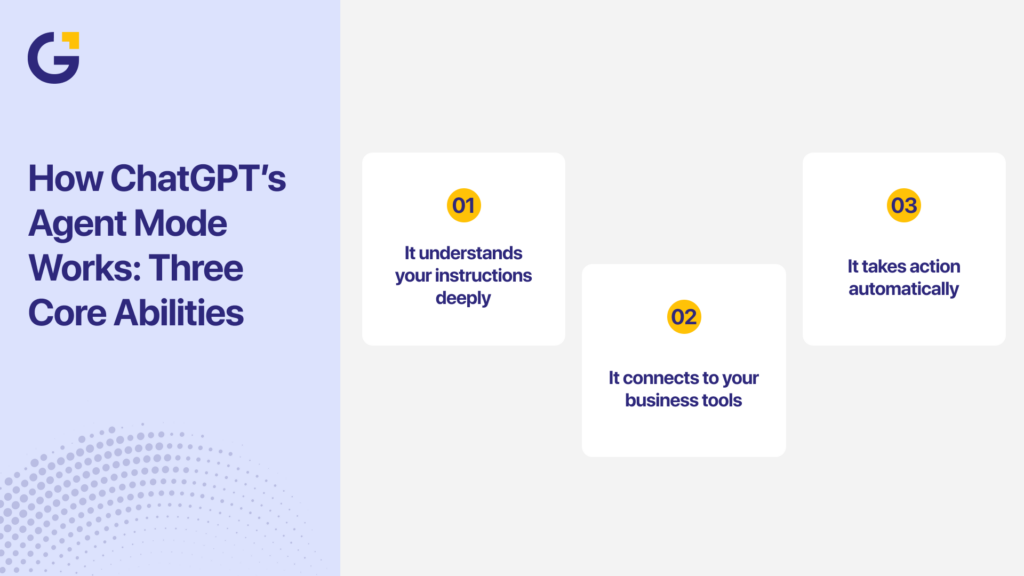
Agent Mode combines three major abilities:
- It understands your instructions deeply. It doesn’t just follow one command, but it understands the goal behind a workflow and keeps the context across steps.
- It connects to your business tools. Google Sheets, Slack, email, CRM systems, booking tools, project boards, and Agent Mode can interact with these securely using permissions you control.
- It takes action automatically. It can run a sequence of tasks every time a trigger happens (“when a new lead arrives,” “every Friday,” “whenever stock is low”). This moves ChatGPT from being reactive (waiting for your input) to proactive (taking action on its own).
A simple example is you can instruct like:
“Check my enquiry spreadsheet daily. If a lead hasn’t been contacted in 48 hours, message me on Slack and create a follow-up task in Trello.”
With Agent Mode, ChatGPT will:
- Scan the sheet
- Detect the contact delay
- Notify you automatically
- Create the task
- Repeat this every day without help
This type of workflow used to require expensive custom software or integration tools. Today, Agent Mode brings this capability to everyday businesses at a fraction of the cost.
Why This Matters
For Australian SMEs, this means:
- no more manual spreadsheet reviews
- no missed leads
- fewer repetitive tasks
- smoother team coordination
- more time for revenue-driving activities
Agent Mode represents a major step toward fully autonomous digital assistants, something that global leaders like Elon Musk and Sam Altman have repeatedly described as the future of workplace productivity.
Why It Matters for Australian Business Owners
For Australian small and medium-sized businesses, Agent Mode isn’t just a handy feature; it’s a direct response to real productivity pressures. Local teams often spend hours each day on admin, chasing emails, or preparing reports, leaving less time for sales, strategy, and customer experience.
With rising labour costs and limited staffing capacity, many SMEs are looking for practical ways to work smarter without increasing overheads. Agent Mode gives businesses a way to automate routine tasks, free up time, and maintain service quality even with lean teams.
Global leaders like Elon Musk and Satya Nadella have shared that the next wave of business efficiency will be driven by AI systems that “work alongside people, not replace them.” For Australian business owners, Agent Mode brings that idea into the real world, offering a digital assistant that handles repetitive tasks while your team focuses on more valuable work.
Here’s what makes it especially important for local businesses:
Save time on routine work
According to a 2025 HRD Australia report, employees spend up to six hours per day on repetitive tasks such as emails, document updates, and meeting coordination. Agent Mode helps cut these hours significantly by automating multi-step tasks in the background.
Improve response times
Whether you’re in real estate, construction, or professional services, a quick follow-up can make or break a deal. A ChatGPT Agent can trigger instant alerts, reply to enquiries, or prepare summaries, helping you stay responsive even during busy periods.
Reduce operational costs
Instead of hiring additional staff for admin or coordination roles, businesses can configure a virtual agent to handle routine work. This aligns with Genix Digital’s mission: give SMEs access to enterprise-level efficiency without enterprise-level cost.
Stay competitive
Top platforms like Shopify and HubSpot already offer AI integrations for workflow automation. Many Australian e-commerce brands use these tools to streamline fulfilment, support, and inventory tracking. Agent Mode lets smaller businesses compete at that same level.
Key takeaway: Agent Mode helps Australian SMEs reclaim lost time, boost team efficiency, and reduce the pressure of rising operating costs. When used with expert setup and strategy, it becomes a foundation for running a more agile, responsive, and competitive business.
Practical Use Cases for SMEs
Agent Mode becomes most valuable when business owners can see how it applies to their day-to-day operations. Automation isn’t just for big companies; Australian SMEs across every industry can use ChatGPT Agents to cut admin time, improve accuracy, and boost customer satisfaction.
These are some of the most common ChatGPT Agent use cases we see among Australian SMEs adopting workflow automation.
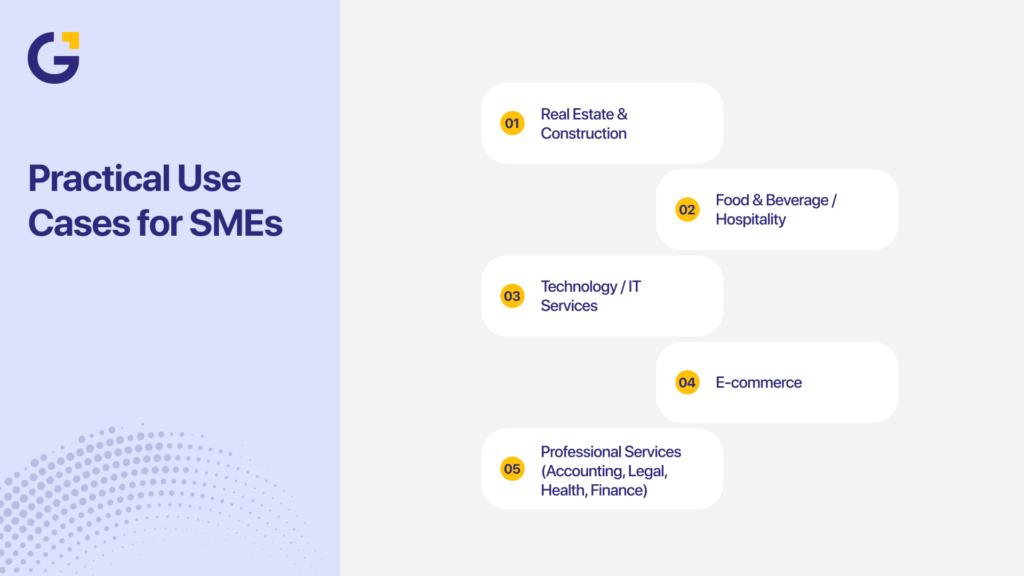
Real Estate & Construction
Real estate agents, builders, tradies, and project managers often deal with a heavy flow of enquiries, paperwork, and scheduling. Agent Mode can simplify these tasks so teams can spend more time on clients and on-site work.
Examples:
- Lead follow-up automation: Monitor new form submissions and instantly send a personalised SMS or email to the prospect.
- Site visit scheduling: Automatically add appointments to a shared Google Calendar and notify the project coordinator.
- Quote tracking: Flag overdue quotes and send reminders to the sales team.
- Compliance reminders: Generate weekly summaries for safety checklist submissions or inspection deadlines.
Impact: Faster client response, fewer missed appointments, and less manual admin for busy teams moving between job sites.
Food & Beverage / Hospitality
Cafés, restaurants, catering services, and hospitality groups often rely on rapid communication and reputation management. Agent Mode can simplify guest engagement and day-to-day operational coordination.
Examples:
- Social sentiment monitoring: Track brand mentions on Facebook, Instagram, and X; notify managers when negative reviews appear.
- Roster coordination: Summarise weekly staff availability and propose shift suggestions.
- Inventory alerts: Monitor ingredient levels in spreadsheets and notify suppliers for reorders.
- Customer engagement: Auto-generate responses to FAQs (menus, opening hours, reservation rules).
Impact: Better control over brand reputation, smoother team coordination, and fewer last-minute supply issues.
Technology / IT Services
Tech consultancies, MSPs, and digital service providers often juggle support tickets, client updates, and documentation. Agent Mode can help teams stay organised and responsive.
Examples:
- Ticket triage: Categorise incoming emails by urgency and forward them to the right technician.
- Weekly performance reports: Compile unresolved issues, average response times, and client follow-up priorities.
- Client onboarding: Auto-generate setup instructions and send them to new clients.
- Documentation updates: Convert meeting notes into polished documentation and upload them to Confluence or Notion.
Impact: Quicker resolutions, fewer missed tickets, and consistent documentation, all crucial for IT teams with high client expectations.
E-commerce
Australian online retailers, whether on Shopify, WooCommerce, or custom stores, can save significant time with automated inventory, support, and fulfilment processes.
Examples:
- Low-stock alerts: Monitor product quantities and notify purchasing managers when thresholds are reached.
- Order updates: Pull order status data and send customers real-time tracking notifications.
- Customer support summaries: Group similar inquiries and generate response templates for staff.
- Review monitoring: Alert the team when new product reviews are posted.
Impact: Reduced manual checking, quicker customer communication, and more reliable stock management.
Professional Services (Accounting, Legal, Health, Finance)
Consultants and service-based businesses often lose time to paperwork and client coordination. Agent Mode can automate many of these operational tasks.
Examples:
- Client intake processing: Sort incoming enquiries into categories and log them into your CRM.
- Document prep: Auto-fill templates for proposals, engagement letters, or treatment notes.
- Billing follow-ups: Track overdue invoices in Xero or MYOB and generate gentle reminder drafts.
- Appointment reminders: Send SMS or email reminders based on your booking calendar.
Impact: Less admin, fewer no-shows, and more time for billable client work.
Key takeaway: Agent Mode isn’t theoretical; it delivers real, practical value in everyday business scenarios across Australia. When paired with a strategic setup from Genix Digital, SMEs can turn manual processes into fully automated workflows that run reliably in the background.
Setting Up and Using Agent Mode
Agent Mode is powerful, but its success depends on how clearly the workflow is designed. Most Australian SMEs already use tools like Google Sheets, Outlook, Trello, Xero, Slack, and CRMs. Agent Mode simply acts as the “bridge” that connects these tools and performs actions automatically. You don’t need to be technical to get started; you just need to define what you want the agent to do and give it access to the relevant tools.
Think of the setup process like onboarding a new staff member: you explain the task, outline when it should happen, and provide the tools needed to complete it. Once configured, Agent Mode can run daily processes without your team lifting a finger.
Below is a clear, step-by-step guide to getting Agent Mode operational in your business.
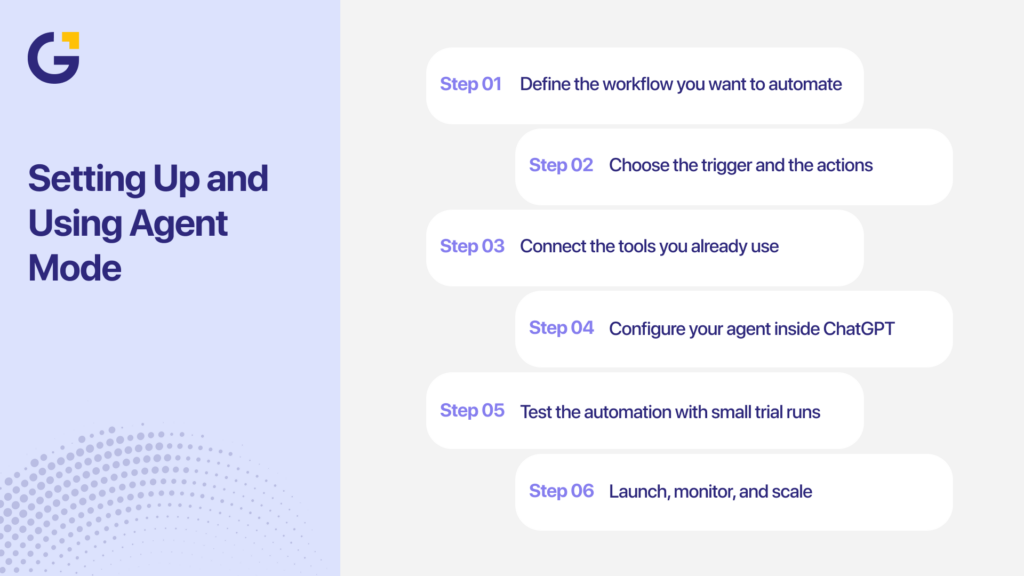
Step 1: Define the workflow you want to automate
Start by writing down the manual tasks that take up your time. These often include follow-ups, data entry, status checks, and weekly summaries.
Examples:
- “Send me a list of uncontacted leads every Friday.”
- “Notify me when someone fills out the enquiry form.”
- “Summarise new support tickets daily.”
Choose simple workflows first; you can scale later.
Step 2: Choose the trigger and the actions
Agent Mode works based on a simple logic pattern: When X happens → Do Y.
Common triggers:
- New spreadsheet row
- New email
- Calendar event created
- File uploaded
- Form submission
Common actions:
- Send Slack message
- Update CRM
- Email reminders
- Generate a summary
- Create a task in Trello or Asana
Keeping your trigger-action logic clear ensures the agent behaves exactly as expected.
Connect the tools you already use
Most SMEs rely on a mix of everyday software. Agent Mode can integrate with many of them using APIs or native connections.
Common integrations:
- Google Workspace (Sheets, Docs, Gmail, Calendar)
- Microsoft 365
- Slack
- Trello & Asana
- Notion
- Xero & MYOB (via API endpoints)
- Shopify & WooCommerce
- CRMs like HubSpot, Zoho, or Monday.com
You will need to grant Agent Mode permission to access each tool, similar to allowing a plugin or app connection.
Step 4: Configure your agent inside ChatGPT
Inside the ChatGPT interface, you’ll be prompted to:
- Enable Agent Mode
- Set boundaries and permissions
- Provide step-by-step instructions
- Define triggers and actions
- Specify data access rules
This step is crucial for security and reliability. Your agent will only operate within the permissions you allow.
Step 5: Test the automation with small trial runs
Before rolling out a workflow across your entire organisation, test it. Check whether the triggers are firing correctly and ensure no required data fields are missing. Look for accidental duplicate messages, timing issues that may cause delays, and any permission errors that might block the agent from accessing your tools.
This trial-and-error step helps refine the automation so it performs smoothly.
Step 6: Launch, monitor, and scale
Once the workflow is stable, you can expand your automations. Many SMEs begin with one or two workflows, then build up a full automation system.
Examples of scaling:
- Weekly reporting for all departments
- Customer ticket triage
- Inventory health checks
- Automated onboarding sequences
- KPI dashboards are auto-generated from CRM data
Tracking results, such as hours saved or tasks automated, helps prove ROI internally.
Genix Digital supports SMEs through the entire setup process. This includes selecting the right tools, designing workflows, configuring agents, and monitoring long-term performance. Instead of trial-and-error, you get a ready-to-run automation system built for your business.
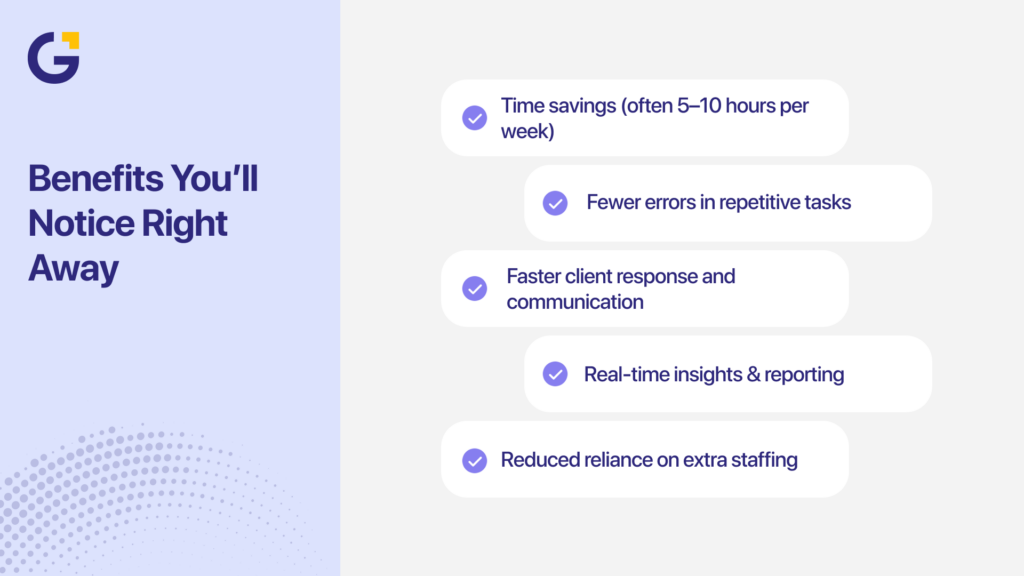
Benefits You’ll Notice Right Away
Once Agent Mode is active, most business owners see improvements almost immediately. Many SMEs also adopt Agent Mode as part of their broader ChatGPT automation strategy, improving task accuracy and freeing teams from repetitive manual work.
Unlike large digital transformations that take months, Agent Mode begins delivering value within days, sometimes even hours. The biggest advantage? It handles the repetitive tasks your team would normally spend hours completing, freeing them to focus on clients, sales, and strategy. Whether you run a small shop or a multi-location service business, the efficiency gains accumulate quickly.
Below are the core benefits Australian SMEs commonly report when implementing ChatGPT Agent Mode:
Time savings (often 5–10 hours per week)
Agent Mode removes the need to manually check spreadsheets, chase leads, compile reports, or respond to common enquiries. By automating routine tasks, business owners and teams can shift their focus to higher-value work such as sales, strategy, and customer experience. These improvements compound, driving measurable AI productivity for SMEs as workflows become more streamlined and predictable.
Examples include:
- Auto-generating weekly sales summaries
- Instant notifications when new leads arrive
- Automated follow-ups for overdue invoices
- Daily scans of support inboxes
Even small time savings add up each week, creating meaningful improvements in productivity and workflow consistency.
Fewer errors in repetitive tasks
Manual workflows almost always introduce human error, missed emails, outdated numbers, inconsistent messaging, or incorrect file uploads. Agent Mode performs tasks consistently and checks data with the same logic every time.
Impact:
- More accurate reporting
- Better compliance documentation
- Fewer data-entry mistakes
- Reduced risk of missing important customer messages
For industries dealing with compliance or detailed project tracking (construction, finance, medical, legal), this alone is a major advantage.
Faster client response and communication
A quick follow-up often determines who wins a sale. With Agent Mode, responses become almost instant, even during busy periods, weekends, or peak seasons.
Examples:
- Auto-replies to new enquiries
- Alerts for high-priority customer messages
- Summaries of daily support issues
- Real-time updates for e-commerce orders
This speed improves the customer experience and increases conversion rates, especially for high-demand industries like real estate, trades, and professional services.
Real-time insights & reporting
Instead of waiting weeks for a team member to compile data, Agent Mode can prepare reports on demand or on a set schedule.
It can pull metrics from spreadsheets, summarise service tickets, track overdue tasks, and analyse weekly activity patterns. These instant insights help business owners make faster decisions, reduce bottlenecks, and stay closely connected to performance indicators.
Reduced reliance on extra staffing
Australia’s labour market can be tight, and hiring extra admin support can be expensive. Agent Mode helps by automating many repetitive coordination tasks, reducing the need for additional staffing without replacing your existing team.
You get more output from the same headcount, more time for staff to focus on high-value work, and lower day-to-day operational costs. It also reduces overtime and helps prevent burnout by taking routine tasks off your team’s plate.
Key takeaway: Agent Mode delivers fast, measurable improvements in efficiency, accuracy, communication, and reporting. For SMEs juggling limited time and rising operational costs, these early wins lay the foundation for long-term automation and growth.
These benefits align with Genix Digital’s broader mission of delivering performance-driven, affordable digital marketing for SMEs.
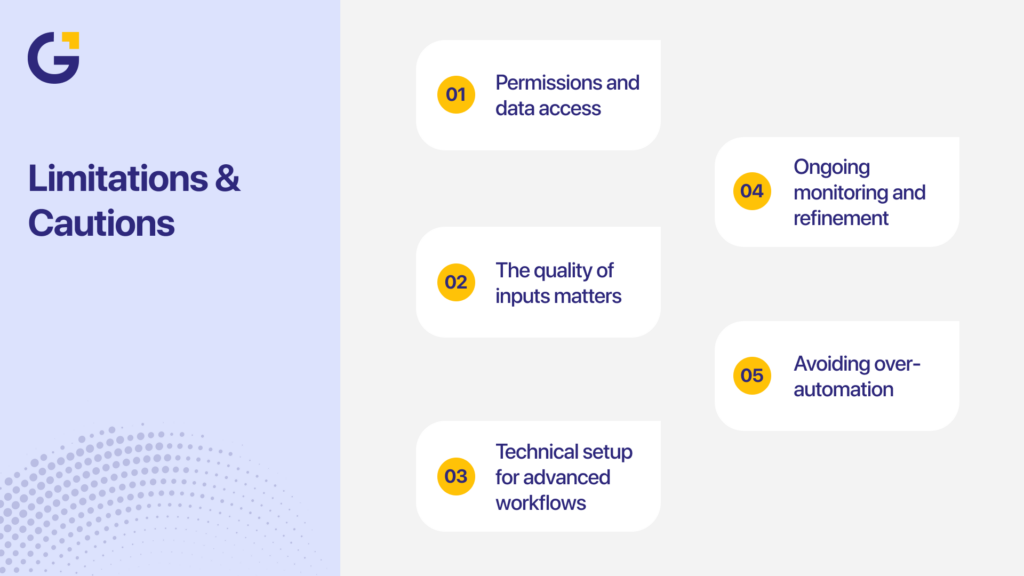
Limitations & Cautions
Agent Mode is powerful, but it isn’t a perfect solution or a full replacement for human judgment. Understanding its limitations helps business owners use it safely, confidently, and realistically.
- Permissions and data access. Agent Mode can only work if it has access to the tools it needs, such as spreadsheets, email, or project boards. This means SME owners must set clear permissions and review access levels regularly to keep sensitive data protected.
- The quality of inputs matters. The performance of an AI agent depends entirely on the accuracy and structure of the data it receives. If your spreadsheets contain errors or inconsistent fields, the agent may produce incorrect outputs or miss important triggers.
- Technical setup for advanced workflows. Basic automations are simple to configure, but more complex workflows may require API keys, webhook settings, or third-party integrations. Non-technical users may need guidance when setting up these advanced workflows.
- Ongoing monitoring and refinement. Agents are not “set and forget.” They require occasional review to ensure they are running correctly and adapting to updated business processes. A quick weekly check is often enough to keep things stable.
- Avoiding over-automation. Some tasks still require human tone, empathy, or situational judgment. Over-automating customer communication or approvals may lead to misunderstandings. The key is balance, automate repetition, and keep humans for relationship-driven decisions.
In short, Agent Mode is not a magic bullet, but a strong tool when used wisely. For an SME owner in Australia, the key is to pick the right workflows to automate and pair the AI with human oversight. For best results, business owners should treat Agent Mode as one part of a larger ChatGPT for business setup rather than a full replacement for human judgment.
The Future of AI Agents for Australian SMEs
We’re only at the beginning of how AI agents like Agent Mode ChatGPT will shape SME operations. Gartner predicts that by 2027, more than three times of small businesses will use AI assistants in some form. For Australian businesses, this means:
- Sharper competitiveness: SMEs who adopt early will differentiate from those still manual.
- New workflows: Beyond lead follow-up, expect automation of customer success, finance, and HR onboarding.
- More accessible tools: AI agents will integrate natively with platforms such as Microsoft 365, Salesforce, and Xero, making setup simpler.
- Localisation growth: More Australian-specific templates, language models, and compliance features (e.g., Australian data privacy).
Working with a partner like Genix Digital means your business isn’t just chasing technology; you’re implementing it strategically to match your goals and budget.
Summary
Agent Mode in ChatGPT is becoming one of the most practical AI tools for small and medium-sized businesses, especially for owners looking to improve business productivity and streamline operations through smart automation. Automating repetitive workflows helps business owners reclaim hours every week and operate with enterprise-level efficiency, without enterprise-level costs.
With the right setup, Agent Mode gives SMEs access to true ChatGPT automation, lifting productivity across admin, sales, service, and reporting.
At Genix Digital, we help Australian businesses turn AI tools like ChatGPT into real productivity systems, built around your goals, your workflows, and your people. Ready to see how automation can transform your business? Book a free consultation today and start transforming your business with AI that works as hard as you do.
FAQs
What is Agent Mode in ChatGPT?
Agent Mode is a new ChatGPT feature that lets the AI perform multi-step actions instead of just replying to prompts. It can connect with apps, manage data, send updates, or automate workflows on your behalf. Think of it as a digital assistant that not only understands your instructions but also executes them.
What is the difference between ChatGPT and ChatGPT Agent?
Regular ChatGPT responds to prompts and generates text, while the ChatGPT Agent can take action using integrated tools or APIs. The Agent can automate repetitive business tasks such as sending messages, updating spreadsheets, or scheduling meetings. In short, ChatGPT answers questions, and the Agent gets work done.
How much does ChatGPT Agent Mode cost?
Agent Mode is available to ChatGPT Plus and ChatGPT Team/Enterprise users as part of their subscription. While there’s no extra charge for using Agent Mode, API-based automations may incur usage fees. OpenAI recommends reviewing your account’s usage dashboard before running large-scale automations.
What is the difference between Agent Mode and Deep Research?
Agent Mode focuses on performing actions and automating tasks, while Deep Research is designed to gather and summarise complex information from multiple sources. Deep Research works best for learning and analysis, whereas Agent Mode excels at execution. Many professionals use both together for research-to-action workflows.
Is ChatGPT Agent Mode worth it for businesses?
Yes, especially for small and medium-sized businesses aiming to save time on manual work. Agent Mode automates admin, reporting, and customer interactions, letting teams focus on higher-value projects. Many SMEs see measurable gains in productivity and customer response times within weeks of adoption.





 30 Mar 2026
 17 Min Read